

Follow the steps below for setting up the EDB Postgres Advanced Server on a Linux server. The steps are based on the EDB Postgres Advanced Server EDB Docs - EDB Postgres Advanced Server v17 - Installing EDB Postgres Advanced Server on AlmaLinux 9 or Rocky Linux 9 x86_64.
-
Setting up the repository is a one-time task. Check if the repository already exists on the Linux machine.
Use the commands below to confirm the repository exists. If no output is generated, the repository isn't installed.
$ sudo dnf repolist | grep enterprisedb

Linux Terminal: command related to EDB repo check
-
Go to the EDB repository https://www.enterprisedb.com/repos-downloads.
Accessing this repository requires an EDB user account, which can be created from the following URL: Account management | EDB.
Select Access EDB Repos 2.0 as highlighted in the figure below.
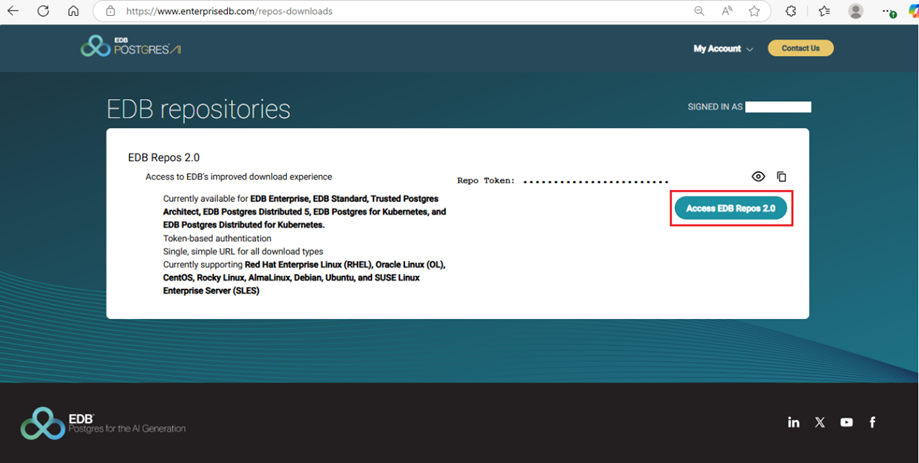
EDB official website: Repo access
-
Select the required platform and software to download.
-
Select the platform from the Select Platform drop-down list.
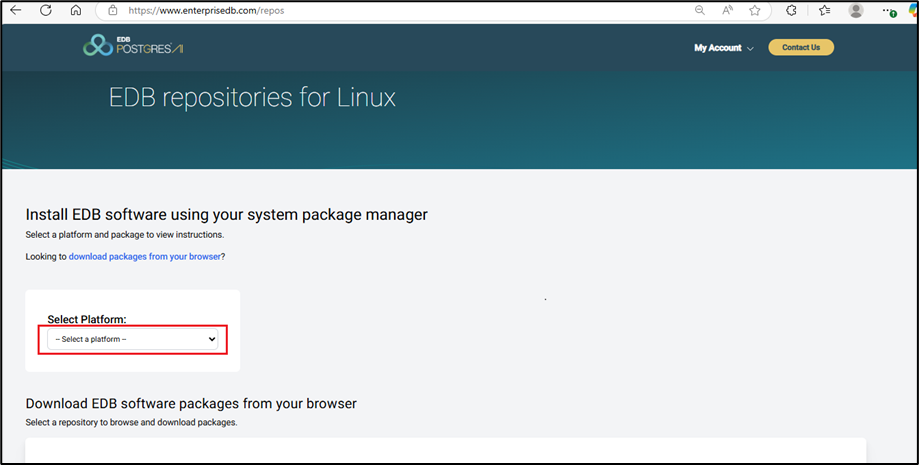
EDB official website: Platform selection for EDB repo
-
Select Rocky Linux 9 from the drop-down list, as it is used for testing.
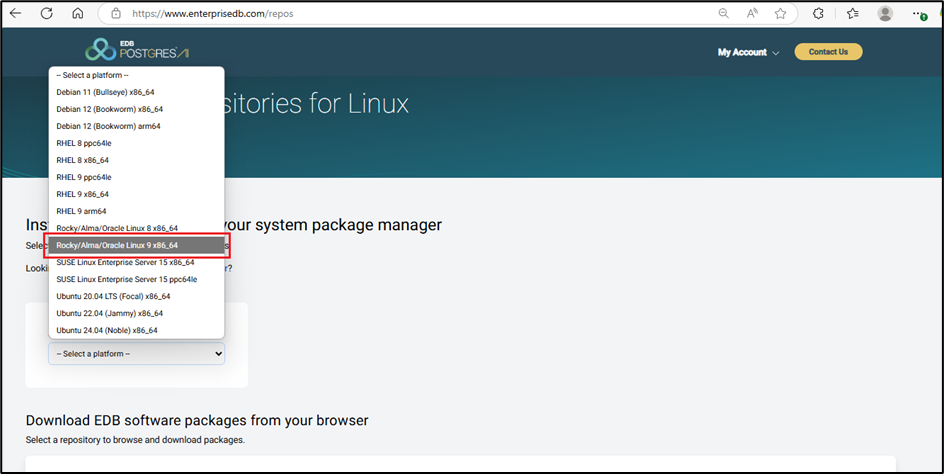
EDB official website: Rocky Linux 9 selection
-
Select Software EDB Postgres Advanced Server version 17, as the figure below highlights.
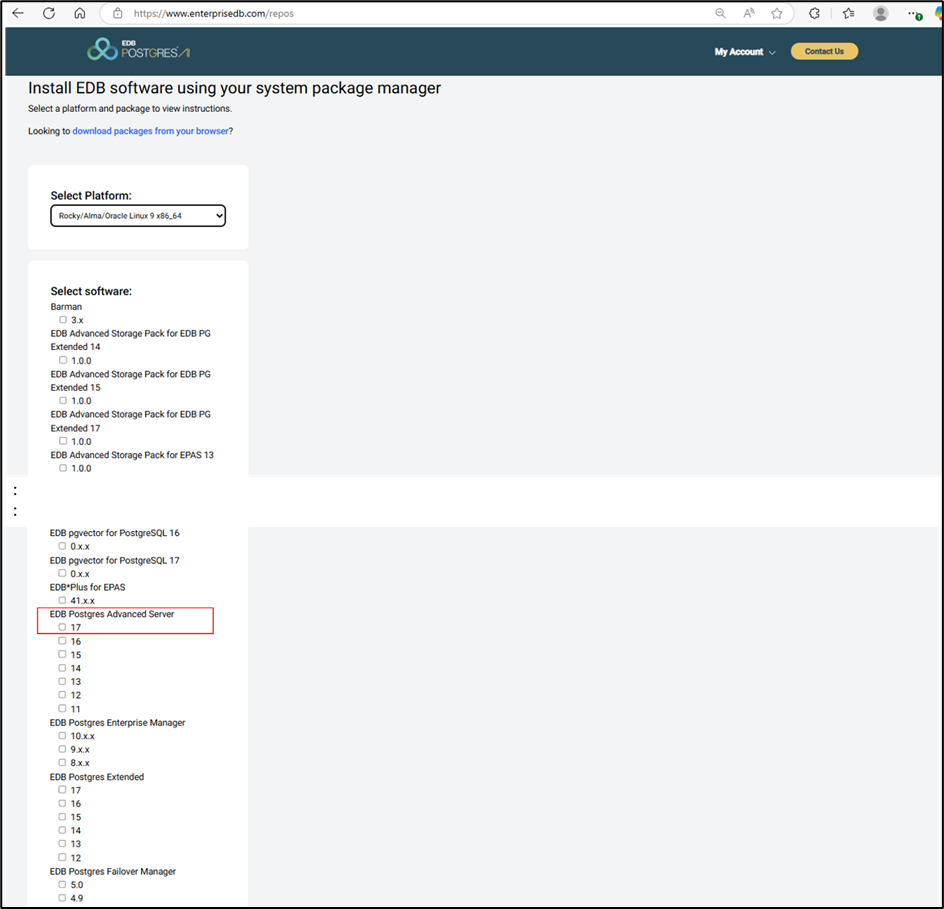
EDB official website: Select the software ‘EDB Postgres Advanced Server’
-
-
Set up the repository using the link from the EDB repository
-
The repository URL is specified in the figure below.
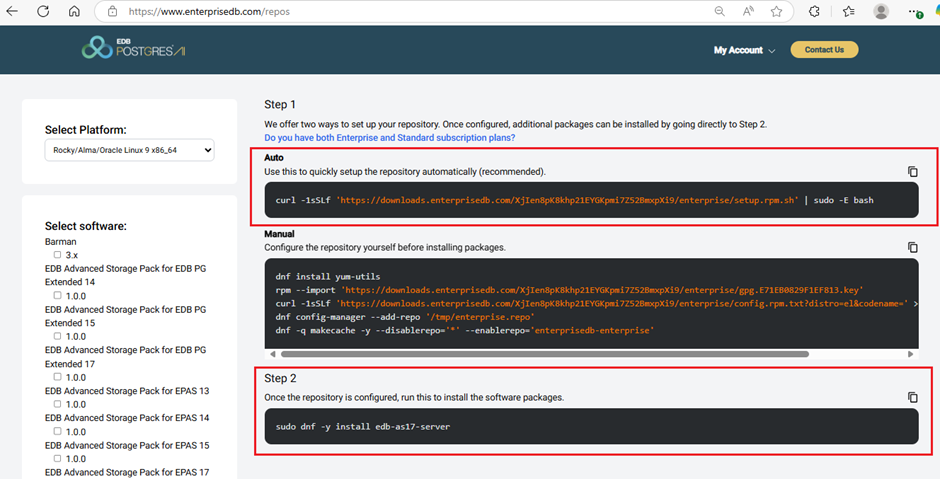
EDB official website: EDB Postgres Advanced Server repo urls -
Execute the command below on a Linux machine.
$ curl -1sSLf 'https://downloads.enterprisedb.com/XjIen8pK8khp21EYGKpmi7Z52BmxpXi9/enterprise/setup.rpm.sh' | sudo -E bash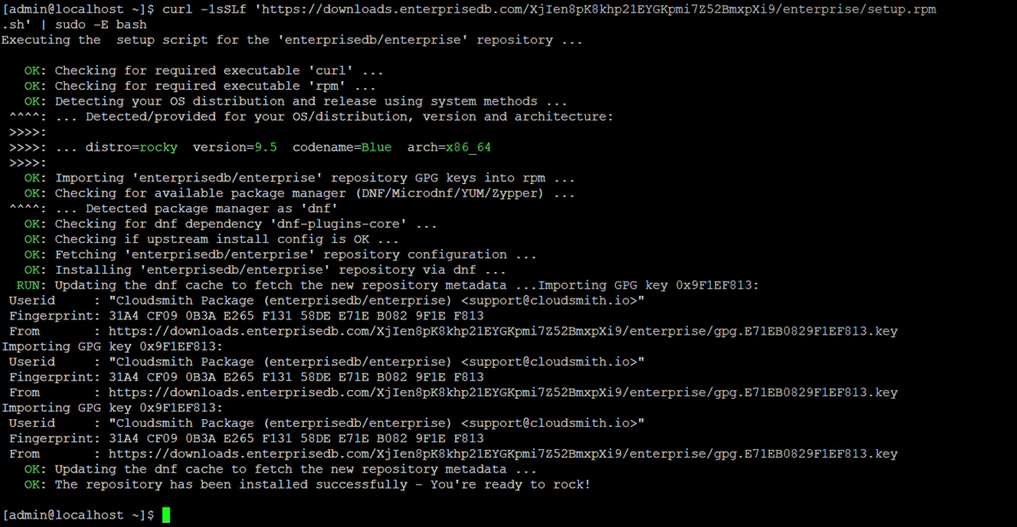
Linux Terminal: EDB repository setup
-
-
Install the software packages.
The command for installing the software package issudo dnf -y install edb-as<xx>-server, where<xx>is the version of EDB Postgres Advanced Server. For version 17, use the command below.
$ sudo dnf -y install edb-as17-server
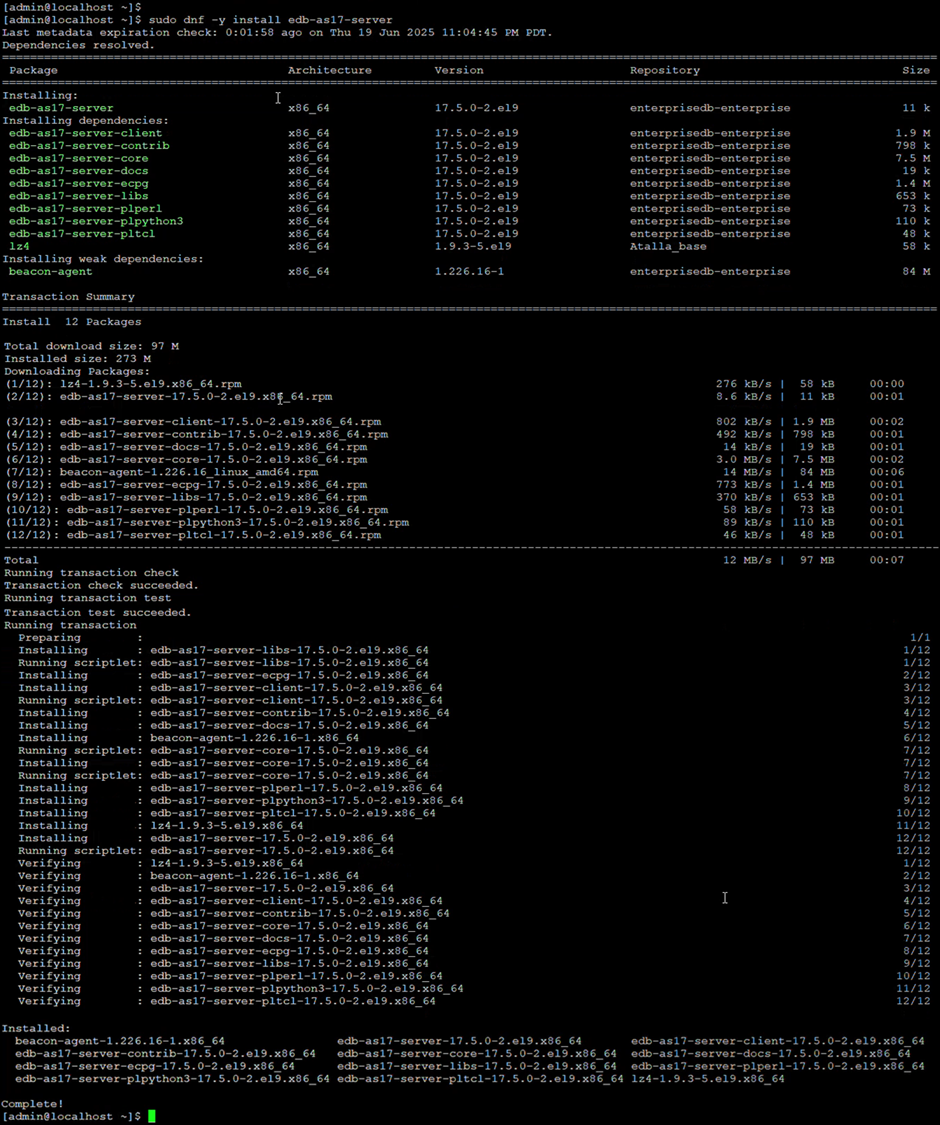
Linux Terminal: Install the edb-as17-server software package
-
Install the EPEL repository.
Use this command for EPEL installation.
$ sudo dnf -y install epel-release
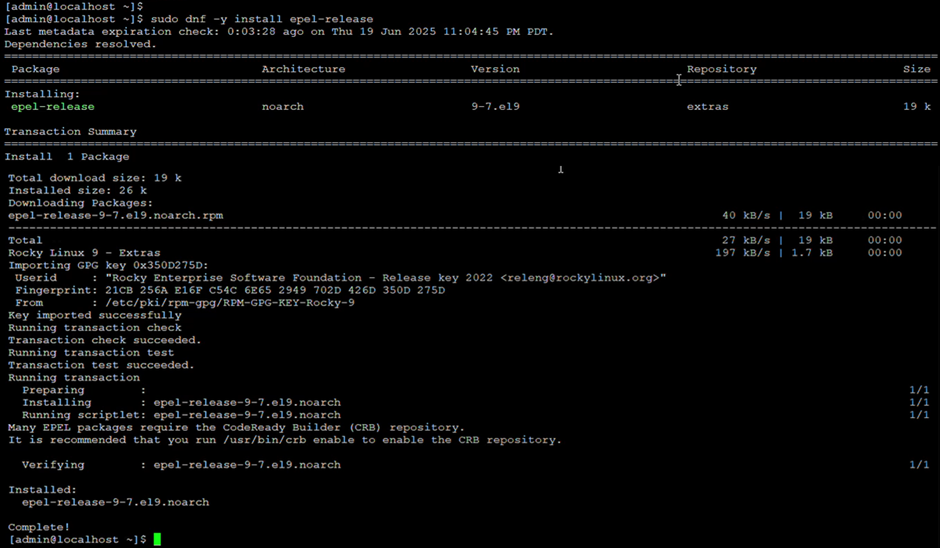
Linux Terminal: installing EPEL repository
-
Enable additional repositories to resolve dependencies.
Use this command to enable additional repositories.
$ sudo dnf config-manager --set-enabled crb

Linux Terminal: enabling the additional repositories to resolve dependencies
-
Disable the built-in PostgreSQL module.
Use this command to disable any existing PostgreSQL module.
$ sudo dnf -qy module disable postgresql
-
Install the PostgreSQL packages
Use this command to install PostgreSQL.
$ sudo dnf -y install postgresql17-server postgresql17-contrib
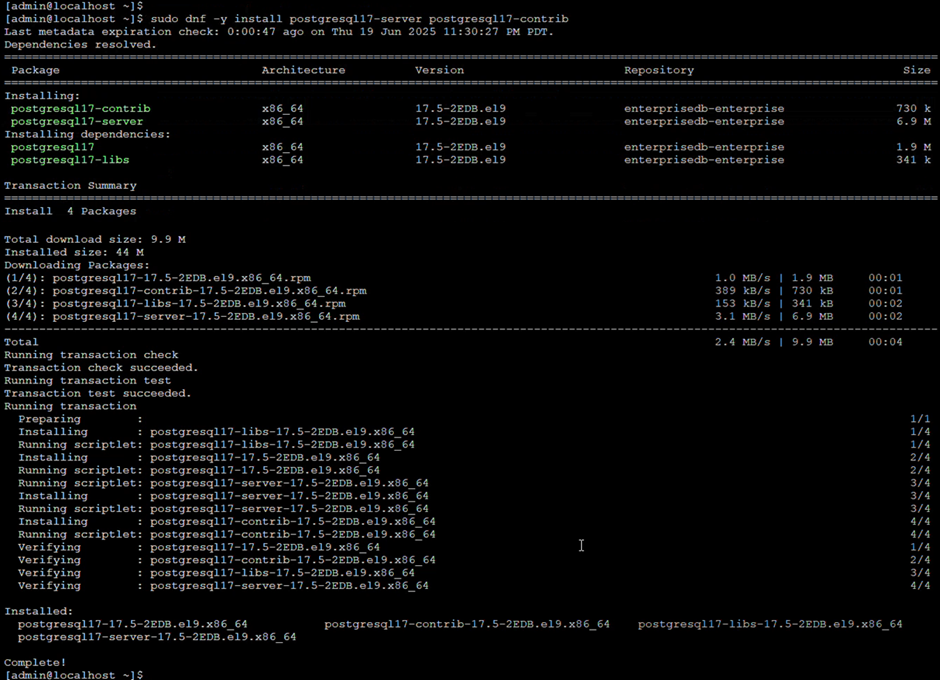
Linux Terminal: installing the PostgreSQL package
10. Installing the server package creates an operating system user named enterprisedb. The user has no default password, so a password needs to be set using the passwd command.
$ sudo passwd enterprisedb
11. Make sure the user enterprisedb has sudo privileges.
$ sudo usermod -aG wheel enterprisedb