

F5 BIG-IP must be installed on the target machine to carry on with the integration process. For a detailed installation procedure of BIG-IP, refer to the F5 documentation according to the desired version of BIG-IP (refer to BIG-IP 17.5.1-Install Steps for installation steps).
If the license is not configured during installation and setup, please follow these steps:
-
Open and log in to the BIG-IP Configuration utility (GUI).
-
Navigate to System->License.
-
Enter the license key in Base Registration Key and select Manual (if there are no network connections for the BIG-IP).
-
Click the Next button.
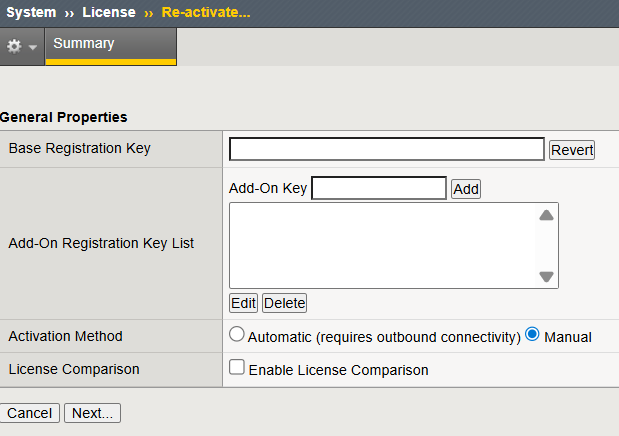
License screen
-
Copy the dossier details to F5 Licensing Server and create a License. Paste the License details and click Next . Check the instructions given on the screen.
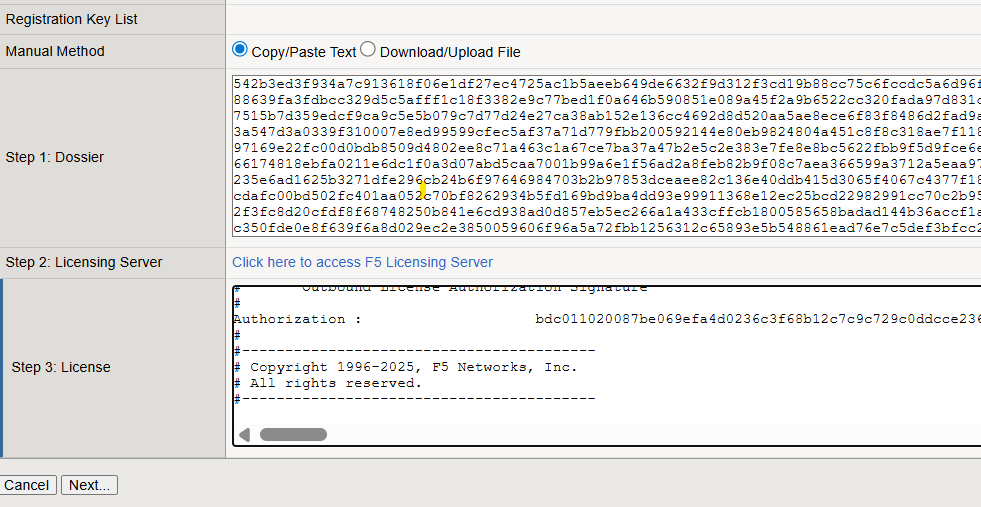
License generated
-
Check that the license has External Interface and Network HSM under Active Modules.
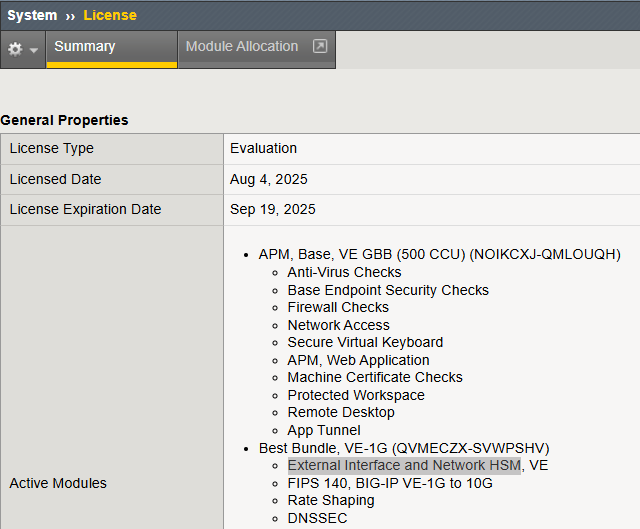
Network HSM available in Active Module