

-
To start, log in to the Configuration utility of F5 BIG-IP from the browser.
-
On the Left Pane, go to System > Certificate Management > HSM Management > External HSM.
-
In the General Properties, click on the dropdown and select the Vendor as auto, and set the PKCS11 Library Path to /opt/utimaco/lib/libcs_pkcs11_R3.so.
-
In the Partitions, create a new Partition with the Name as auto and Password as 12345678.
-
Click on Add to save credentials button and then click on the Finished button at the bottom.
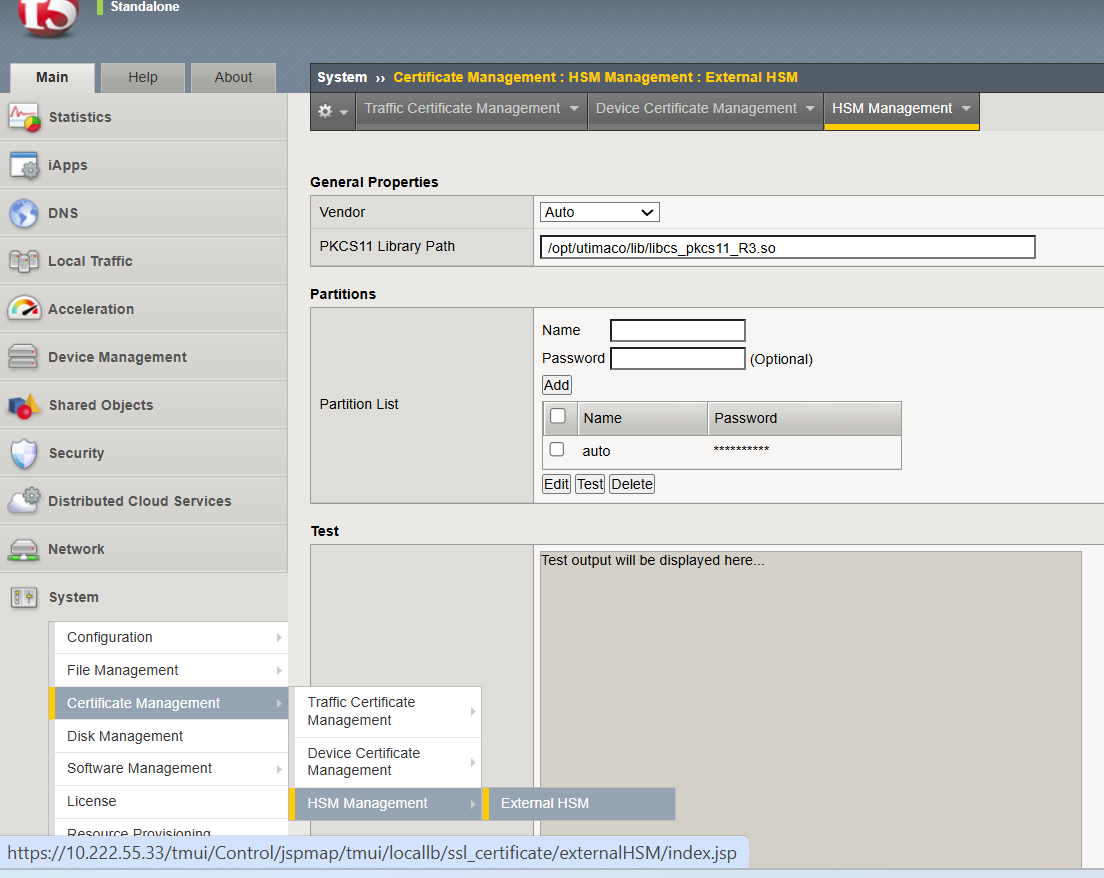
External HSM Management