

To configure HA Proxy to use with the CryptoServer create or adjust the /etc/haproxy/haproxy.cfg file. The next configuration includes a setup of web GUI (e.g. HTTP port 9090) and socket for the CryptoServer load sharing (e.g. TCP 3100). It is possible to run HAProxy without web GUI but the current transfer statistics and status of the CryptoServer can be seen here.
global
log /dev/log local0
log /dev/log local1 notice
chroot /var/lib/haproxy
user haproxy
group haproxy
daemon
defaults
log global
mode http
option tcplog
option dontlognull
timeout connect 5000
timeout client 50000
timeout server 50000
errorfile 400 /etc/haproxy/errors/400.http
errorfile 403 /etc/haproxy/errors/403.http
errorfile 408 /etc/haproxy/errors/408.http
errorfile 500 /etc/haproxy/errors/500.http
errorfile 502 /etc/haproxy/errors/502.http
errorfile 503 /etc/haproxy/errors/503.http
errorfile 504 /etc/haproxy/errors/504.http
listen stats :9090
balance
mode http
stats enable
stats auth admin:admin
listen CryptoServerCluster :3100
balance leastconn
mode tcp
option tcp-check
tcp-check send-binary 9C00001400830100436865636B204865616C7468
tcp-check expect binary 9A00001068746C616548206B63656843
server Erebos 192.168.0.10:288 check
server Aphrodite 192.168.0.11:288 check
server Apollo 192.168.0.12:288 check
server Eros 192.168.0.13:288 check
The cluster of CryptoServer that is used here is defined in the section CryptoServerCluster. Besides the ip address of CryptoServer it is possible to assign a name for this device. This name is then shown in the statistics overview. The communication mode for the CryptoServer connection is tcp. As load sharing method leastconn (lowest number of connections) has been chosen for this guide.
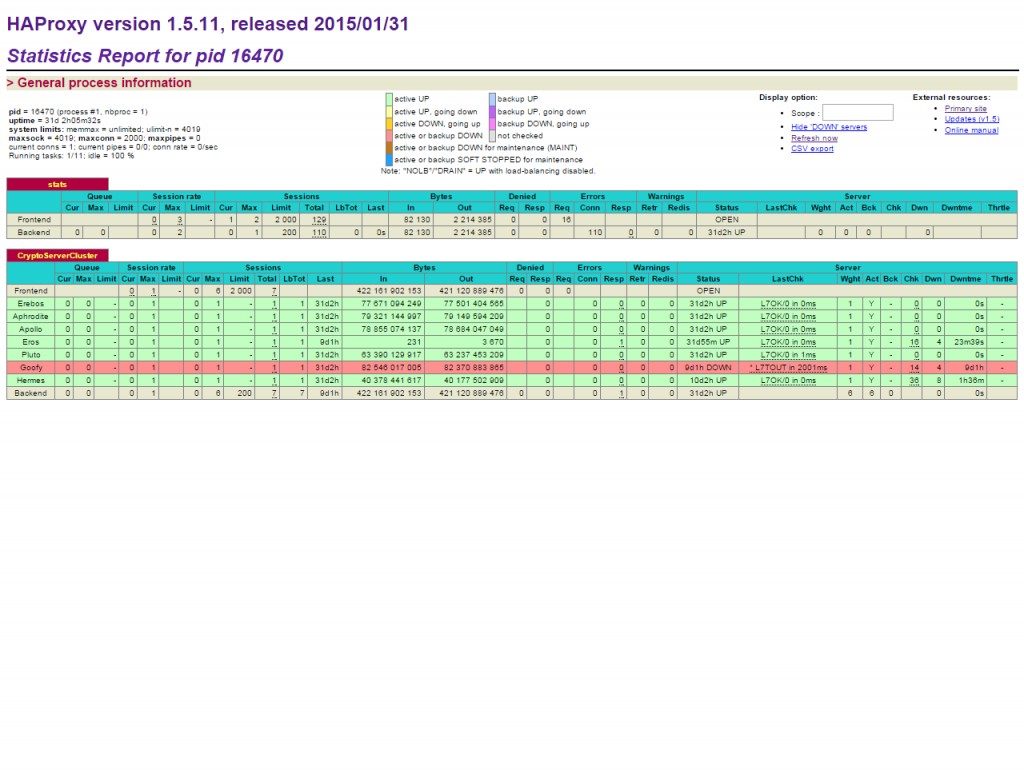
General process information
There are also other strategies available like roundrobin, static-rr and first. After editing the /etc/haproxy/haproxy.cfg configuration file you need to restart HA Proxy to get new settings effective.
|
›_ Console |
|---|
|
To monitor the health of a CryptoServer device you can use the tcp-check send-binary and tcp-check expect binary feature of HA Proxy. HA Proxy sends a binary tcp request to a CryptoServer with tcpcheck send-binary and checks the answer of the CryptoServer with tcp-check expect binary. If the answer of the CryptoServer does not match the pattern 9A00001068746C616548206B63656843, HA Proxy does recognize the device as a faulty device. In this case the load is shared with the available other CryptoServer devices. If the faulty device is coming back properly checks from HA Proxy does run successfully then it will be integrated again in the cluster.
Data (including cryptographic keys) that is created, generated or imported internally of the CryptoServer is not automatically shared between other CryptoServer devices with HA Proxy solution.
The cluster of CryptoServer device is presented as single CryptoServer device from HA Proxy to a calling API or application. To address the cluster for first test you can use csadm to check the availability of the cluster.
|
›_ Console |
|---|
|
In this example we called csadm to show that HA Proxy is sharing the load accordingly to our chosen load sharing strategy.