

-
Choose Enable from the Encryption menu.
-
Click External Key Management (EKM), specify a password for the backup file, select the confirmation box, and click Configure. The backup file is downloaded from the array.
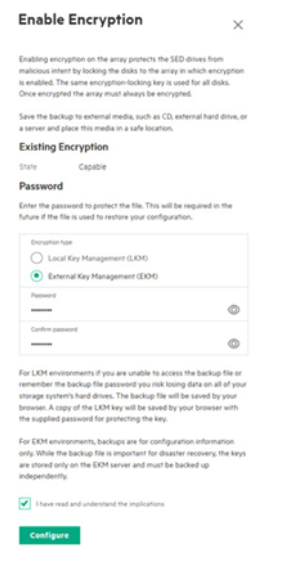
Enable Encryption
-
Save this backup file to external media and place the media in a safe location.