

After logging into the Microsoft Azure Portal, navigate to Microsoft Azure AD and App registrations. Click on New Registration to start the process of creating the application and you will be presented few options to be filled out based on how application works.
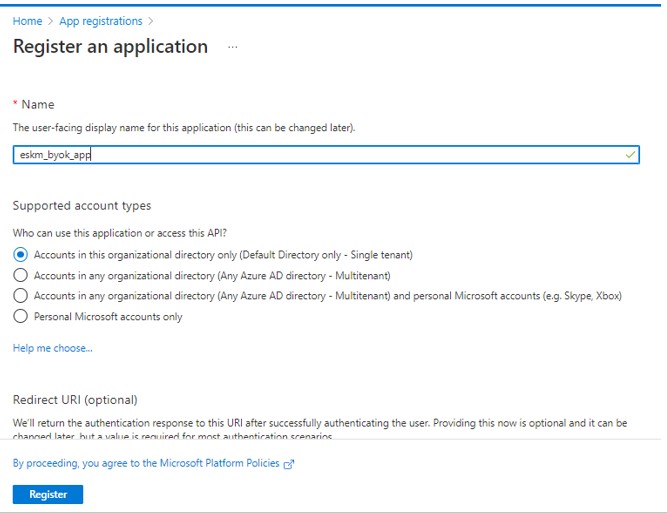
Register an Application
Click Register. Your Application has created successfully and you can see the details.
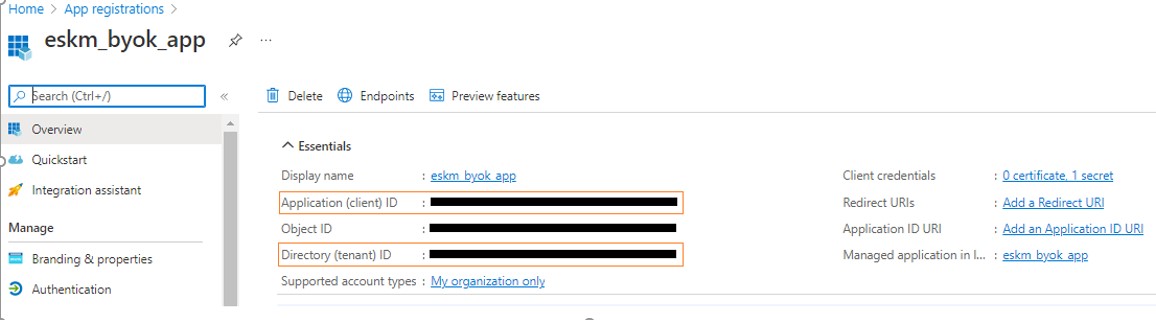
When the application is created, the Tenant ID(Directory ID) and Client ID(Application ID) are generated.
Once the application is registered, copy the Tenant ID and Client ID to configure the Utimaco ESKM with Microsoft Azure key Vault.