

The ESKM BYOK service is enabled by default and therefore not displayed in the UI. To access external services, ESKM requires internet connectivity. In environments where direct internet access is restricted, a proxy server can be configured to provide the required connectivity.
To configure the proxy server in ESKM, enable the Proxy Server option, enter the proxy server address and port number, and then click Update to apply the changes.
This section describes the procedure to configure ESKM cloud settings.
To configure cloud settings
-
Click the Settings icon on the Cloud dashboard.
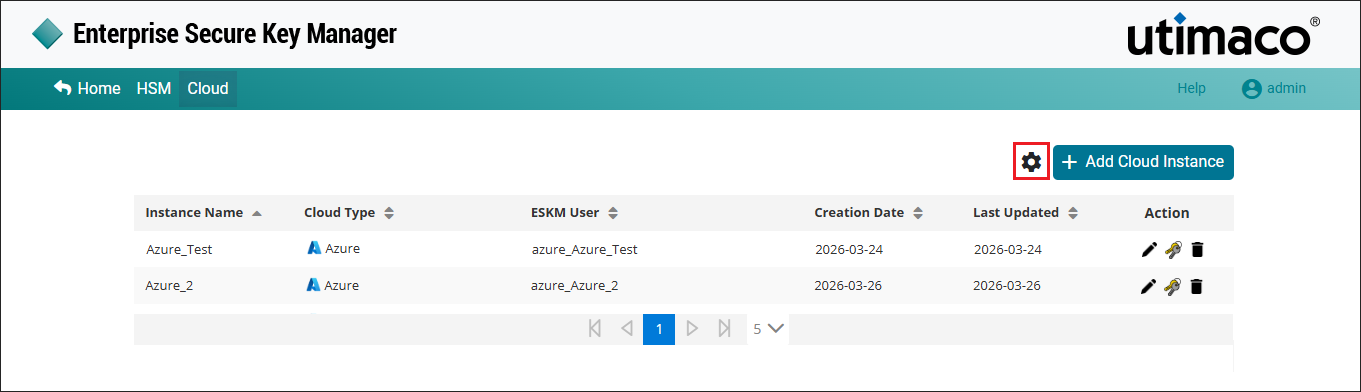
Cloud Settings
-
The Settings pop-up window will appear.
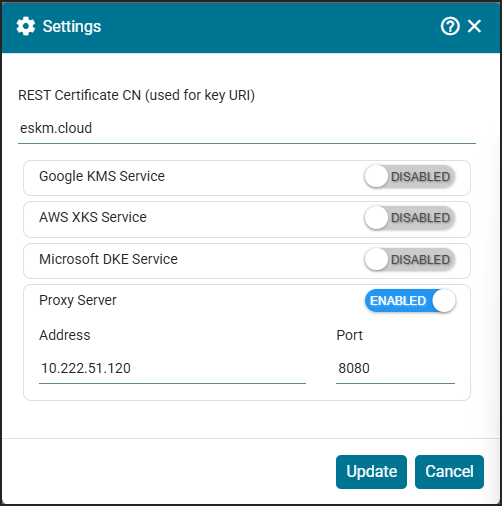
Update Settings
-
Enable the Proxy Server, enter the proxy Address and Port, and then click Update.