

This section describes the procedure to create a new version of a key which has already been
created.
To create a new version
-
Under Action column, select New Version from the drop-down to create a new version of the key.
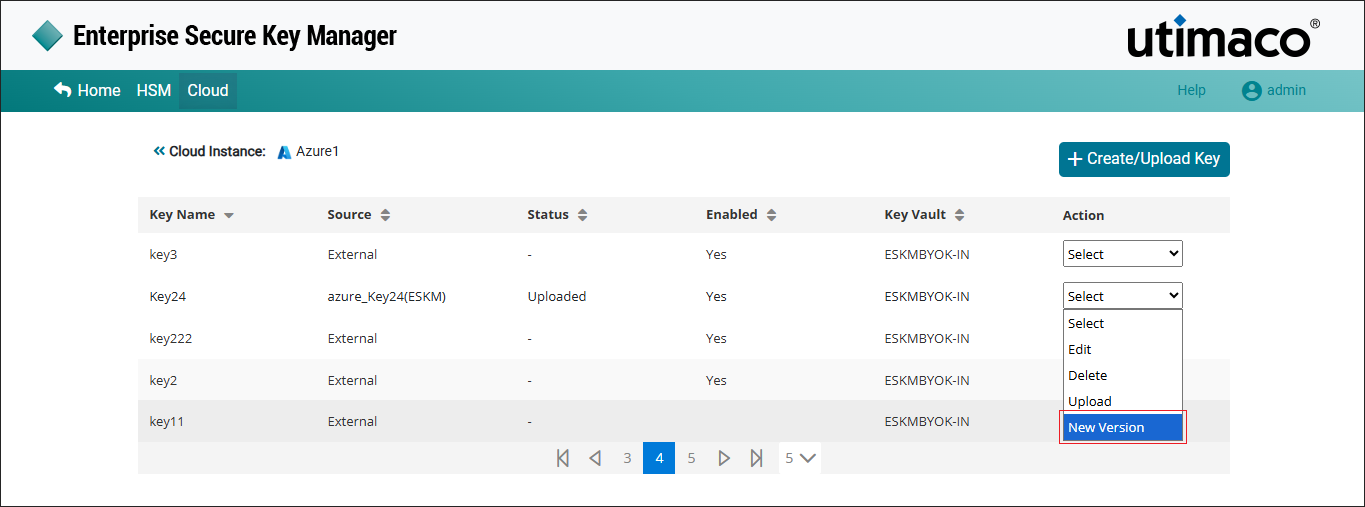
New version
-
The Alert pop-up window appears.
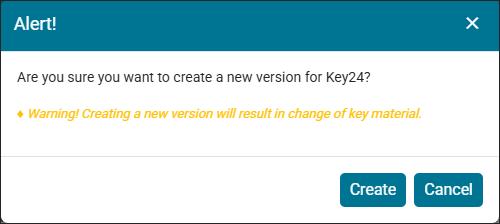
Alert window
Click Create
New version 3 for ESKM key [azure_Key24] added successfully.
After creating a new version, the new key version is created. Upload the key version using the Upload option under the Action column. (refer to Upload Key from ESKM to Azure Cloud).
The default value for the Number of Active Versions Allowed for a key is 10. To modify this setting, refer to the Active Versions (Section 6.4.12.1) in the ESKM User Guide-8.54.7. If the maximum number of active key versions configured on the Key Options page is reached, creating a new key version will fail.