

This section describes the procedure to enable ESKM cloud settings.
To enable cloud settings
-
Click the Settings icon on the Cloud dashboard.
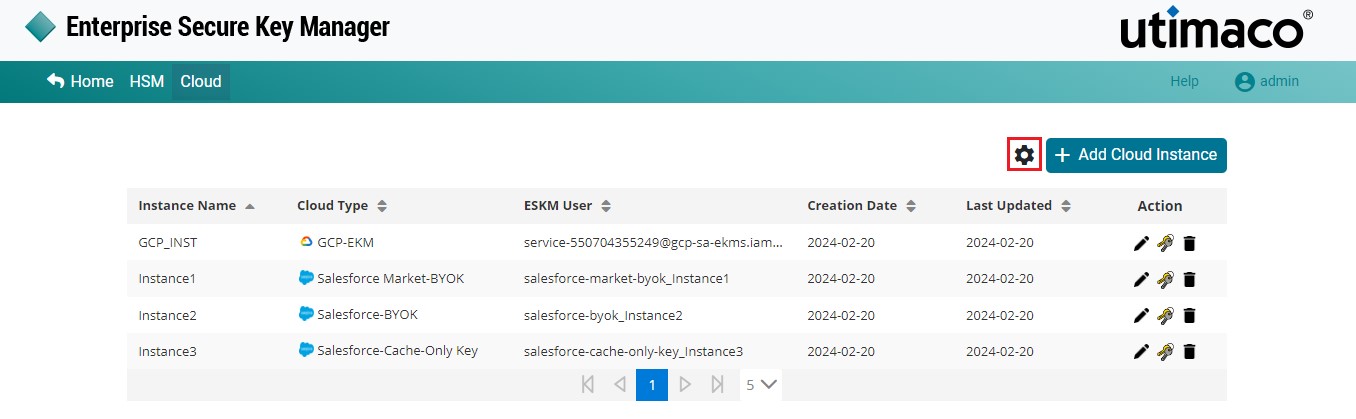
Cloud settings
-
The Settings pop-up window will appear.
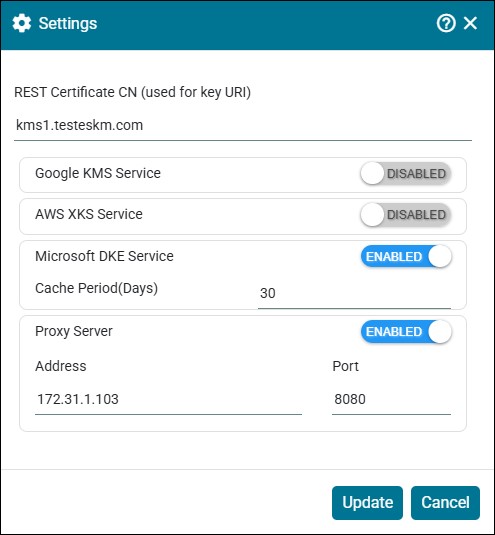
Microsoft DKE - Cloud Settings
By default, cloud services are disabled; users must enable cloud settings as required.
-
Enable the Microsoft DKE Service and Proxy Server. Click Update.
|
Parameters |
Description |
|---|---|
|
Microsoft DKE Service |
Enable the Microsoft DKE Service to integrate Microsoft DKE with ESKM. |
|
Cache Period(s) |
Cache period refers to the number of days a key is stored (Cached) by the client. During this period, the key can be used without requiring ESKM availability until it expires. |
|
Proxy Server |
Enable this to configure Proxy Server with address and port number for internet access. |
Settings - Parameters