

-
Open Run and use
certlm.msccommand
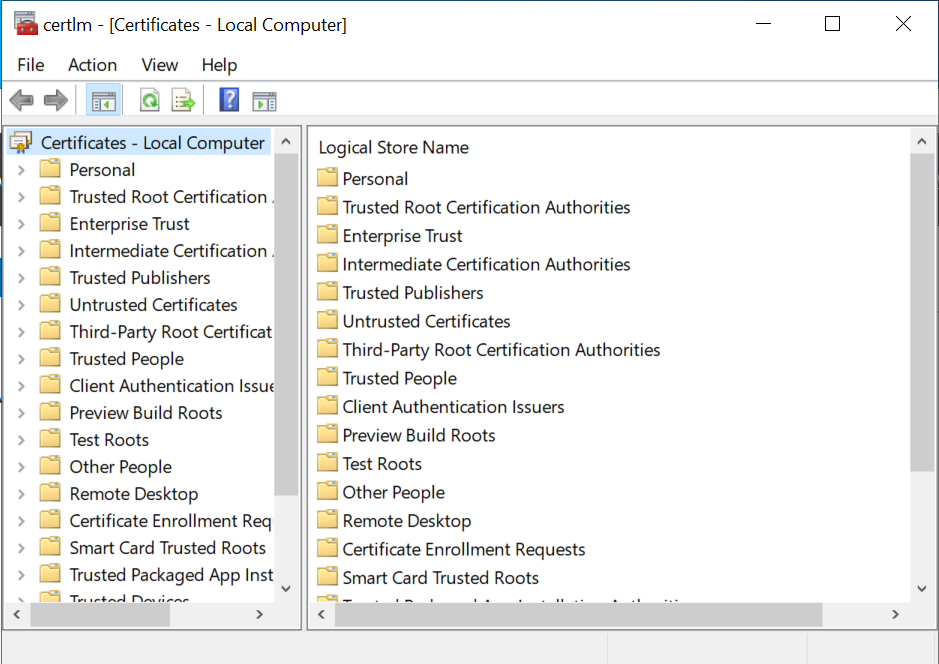
Local Computer - Certificates
-
Right click on Personal → All Tasks → Advanced Operations → Create custom requests
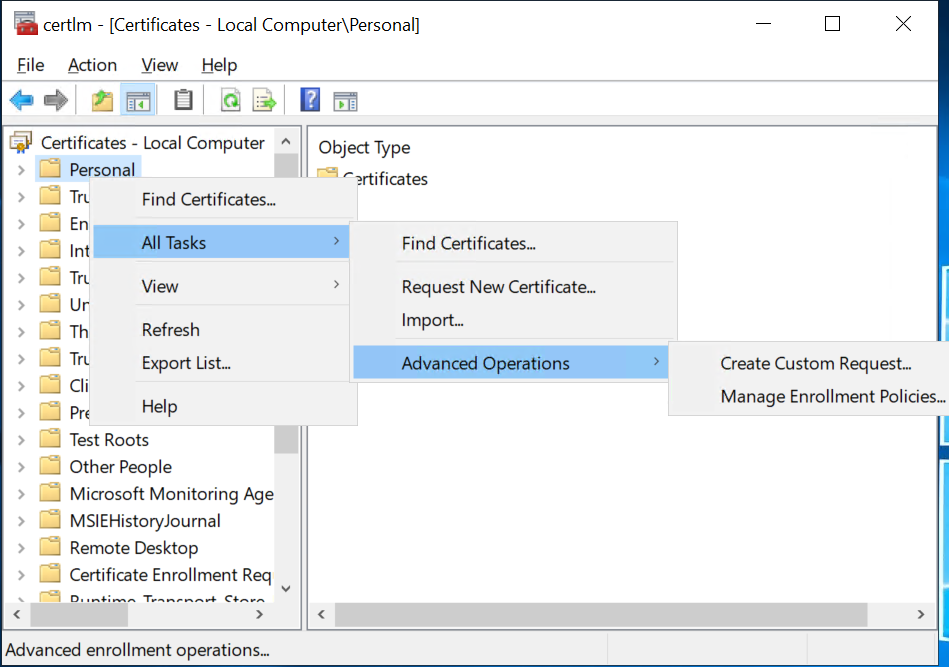
Create Custom Request
-
Click Next button on Before you begin wizard screen
-
Click Next on Select Certificate Enrollment Policy wizard
-
On Custom Request wizard, use Template → (No Template) CNG Key and Request format PKCS #10, and click Next
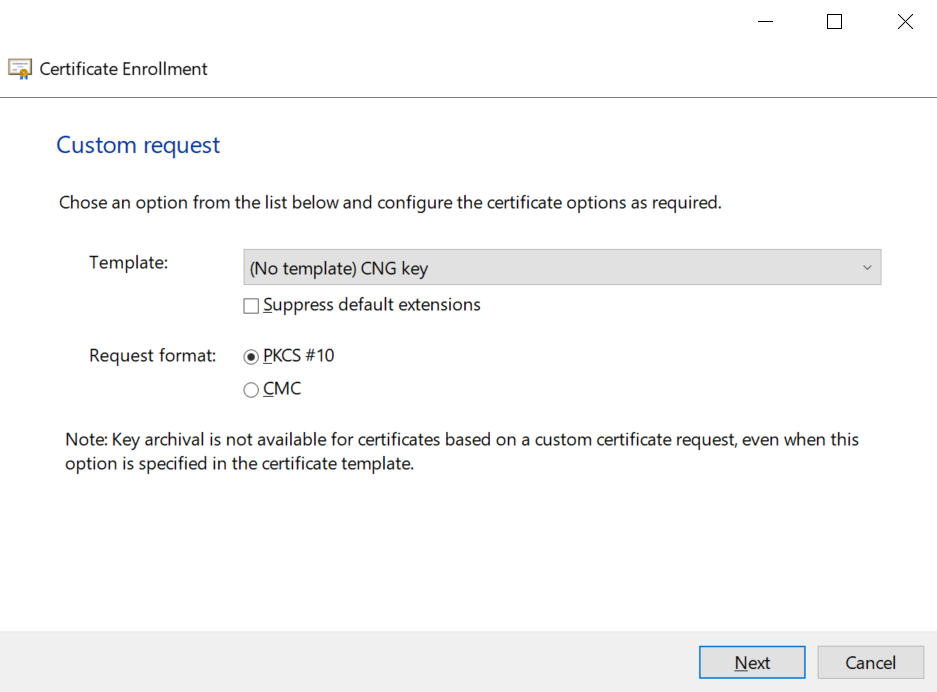
Certificate Enrollment - Custom request
-
Select Details and click on Properties button
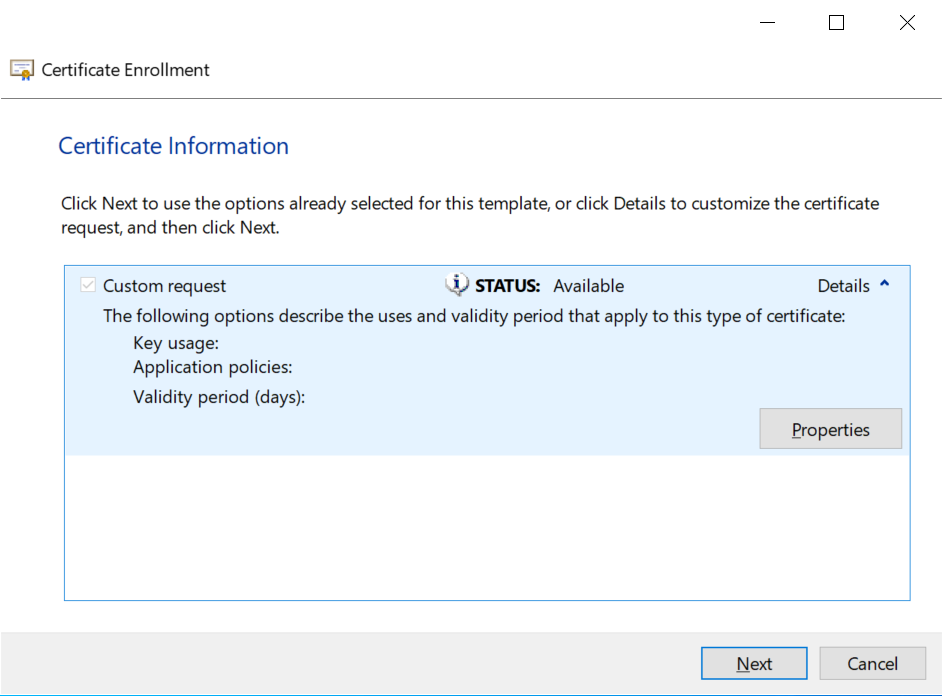
Certificate Information
-
On Certificate Properties, Assign Friendly name and Description
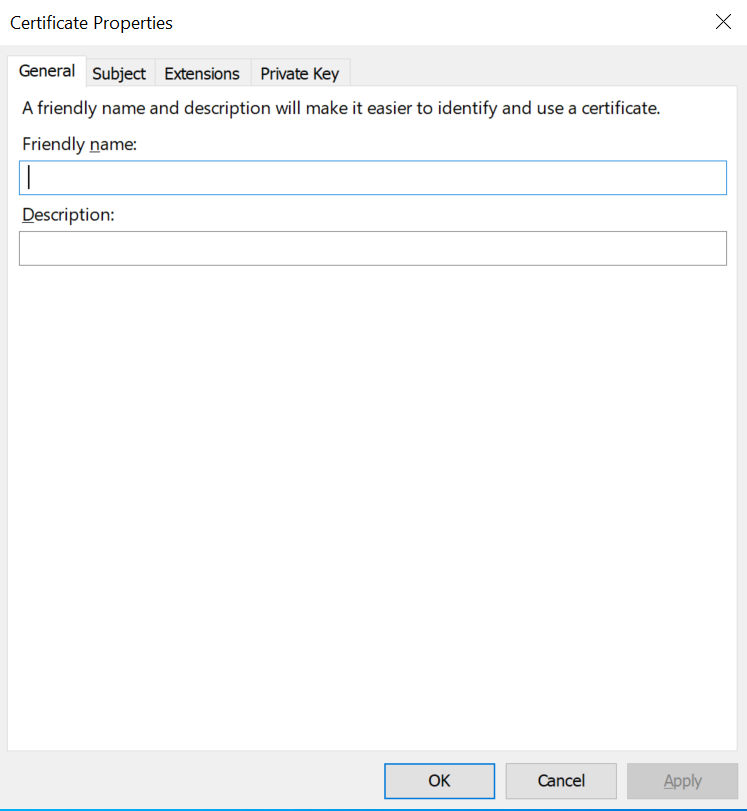
Certificate Properties - Friendly Name and Description
-
On Subject tab, select Subject Name Type and enter information for Full DN, Common Name, Country, Email, Given Name, Locality, Organization, Organization Unit, State etc.,
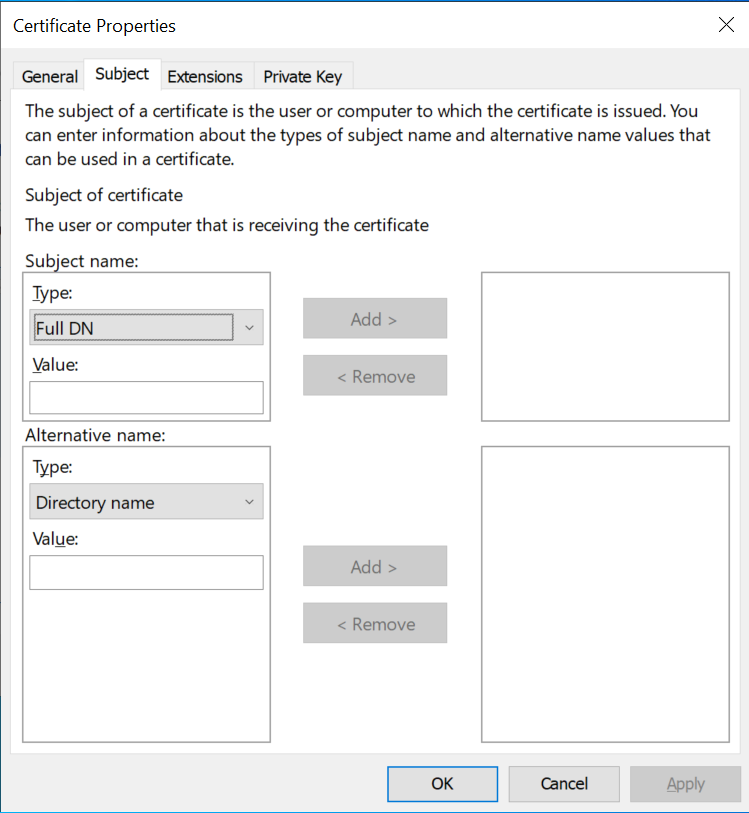
Certificate Properties – Subject
-
On Private Key Tab, Click on Cryptographic Service Provider and unselect the RSA, Microsoft Software Key Storage Provider and Select RSA, Utimaco CryptoServer Key Storage Provider
-
On select Hash Algorithm, select sha256
If RSA, Utimaco CryptoServer is not available by default, enable Show all CSPs checkbox
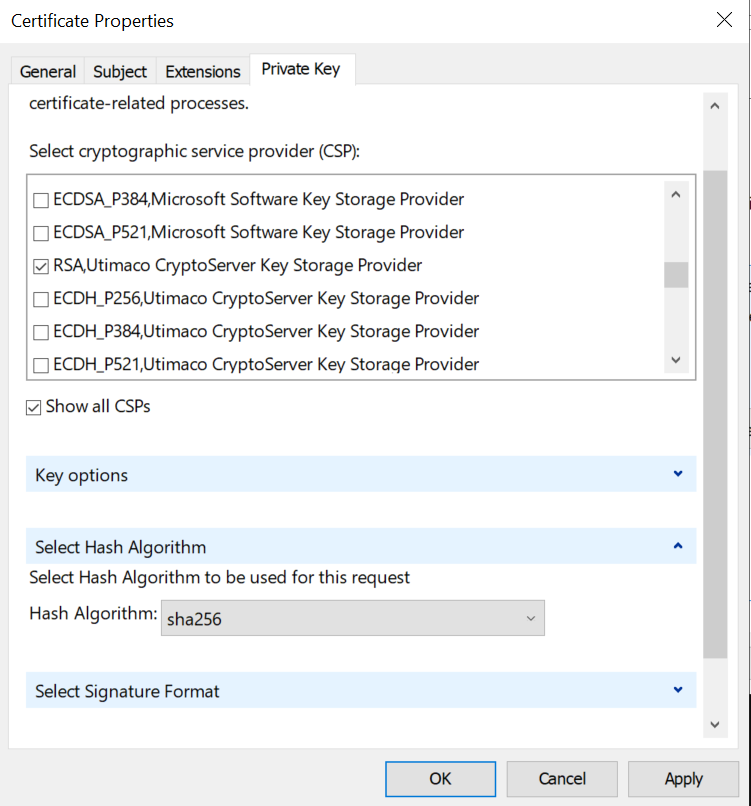
Certificate Properties - Private Key
-
Click Apply and OK
-
Check on HSM using below command that Certificate/Key is generated
> cngtool ListKeys
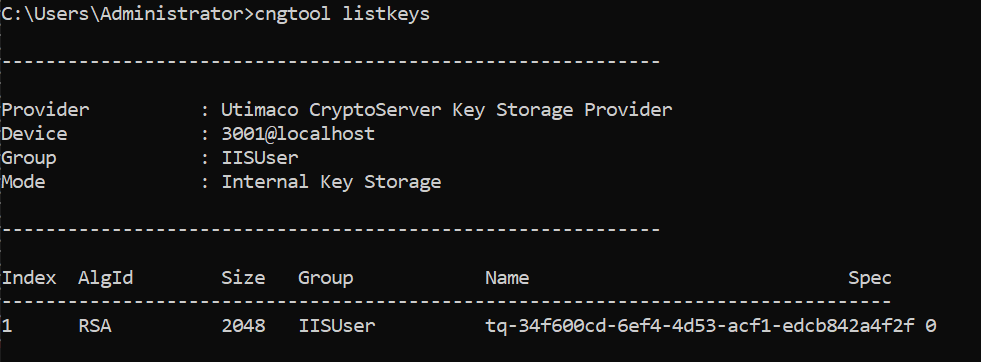
Key Listing