

-
On the Principal SQL Server, open SMSS, right-click the database from the Object Explorer, select Tasks, then the Backup Database Window appears. Select the appropriate database from the Source drop-down menu.
-
Select Full from the Backup Type drop-down menu.
-
Select the Backup File Path. Then, Save with the
<file-name>.bakextension and click OK.
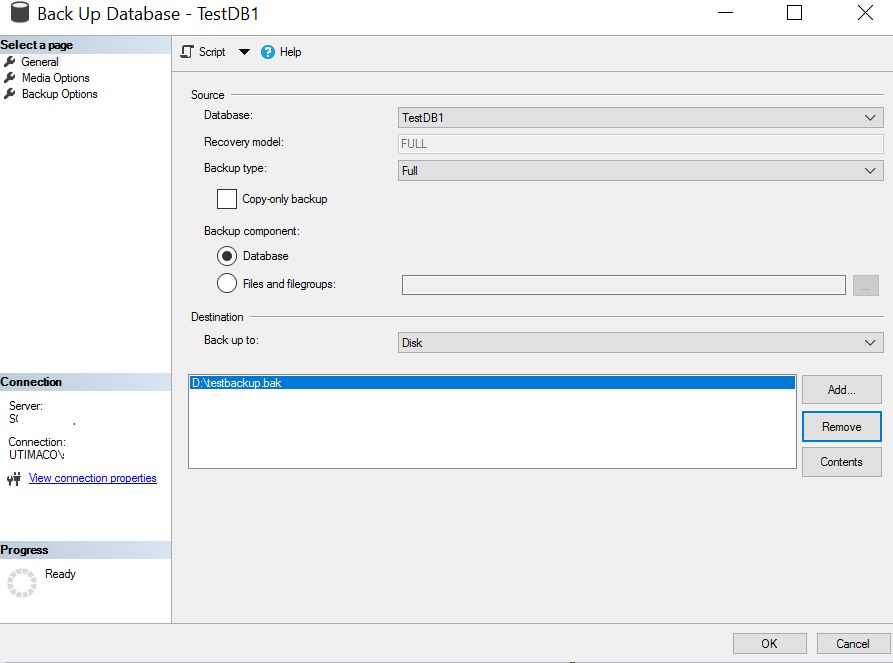
"Back Up Database" Window
-
Similarly, select the same database. Right-click and select Tasks, then select Restore Database.
-
Select Transactional Log from the Backup Type drop-down menu.
-
Select the Backup File Path, then Save with
<file-name>.trnextension. Click OK. -
Copy the Backup files to the Mirror SQL Server. Restore the database on the Mirror SQL Server.
-
On the Mirror SQL Server, open SMSS, right-click on the Database and select Restore Database.
-
Select the Device radio button and select the newly created Backup Files.
-
Select the Options and choose RESTORE with NO RECOVERY from the Recovery State drop-down menu. Click OK.
This will restore the database from the Principal SQL Server to the Mirror SQL Server.
-
On the Principal SQL Server, select the same database. Right-click and select Tasks, and then select Mirror Database.
-
The Configure Database Mirroring Security wizard appears. Click Next for another two wizards.
-
Select the Witness Server checkbox.
-
Click Next on the Principal SQL Server wizard.
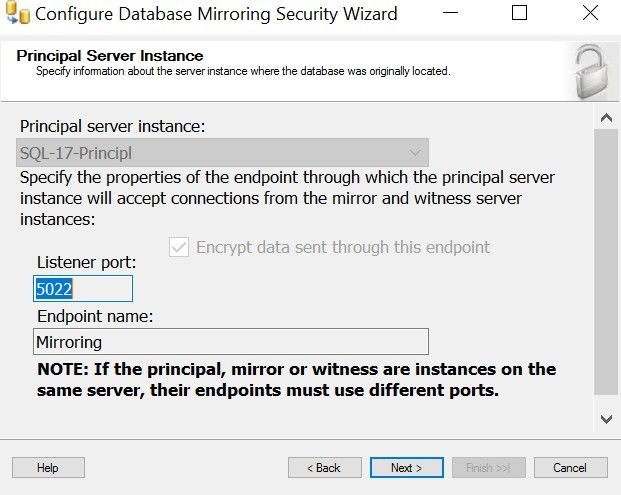
Configuring Database Mirroring Security Wizard
-
Select the Mirror server instance from the drop-down menu. Click Connect and then click Next.
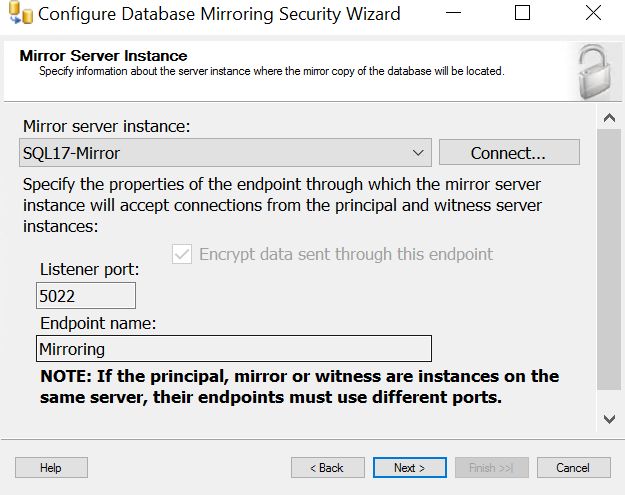
Configuring Database Mirroring Security Wizard
-
Select the Witness server instance from the drop-down menu, click Connect, and click Next.
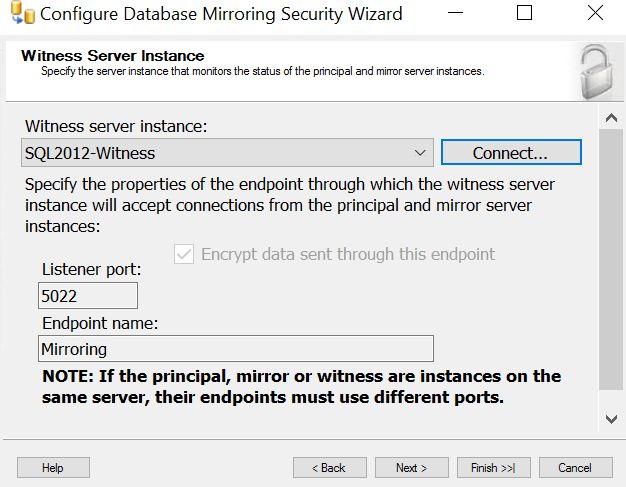
Configuring Database Mirroring Security Wizard
-
Enter the Domain Admin Account for Principal, Witness, and Mirror Instance. Click Next.
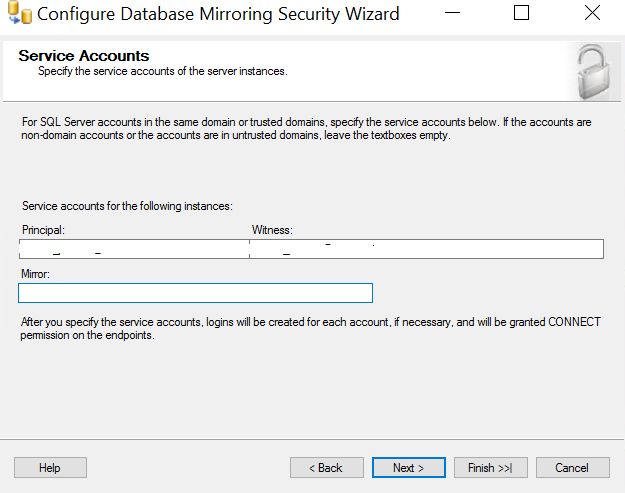
Configuring Database Mirroring Security Wizard
-
Verify the details and click Finish.
-
When the Database Properties pop-up appears, select Start Mirroring.
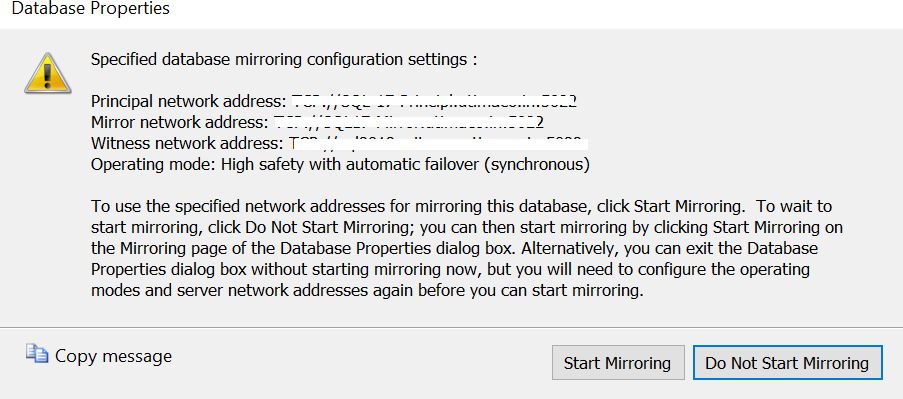
Database Properties Wizard
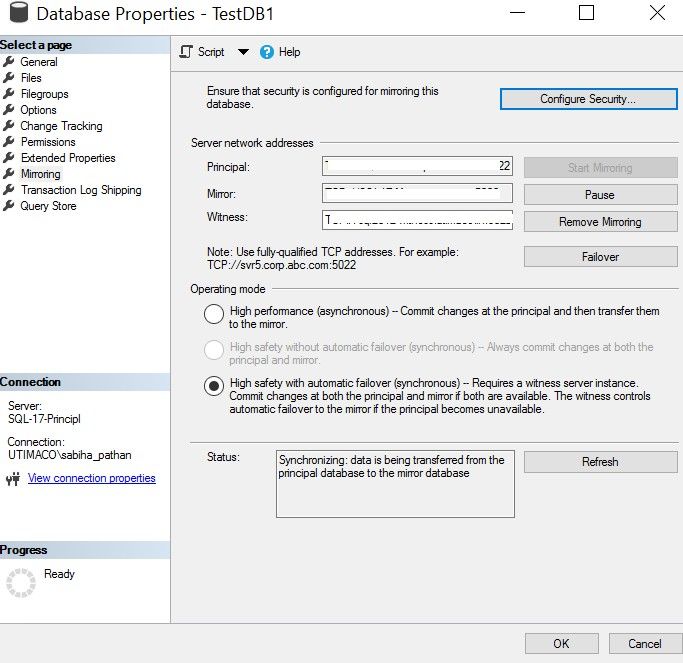
Database Properties Wizard
-
On the Principal SQL Server, expand the Databases and locate the appropriate database, which shows Principal, Synchronizing after its name.
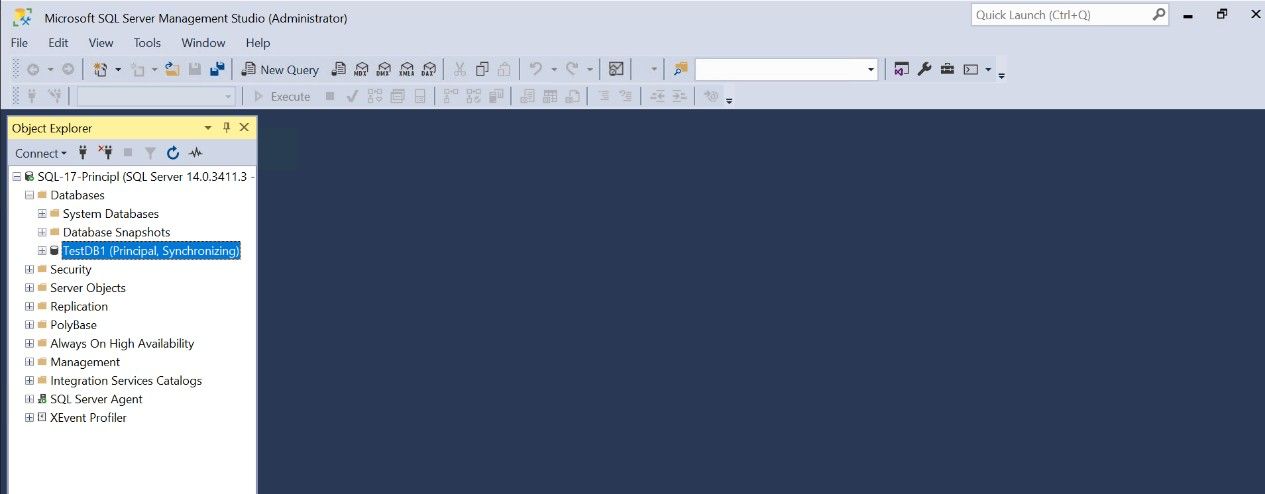
Database Properties Wizard
-
Similarly, on the Mirror SQL Server, expand the Databases and locate the appropriate database, which shows Mirror, Synchronized/Restoring after its name.
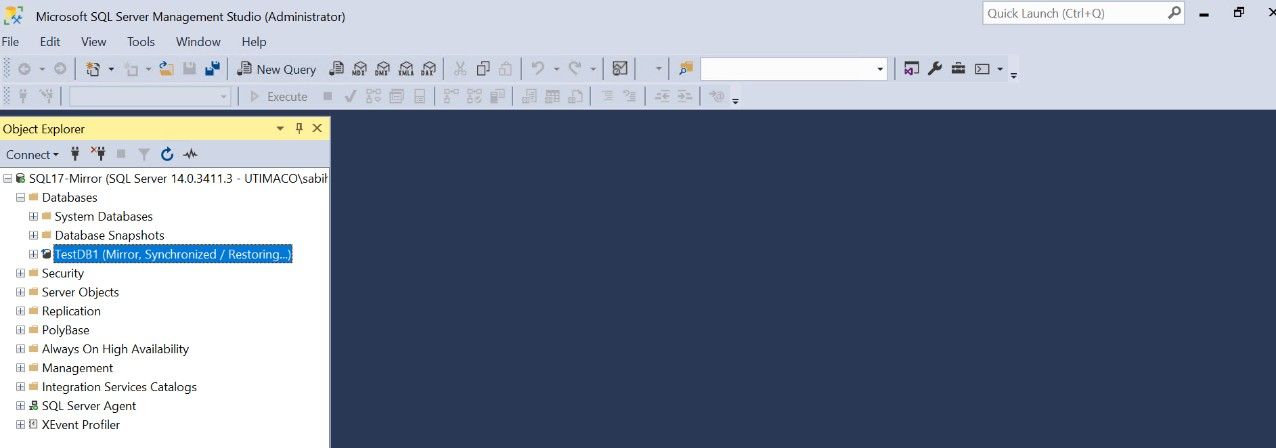
Database Properties Wizard