Enabling Encryption on an Existing Volume with the Volume Move Start command
You can use the volume move start command to enable encryption by moving an existing volume.
-
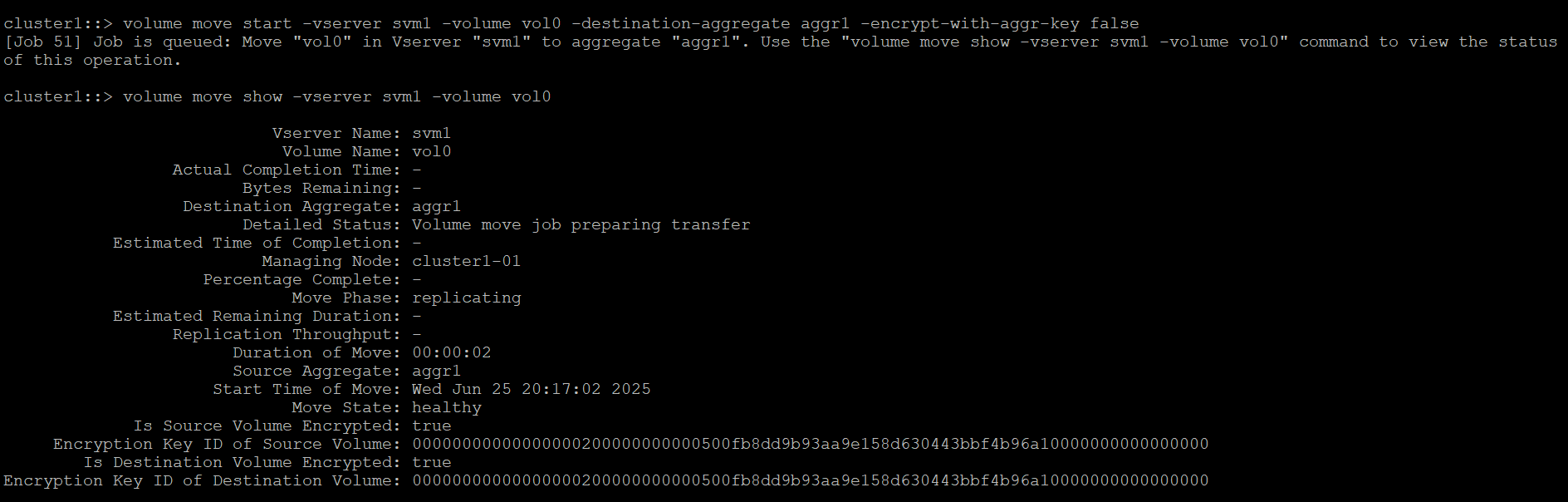
Move an NAE volume to an NVE volume (vol0 is an NAE volume will convert this to NVE volume) and verify its status.
|
>_Console
|
|
cluster1::>volume move start -vserver SVM_name -volume volume_name - destination-aggregate aggregate_name -encrypt-with-aggr-key false
Example:
Cluster1::> volume move start -vserver svm1 -volume vol0 -destinationaggregate aggr1 -encrypt-with-aggr-key false
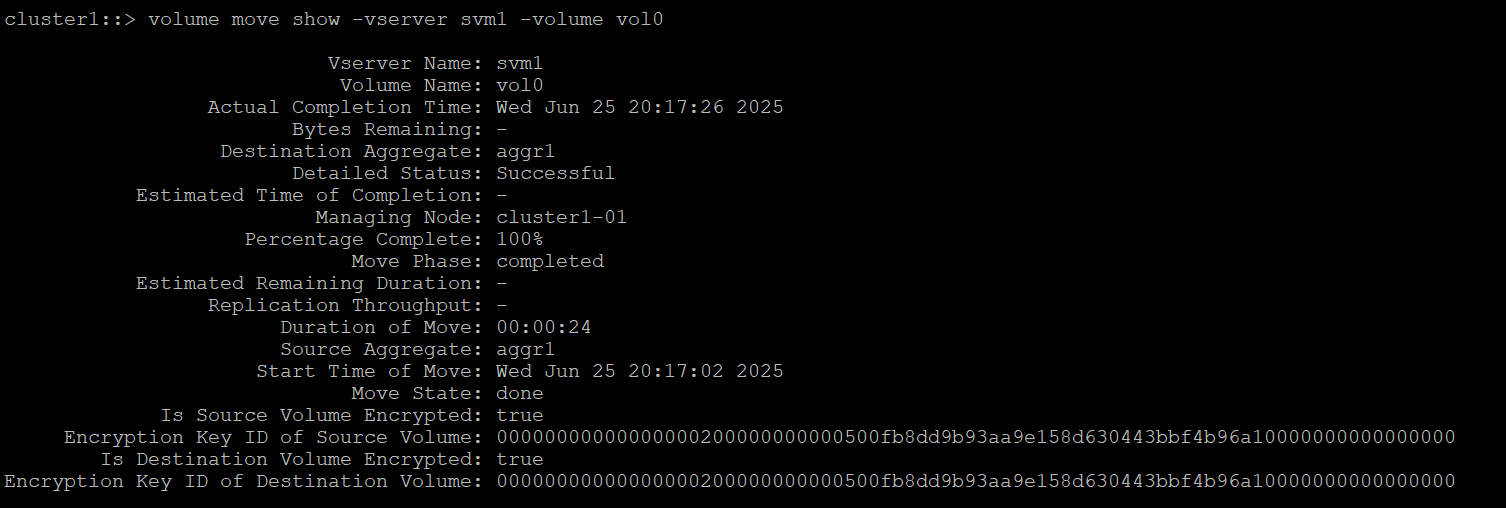
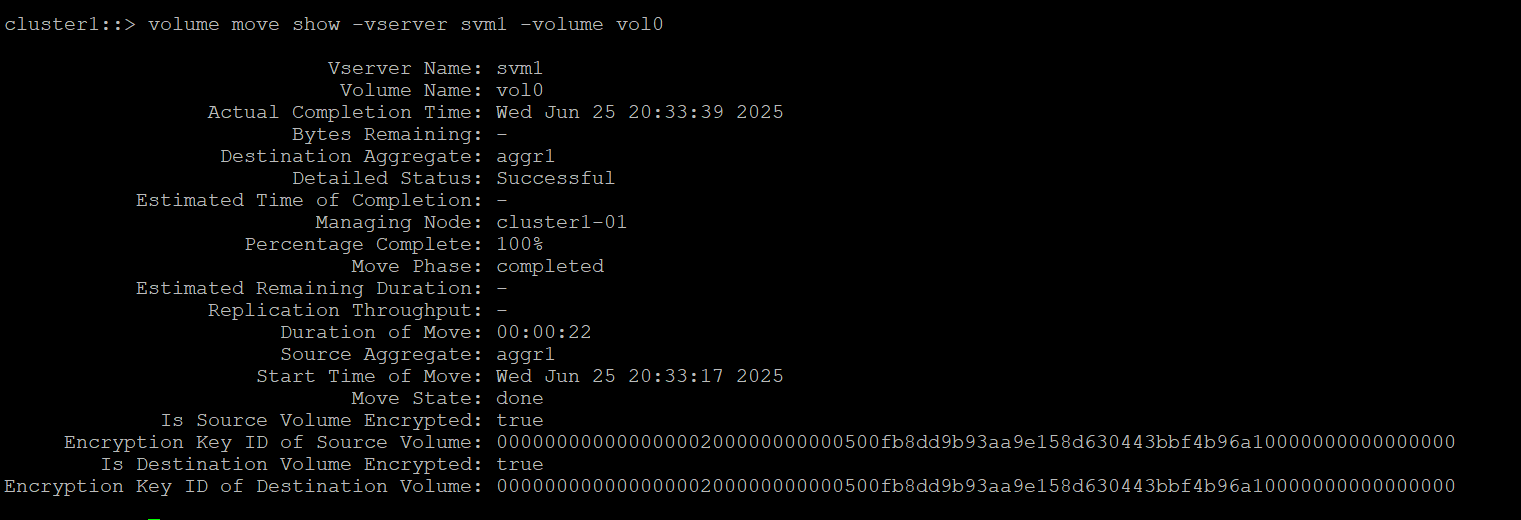
Cluster1::> volume move show -vserver svm1 -volume vol0
|
Moving an NAE volume to an NVE volume.
-
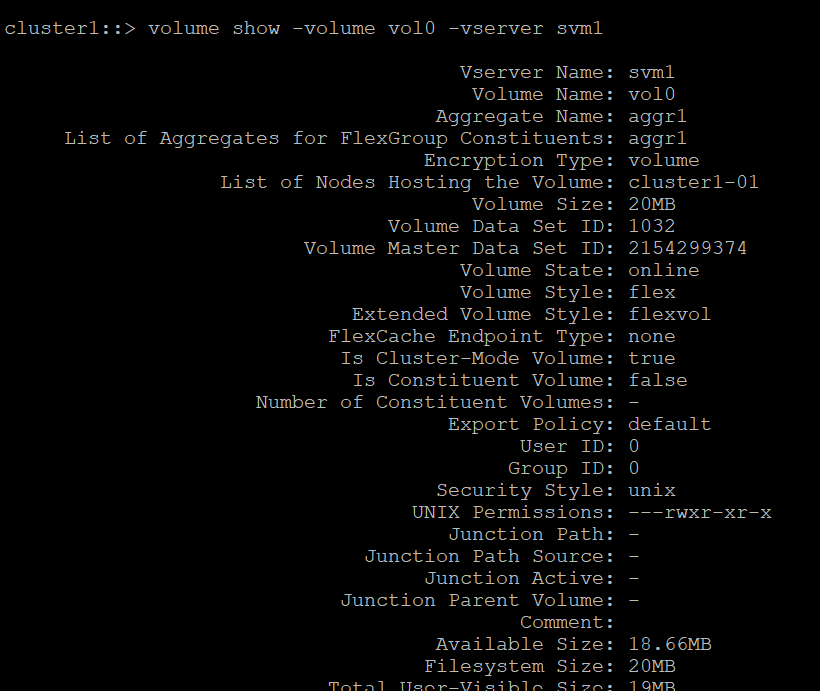
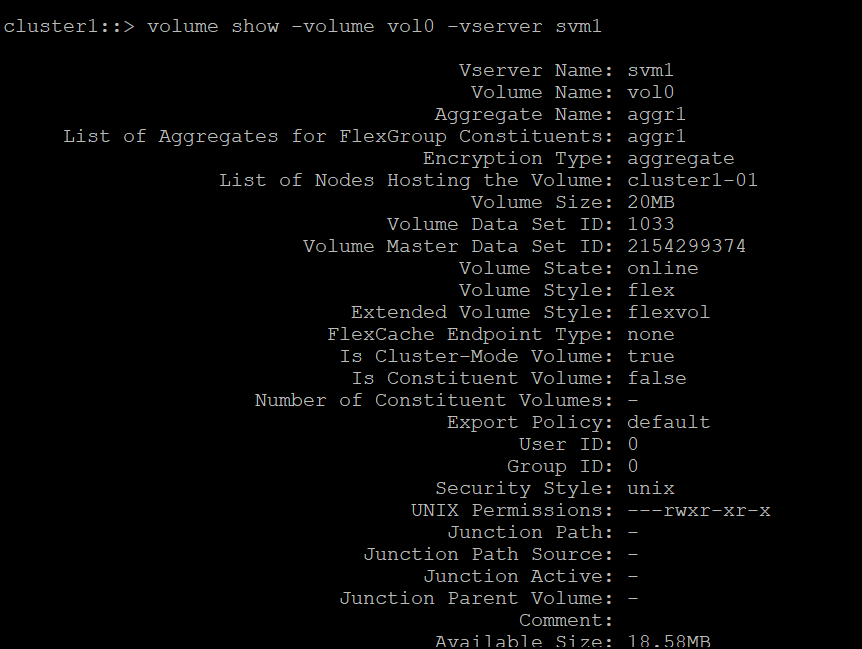
View the volume vol0 once the operation is completed.
|
>_Console
|
|
cluster1::> volume show -volume vol0 -vserver svm1
|
-
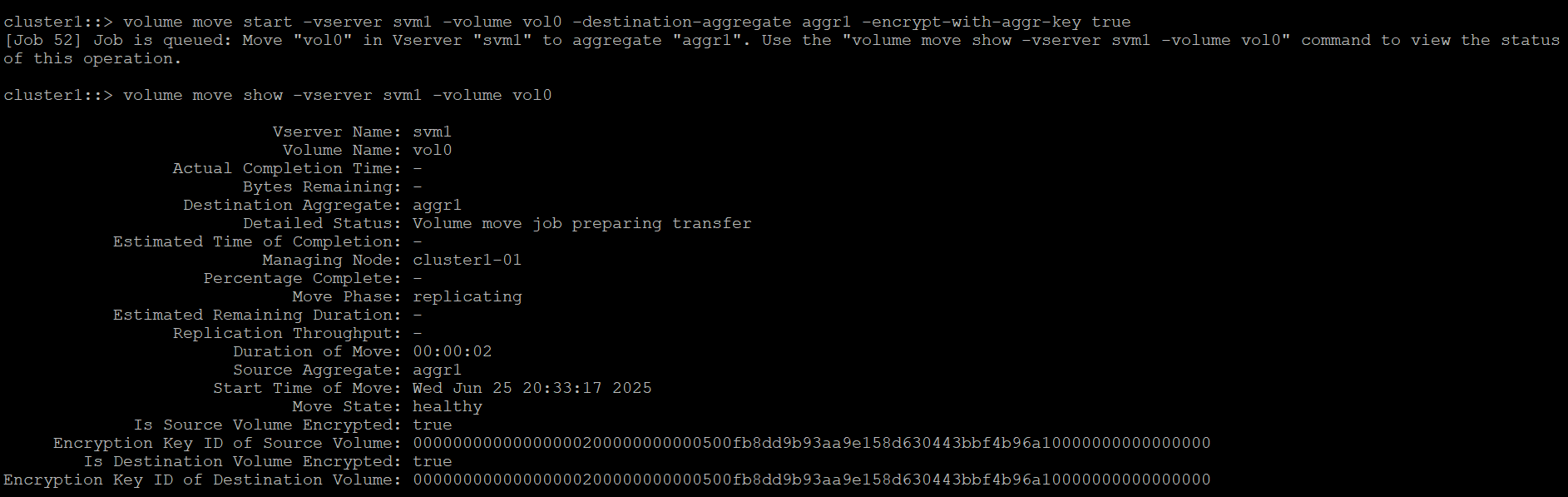
Move an NVE volume to an NAE volume (vol0 is an NVE volume will convert this to NAE volume) and verify its status.
|
>_Console
|
|
Cluster1::> volume move start -vserver SVM_name -volume volume_name - destination-aggregate aggregate_name -encrypt-with-aggr-key true
For example:
Cluster1::> volume move start -vserver svm1 -volume vol0 –destination-aggregate aggr1 -encrypt-with-aggr-key true
Cluster1::> volume move show -vserver svm1 -volume vol0
|
Moving an NVE volume to an NAE volume.
-
View the volume vol0 once the operation is completed.
|
>_Console
|
|
cluster1::> volume show -volume vol0 -vserver svm1
|