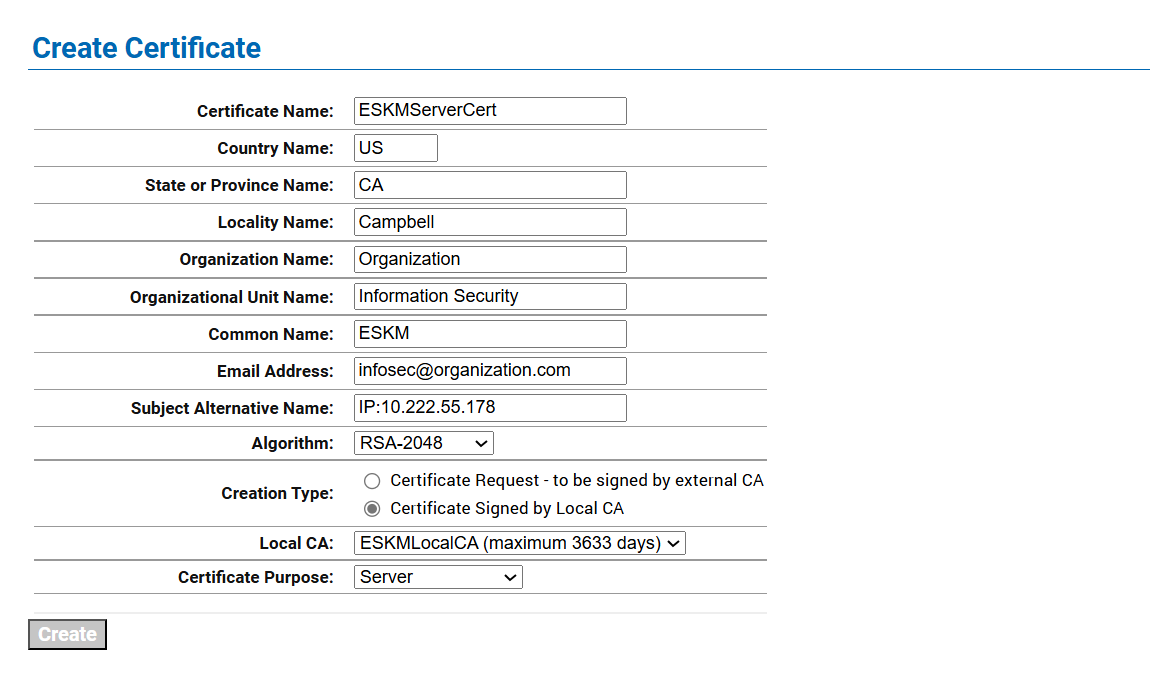
ESKM server certificates are used by the client to authenticate the ESKM server during the TLS/SSL handshake.
To create an ESKM server certificate, perform the following steps:
-
Go to Security tab.
-
Click on Certificates option listed under Certificates & CAs.
-
Scroll down to the Create Certificate section.
-
Enter Certificate Name, Country Name, State and Province Name, Locality Name, Organization Name, and Organization Unit Name
-
Select RSA-2408 from the Algorithm dropdown list.
-
Select the previously created CA certificate name from the Local CA drop-down list.
-
Select Server from the Certificate Purpose dropdown list.
-
Click on Create.