Generating MKEK and HMAC Key on Utimaco HSM

  1. Generate the MKEK using the barbican-manage hsm gen_mkek command.

›_ Console

# sudo -u stack -i barbican-manage hsm gen_mkek --library-path '/opt/utimaco/lib/libcs_pkcs11_R3.so' --passphrase <CryptoUser_PIN>
--slot-id <slot_id> --label 'mkek_utimaco' --length 32


07_CreatedMKEK.png


MKEK generation

  1. Generate the HMAC using the barbican-manage hsm gen_hmac command.

›_ Console

# sudo -u stack -i barbican-manage hsm gen_hmac --library-path '/opt/utimaco/lib/libcs_pkcs11_R3.so' --passphrase <CryptoUser_PIN>
--slot-id <slot_id> --label 'hmac_utimaco' --length 32


06_CreatedHMAC.png


HMAC generation

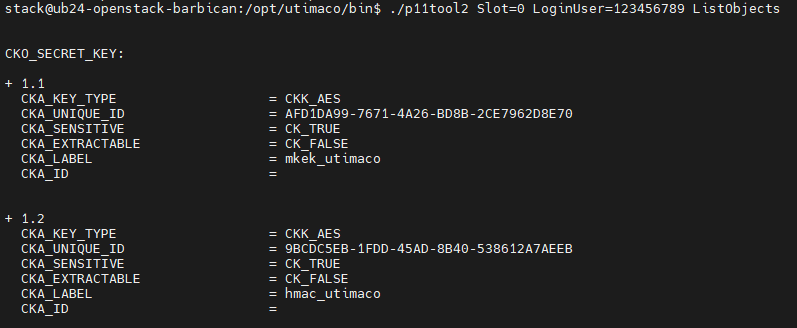
  1. Verify that the keys are generated on the Utimaco HSM using the p11tool2 ListObjects command.

›_ Console

#./p11tool2 slot=<slot_id> LoginUser=<Crypto_User_PIN> ListObjects


08_ListObjects_HMAC_MKEK.png


Listing MKEK and HMAC with p11tool2

  1. Restart the OpenStack Barbican service.

›_ Console

# sudo systemctl restart devstack@barbican-svc.service