

-
Navigate to Licenses view from the left panel options.
-
Click on Hardware Token license entry.
-
Click on New Allotment.
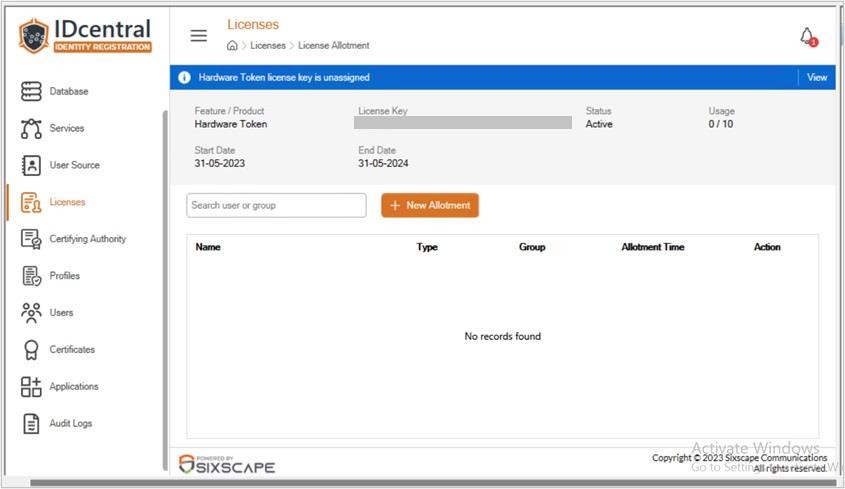
License Allotment window
-
Directory Selection panel will be displayed on the right side. Search for a user or group in the search box.
-
Search for the required user/group and choose the same to move it to the Selected Records.
-
After selecting all the required users/groups, click on Select.
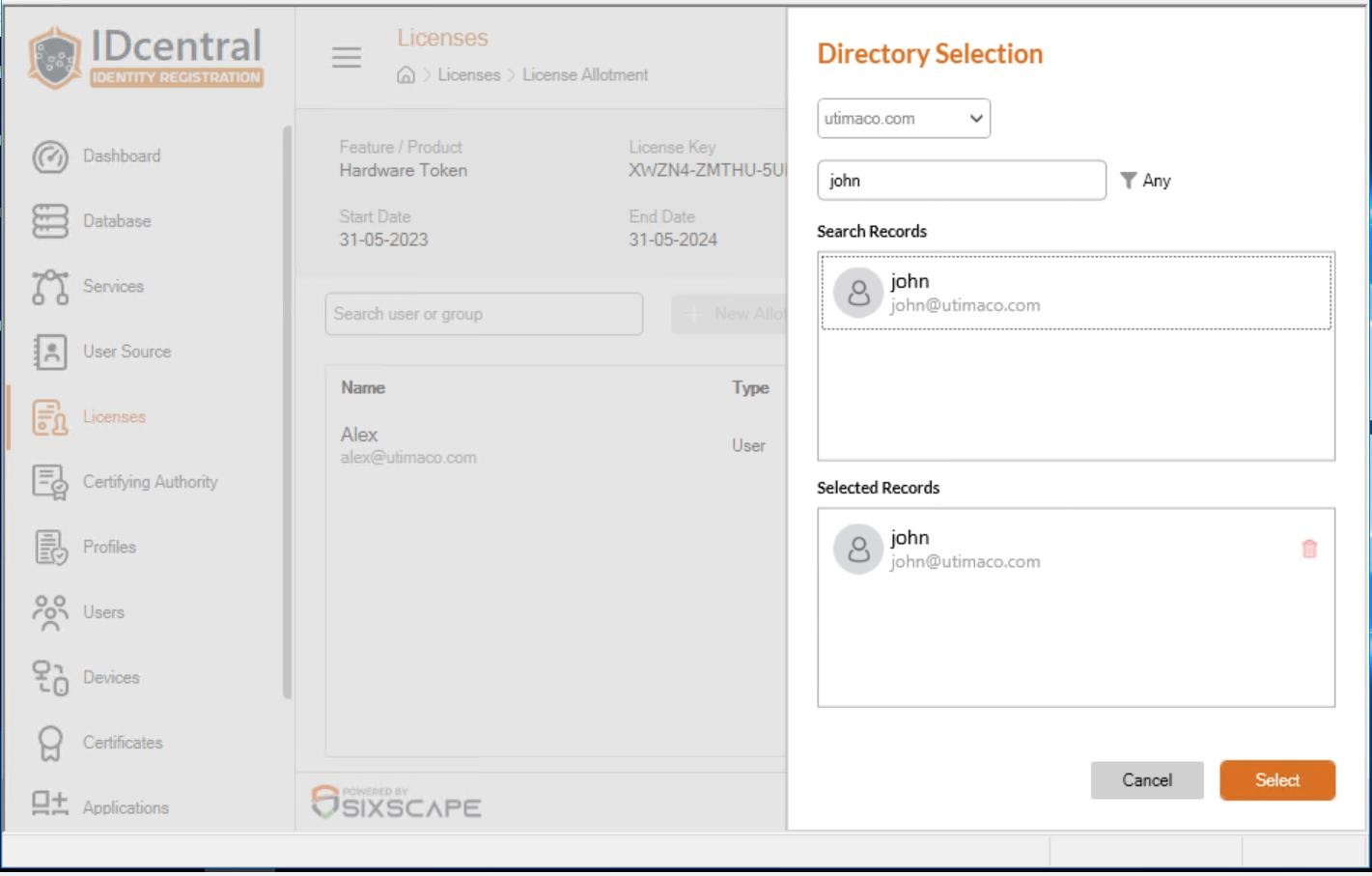
Selection of user/group
-
On successful entity license allotment, the entity information will be listed in the view.
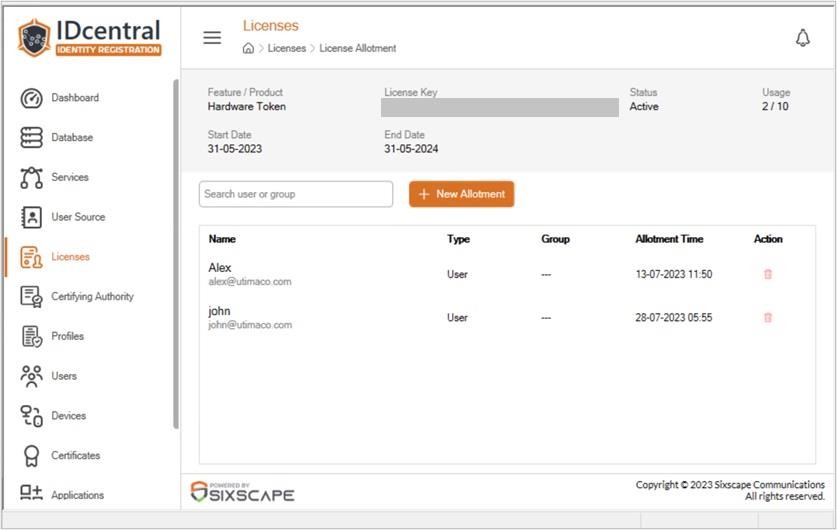
License Allotment window