

Perform the following steps to create a local user in the ESKM:
-
Go to the Security tab.
-
In the Users & Groups > Local Users and Groups, select Local Users.
-
Scroll down and click Add.
-
Enter the Username, which is the same as the Common Name (KMIPClient2) provided during client certificate creation.
-
Select Enable KMIP.
-
Select the License Type as KMIP.
-
Paste the downloaded client certificate in KMIP Client Certificate Contents.
-
Click Create.
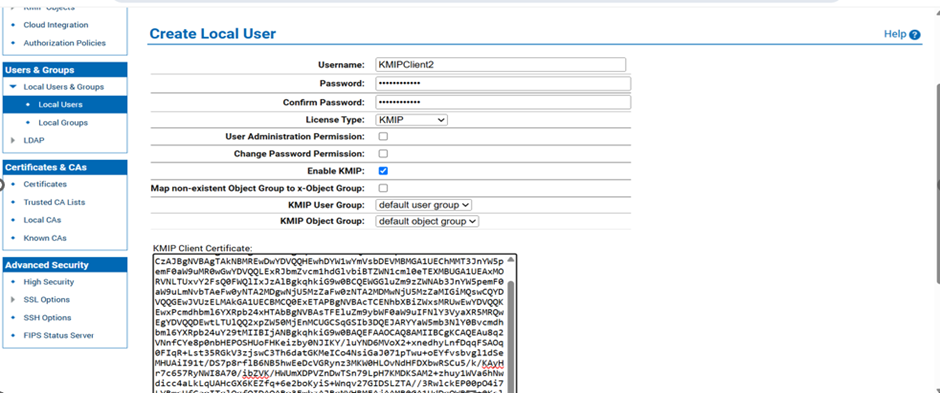
Local User Creation

Created Local User