

A backup job creates a 4096-bit RSA key on Utimaco ESKM, which is then used to encrypt and decrypt Veeam backup files. We can verify the logs from Utimaco ESKM by following the steps below:
-
In the ESKM Management Console, click Device tab.
-
Click on Log Viewer under Logs & Statistics.
-
Click on KMIP under Log Viewer.
-
Review logs related to the encryption and decryption operations performed on Veeam backup jobs.
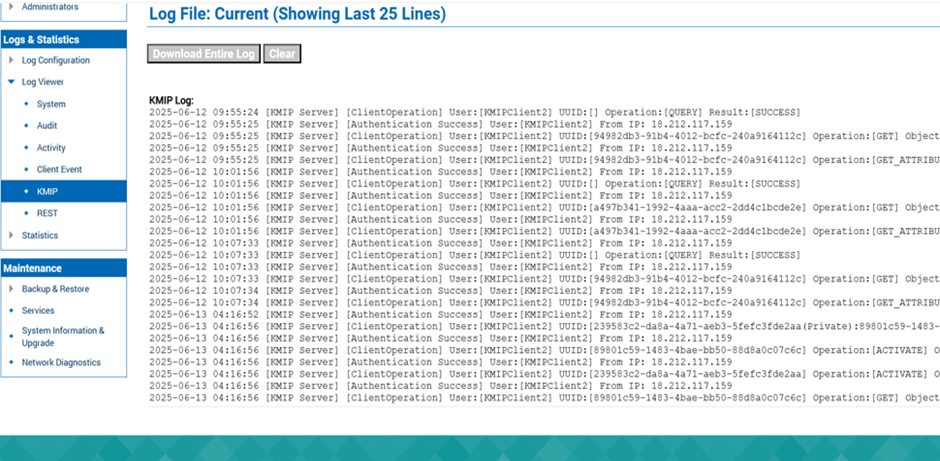
Log Details
-
To view the keys, go to the Security tab.
-
Select KMIP Objects under the Keys & KMIP Objects section. The generated keys will appear here.
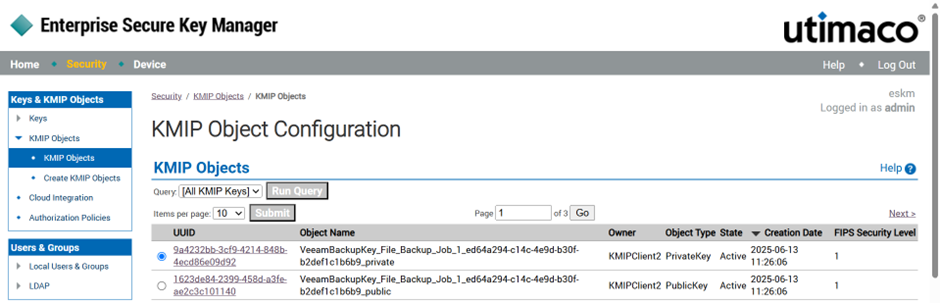
KMIP Objects