

After HSM slot initialization, configure ZetaCA via the SysAdmin UI:
-
HSM Configuration: Navigate to HSM > Add HSM and enter the PKCS#11 parameters.
-
Root CA (Classical): Navigate to CA > Create Root CA. Select Algorithm: RSA-4096 (or ECDSA-P384), Key Storage: HSM, select the Utimaco config, set a key label.
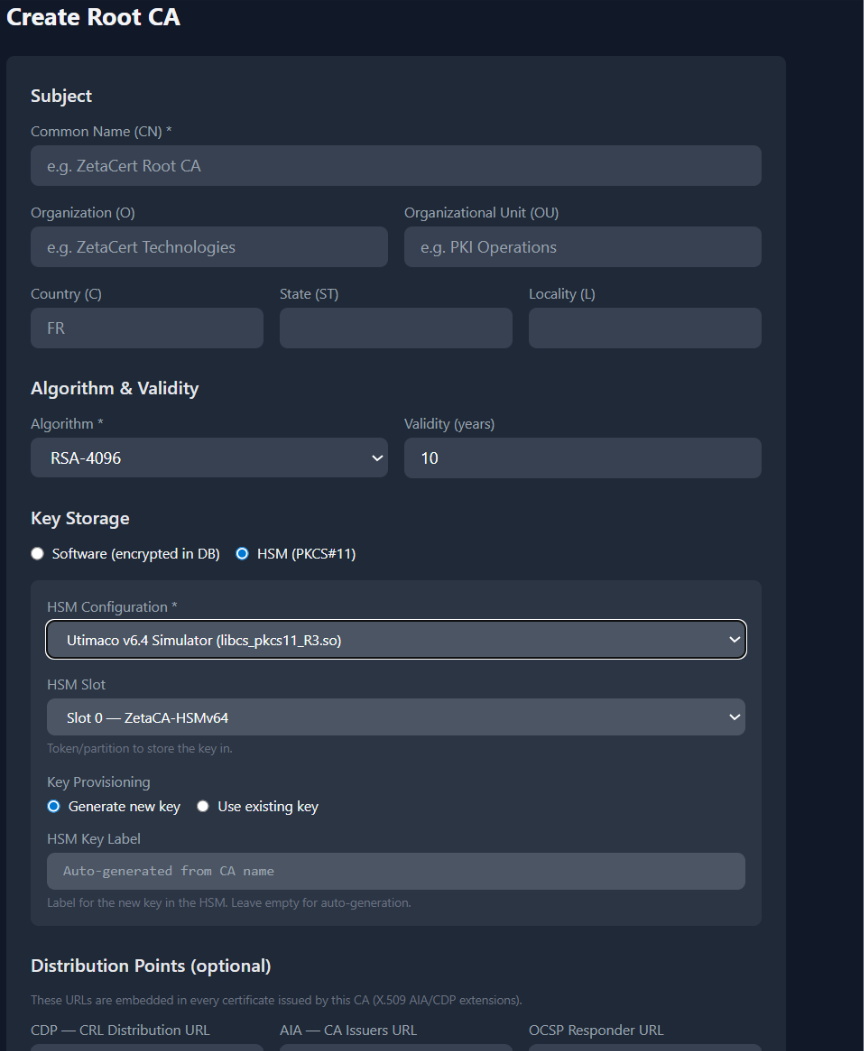
ZetaCA Sysadmin: Create Root CA form with HSM-based Key Storage
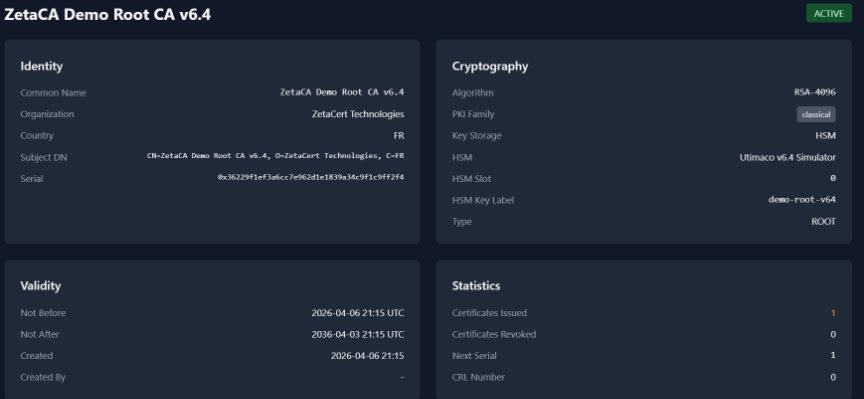
Resulting Root CA in ZetaCA using HSM-based Key Storage
-
Root CA (PQC): Select Algorithm: ML-DSA-65, Key Storage: HSM. ZetaCA uses QuantumProtect VDM mechanisms for key generation and signing.
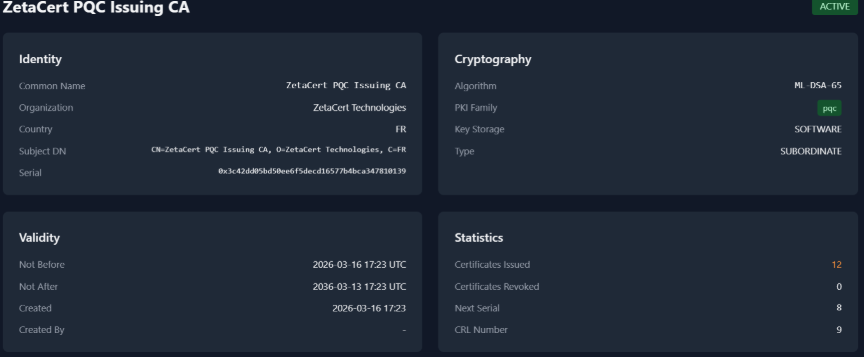
ZetaCA PQC Issuing CA details
-
Issue Certificate: navigate to Issue Certificate, select the HSM-backed CA, fill CN/template/validity, submit. Signing is performed within the HSM via C_Sign.
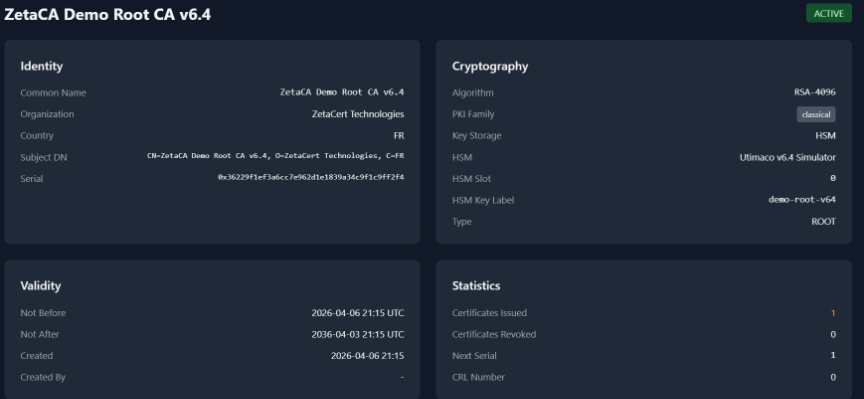
ZetaCA Demo Root CA v6.4 Statistics after certificate issuance
-
Hybrid/Composite: create a dual sub-CA pair (ECDSA P-384 + ML-DSA-65) for composite certificates combining classical and PQC signatures.