

-
Log in to the PKCS11 Admin Tool as Admin, create a security officer (SO), and initialize a new token.
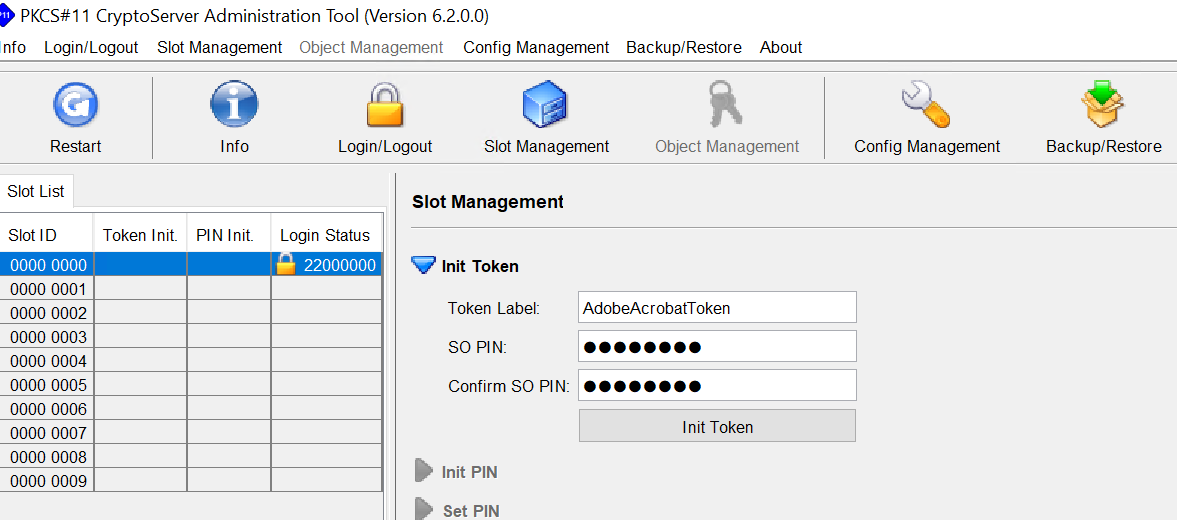
Initialize the Token
-
Log in to the PKCS11 Admin Tool as SO.
-
Click on the Slot Management icon and click the Set PIN link.
-
Change the SO PIN.
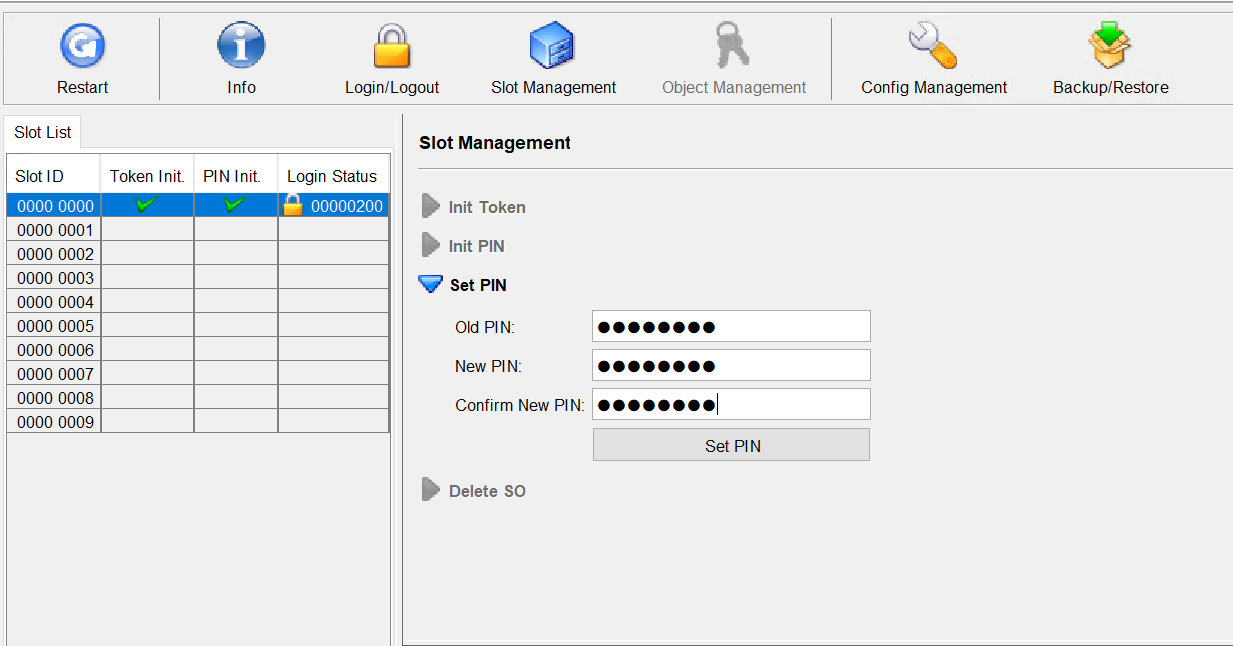
Change SO PIN
-
Log in to the PKCS11 Admin Tool as the SO user and initialize a crypto user with the PIN.
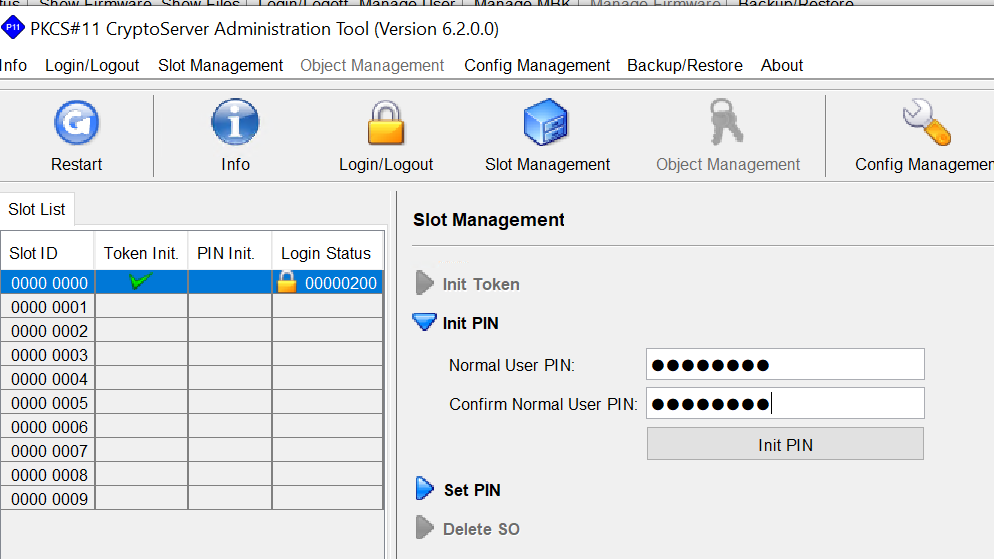
Initialize a crypto user
-
Change the PIN of the crypto user.
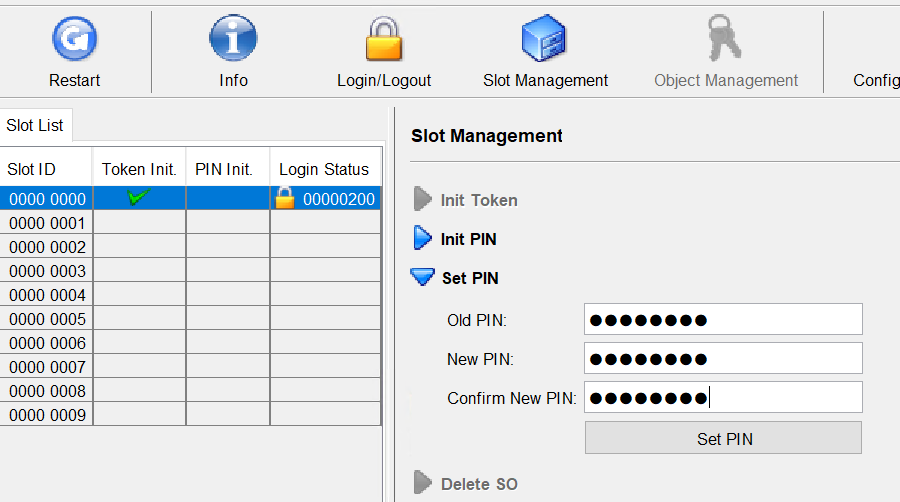
Change and set PIN for crypto user
-
Log in to the PKCS11 Admin Tool. Click the Info icon and click on the Token Info link
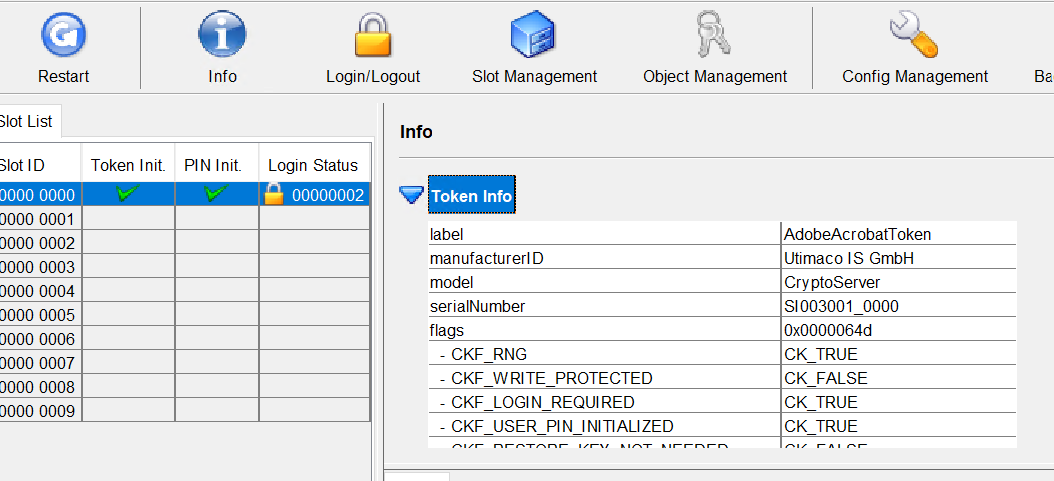
Token Info