

Adobe Acrobat uses PKCS#11 modules to interact with cryptographic tokens like smart cards or USB devices for digital signatures, allowing users to add a digital ID by attaching the relevant module (a .dll file) in Preferences > Signatures > Identities & Trusted Certificates > PKCS#11 Modules and Tokens. When attaching, ensure the correct version of the module for your Acrobat installation (32-bit for 32-bit Acrobat, 64-bit for 64-bit Acrobat) and that the token is properly inserted and detected by the operating system.
-
Open a PDF document in Adobe Acrobat.
-
Go to Menu > Preferences.
-
Select Signatures from the Categories list on the left.
-
Under Identities & Trusted Certificates, find the PKCS#11 Modules and Tokens section.
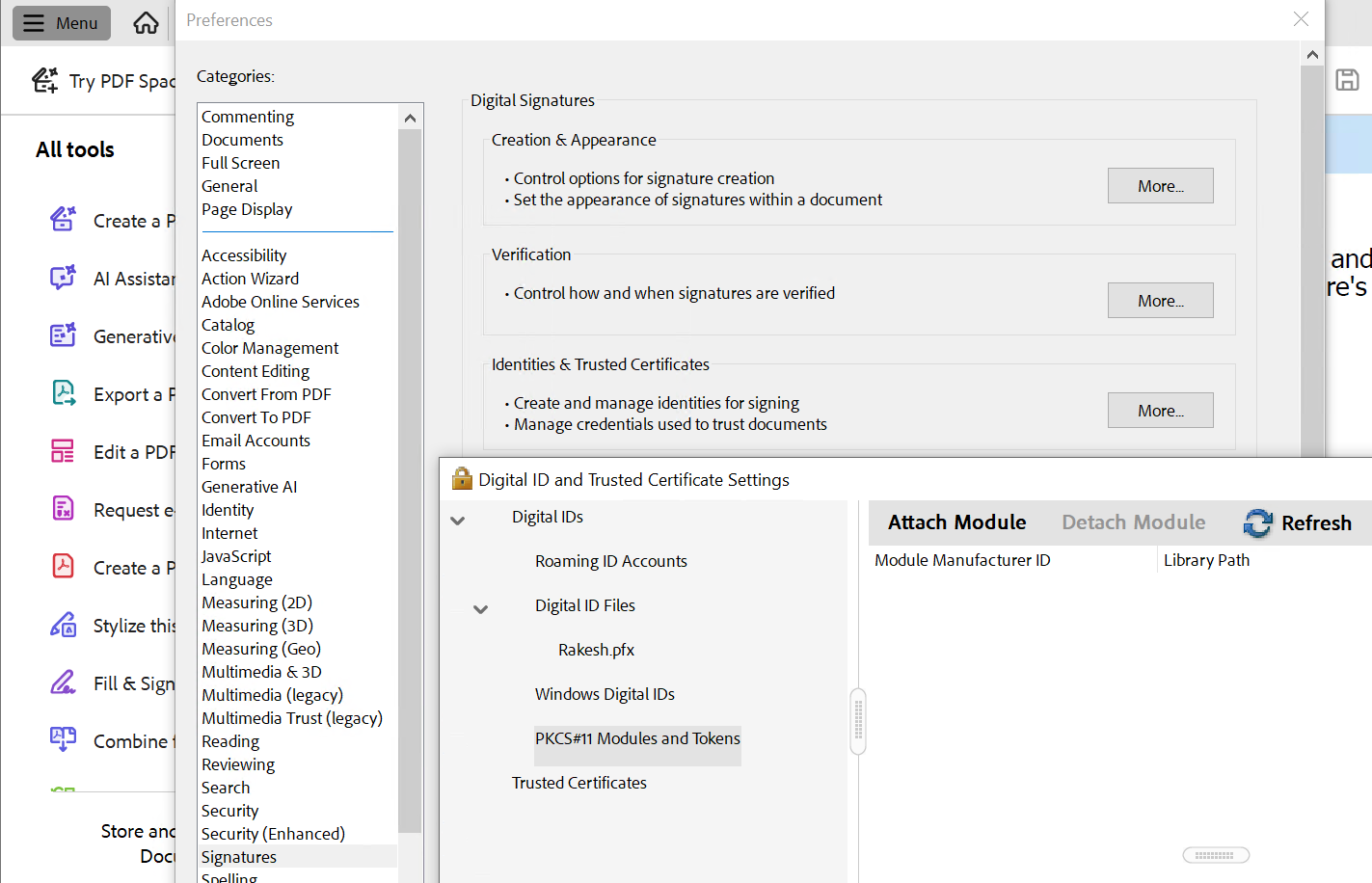
Token section
-
Click Attach Module.
-
A dialog box will appear, asking for the full path to the PKCS#11 module's library file.
-
Enter the path of the SecurityServer module (e.g., C:\Program Files\Utimaco\SecurityServer\Lib\ cs_pkcs11_R3.dll).
-
Click OK.
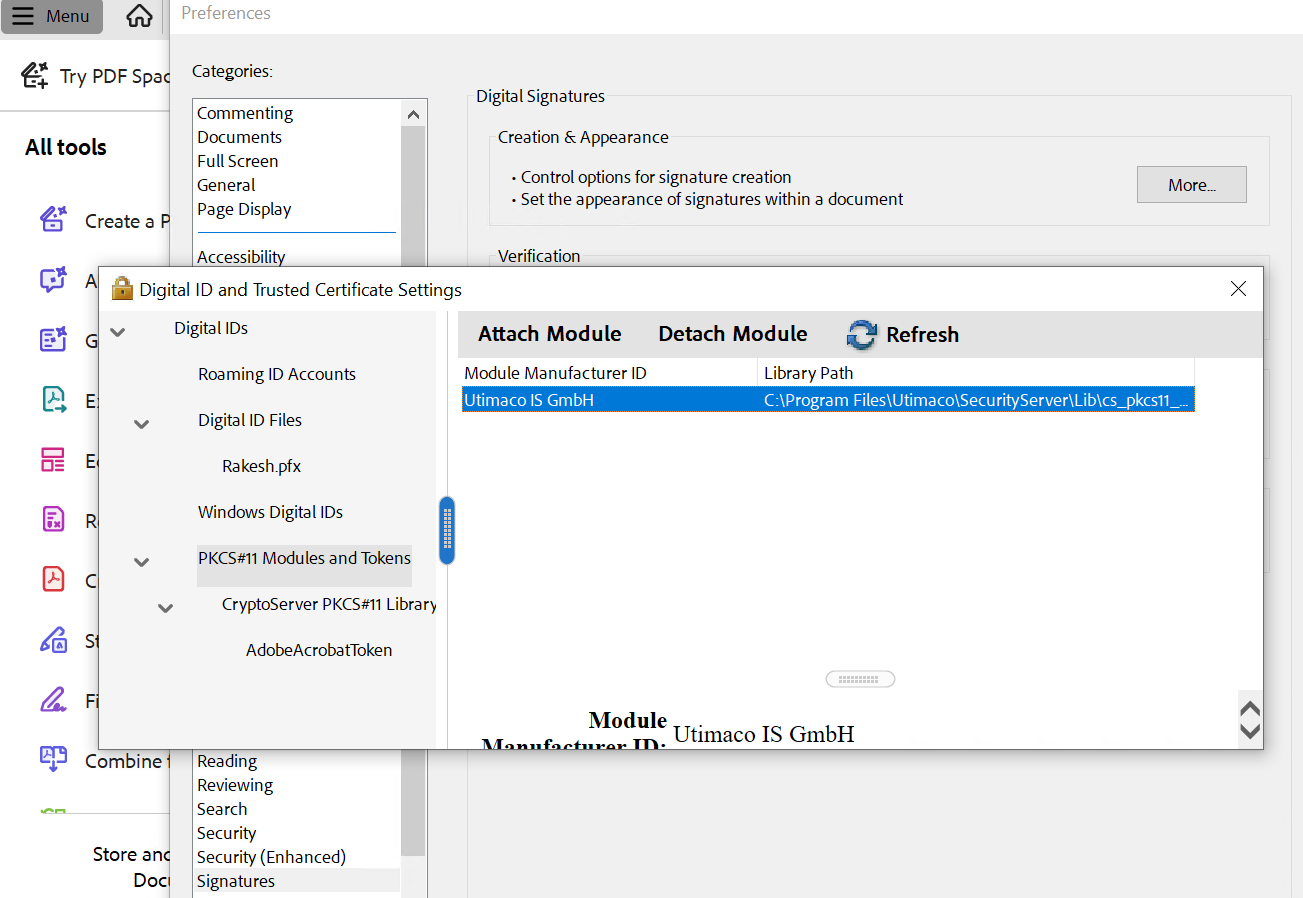
Attach Module in PDF