

Environment Setup.
-
Copy PKCS#11 config file
cs_pkcs11_R3.cfgto a user-defined folder in BeyondTrust environment. -
Copy PKCS#11 driver file
cs_pkcs11_R3.dllto a user-defined folder in BeyondTrust environment. -
Update the PKCS#11 config file
cs_pkcs11_R3.cfg[Global] # For Unix: #Logpath = /tmp # For Windows: Logpath = C:/ProgramData/Utimaco/PKCS11_R3 # Loglevel (0 = NONE; 1 = ERROR; 2 = WARNING; 3 = INFO; 4 = TRACE) Logging = 1 # Prevents expiring session after inactivity of 15 minutes KeepAlive = true # Set the Device to connect with #[CryptoServer] # Device specifier Device = <port>@<HSM_IP> -
Set the PKCS#11 R3 configuration file path using the environment variable
CS_PKCS11_R3_CFG. In this integration, a PowerShell command is used to define and export the environment variable. Users may choose any appropriate and persistent method to configure the environment variable, provided it ensures that the variable remains available after system reboots and is not removed during user session initialization or server restarts.
>[System.Environment]::SetEnvironmentVariable("CS_PKCS11_R3_CFG"),"<FilePath>", "User")

Setting 'CS_PKCS11_R3_CFG' environment variable
-
Verify that the environment variable is added.
>GetChildItem Env:
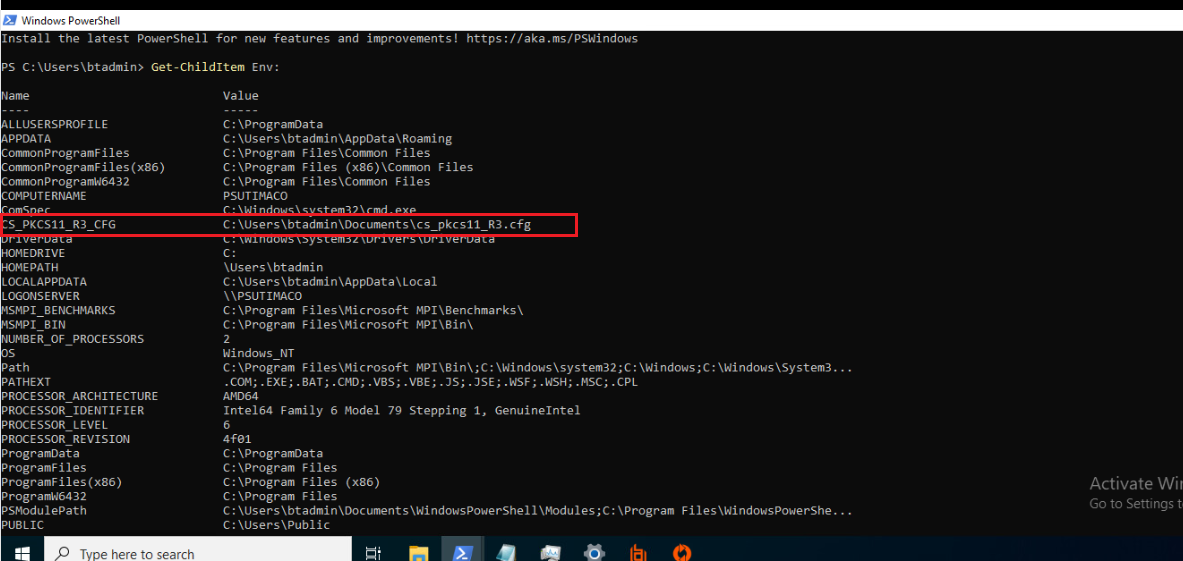
Environment Variable List