

To delete HSM credential;
-
Launch the BeyondInsight Configuration application.
-
Navigate to Configure HSM Credentials.
The Configure HSM Credentials dialog box is displayed. -
Right-click an existing credential.
-
Select Delete Credential.
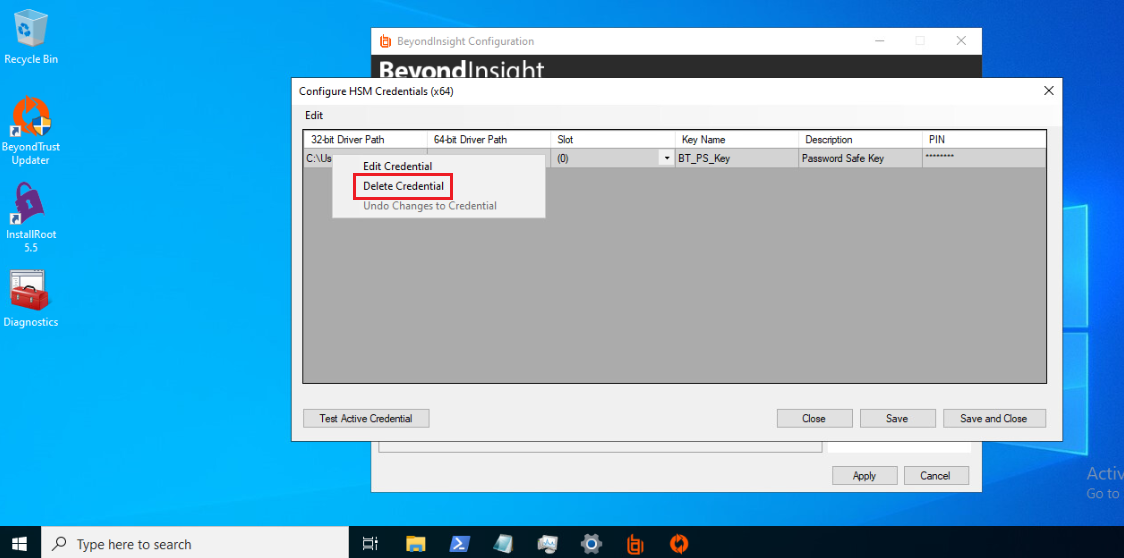
Delete Credential Context Menu
-
A confirmation dialog appears with delete confirmation text. Click Yes button.
-
Click Save and Close.
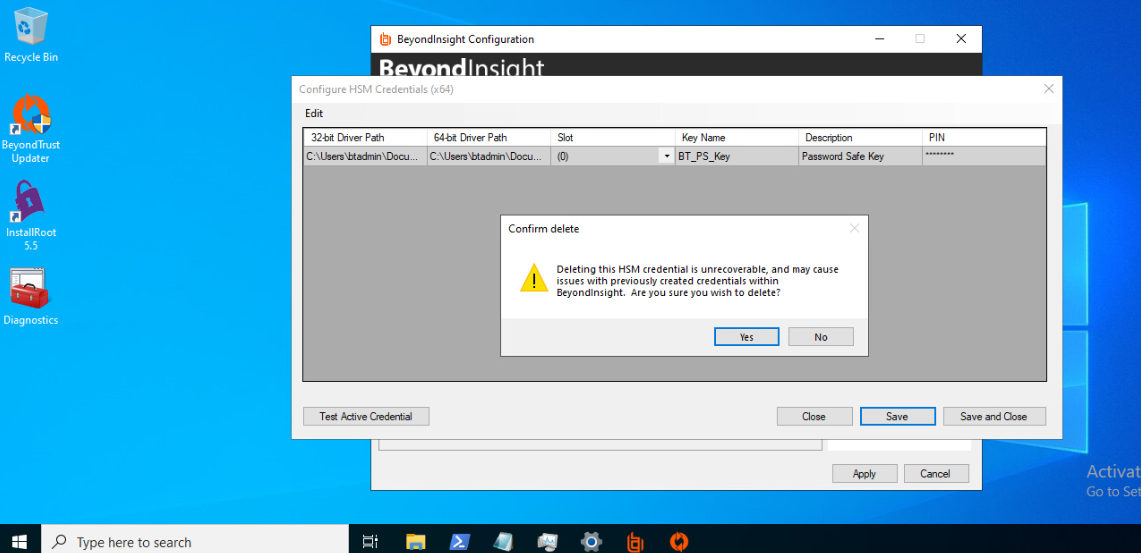
HSM Credential Deletion Confirmation Dialog
Deleted credentials cannot be recovered. Password Safe will be unable to decrypt any credentials encrypted with this HSM credential
The HSM credential is removed only from BeyondTrust Password Safe. The corresponding object is not deleted from the HSM and must be removed manually by the user using the PKCS#11 DeleteObject command.