

To edit HSM credential;
-
Launch the BeyondInsight Configuration application.
-
Navigate to Configure HSM Credentials.
The Configure HSM Credentials dialog box is displayed. -
Right-click an existing credential.
-
Select Edit Credential.
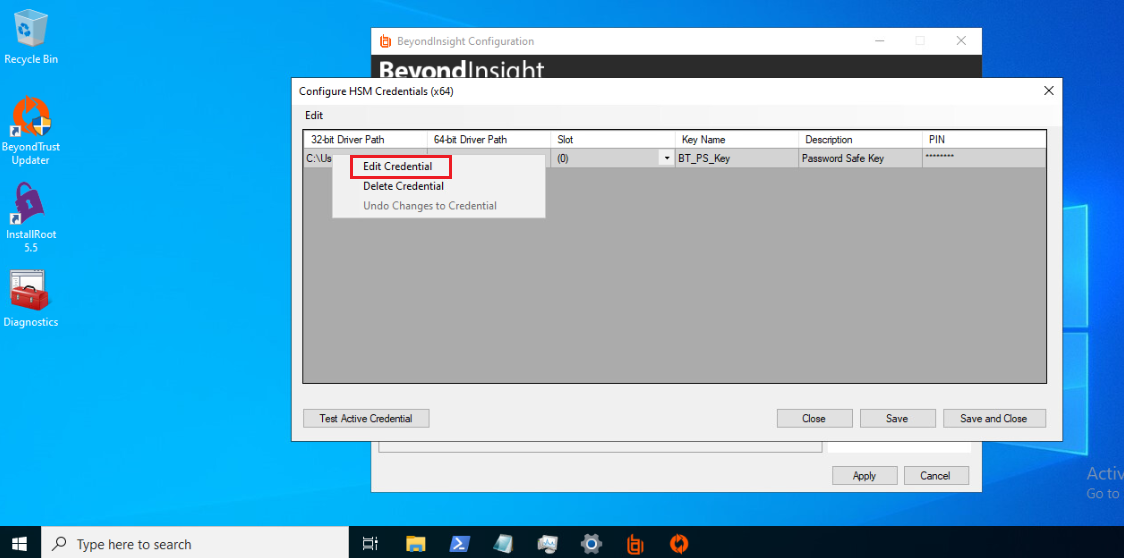
Edit Credential Context Menu
-
Select the required cells and modify the values of:
-
32-bit Driver Path
-
64-bit Driver Path
-
Slot (Lists only initialized slots)
-
Description
-
PIN
6. Select Save.