

-
Go to the Security tab.
-
Click on the Certificates option under Certificates & CAs.
-
Scroll down to the Create Certificate section.
-
Enter Certificate Name, Country Name, State and Province Name, Locality Name, Organization Name, and Organization Unit Name
-
Select RSA-2408 from the Algorithm dropdown list.
-
Select the previously created CA certificate name from the Local CA dropdown list.
-
Select Server from the Certificate Purpose dropdown list.
-
Click on the Create button.
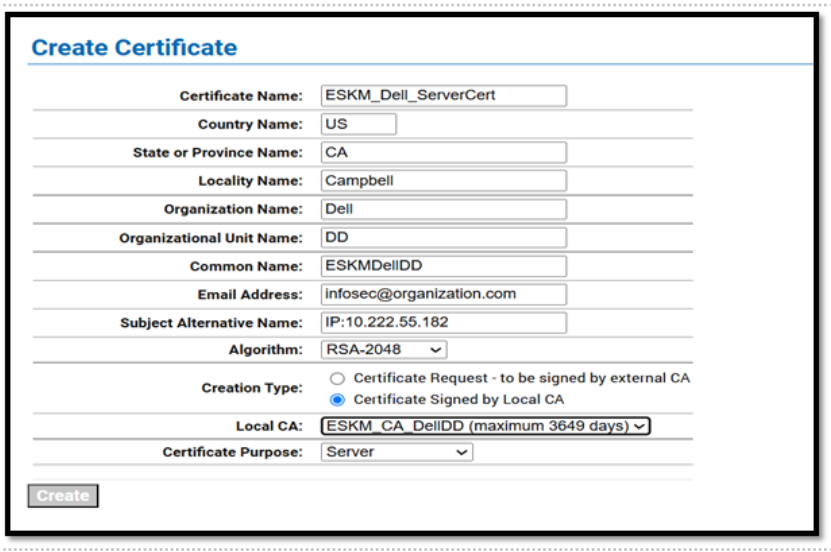
Server Certificate