

See Sign the host certificate using ESKM and complete all related steps before performing the steps below:
-
Copy the downloaded ESKM local CA certificate and signed host certificate to the
ddr/var/Certificatesfolder in the Dell DD system. The followingscpcommand can be used to copy ESKM local CA certificate and the signed host certificate to a Linux machine.
-
scp signed.crt <username>@<DDServerIP >:/ddr/var/Certificates -
scp ESKM_CA_DellDD.crt<username>@<DDServerIP>:/ddr/var /Certificates
-
Run the
adminaccess certificate importcommand on the DD system to import the host certificate and the CA certificate.
-
adminaccess certificate import host application gklm file <hostfilename>.crt
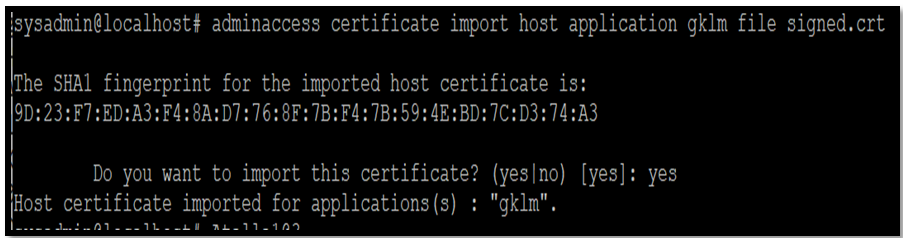
Host certificate imported
-
adminaccess certificate import ca application file <cacertificate>.crt
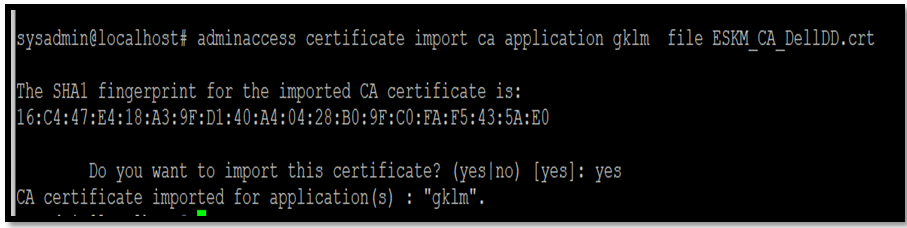
-
Run the
adminaccess certificate showcommand to verify the host and CA certificates are present.
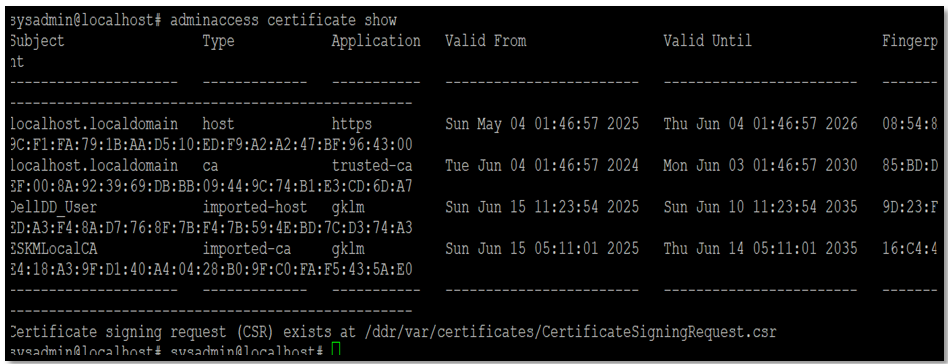
Certificate Details