-
Log in to the Postgres Linux server as user
enterprisedb.
-
Go to the
/bindirectory. In this case the/bindirectory path is/usr/edb/as17/bin.
-
Set the key wrap and key unwrap commands.
-
Set
PGDATAKEYWRAPCMD: shell command to encrypt the data encryption key.
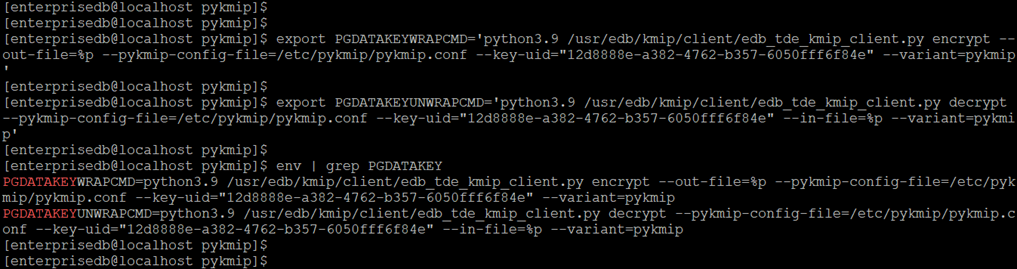
export PGDATAKEYWRAPCMD='python3.9 /usr/edb/kmip/client/edb_tde_kmip_client.py \encrypt \--out-file=%p \--pykmip-config-file=/etc/pykmip/pykmip.conf \--key-uid="12d8888e-a382-4762-b357-6050fff6f84e" \--variant=pykmip' -
Set
PGDATAKEYUNWRAPCMD: shell command to decrypt the data encryption key when the database starts.
export PGDATAKEYUNWRAPCMD='python3.9 /usr/edb/kmip/client/edb_tde_kmip_client.py \decrypt \--pykmip-config-file=/etc/pykmip/pykmip.conf \--key-uid="12d8888e-a382-4762-b357-6050fff6f84e" \--in-file=%p --variant=pykmip' -
Verify the key wrap and key unwrap variables set.
$ env | grep PGDATAKEY
-
-
Perform the initial configuration of the database.
The database configuration can be done with the following command.
$ /usr/edb/as17/bin/initdb -D /var/lib/edb/as17/data -y
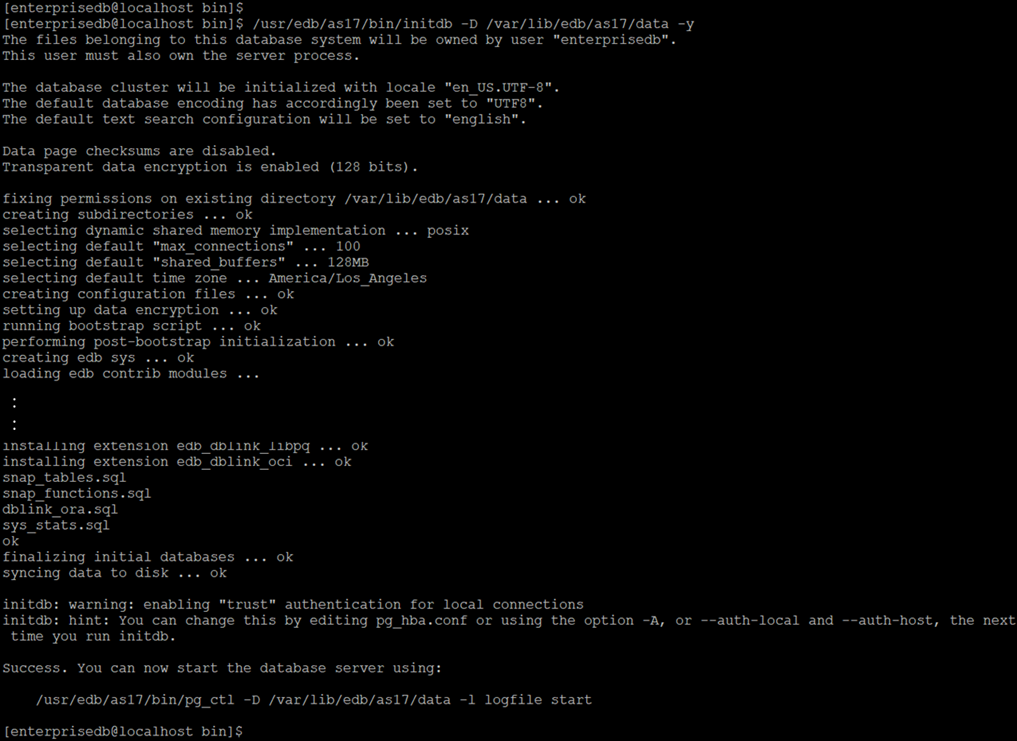
Linux server: initial configuration of the Postgres database
-
Start the database server.
The database server can be started with the following command, and the output log can be passed to$HOME/log.
$ /usr/edb/as17/bin/pg_ctl -D /var/lib/edb/as17/data -l $HOME/logfile start

-
Verify the
data_encryption_key_unwrap_commandin thepostgresql.conffile.
Thedata_encryption_key_unwrap_commandis set withPGDATAUNWRAPCMDshould be present in the/var/lib/edb/as17/data/postgresql.conffile.

-
Ensure encryption is enabled.
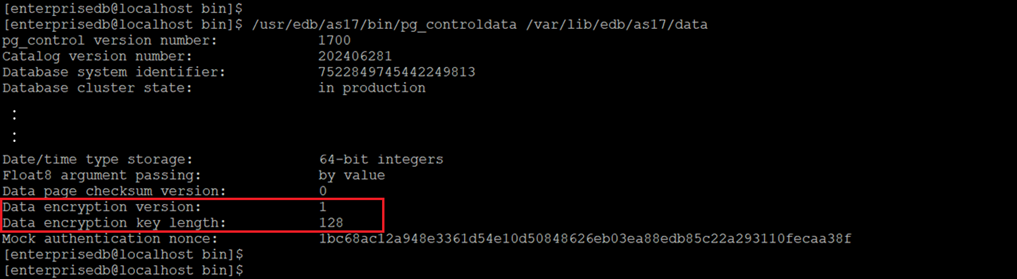
Execute the following command and confirm ‘Data encryption version’ and ‘Data encryption key length’ are set.
$ /usr/edb/as17/bin/pg_controldata /var/lib/edb/as17/data
-
Create a database for the
enterprisedbuser to do the testing.
The command for creating databasehras userenterprisedbis:
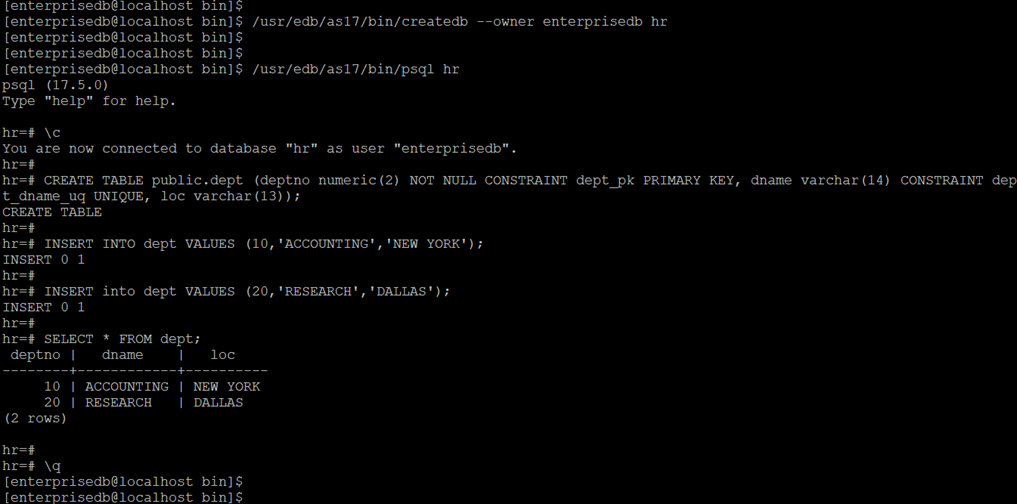
$ /usr/edb/as17/bin/createdb --owner enterprisedb hr
-
Connect to the
hrdatabase inpsql.
$ /usr/edb/as17/bin/psql hr -
Create columns.
The tables are created with theCREATE TABLEcommand.
Here is an example for creating table ‘dept’:
hr=# CREATE TABLE public.dept (deptno numeric(2) NOT NULL CONSTRAINT dept_pk PRIMARY KEY, dname varchar(14) CONSTRAINT dept_dname_uq UNIQUE, loc varchar(13)); -
Insert values into the table.
here is an example for inserting values into the table ‘dept’:
hr=# INSERT INTO dept VALUES (10,'ACCOUNTING','NEW YORK');
hr=# INSERT into dept VALUES (20,'RESEARCH','DALLAS'; -
View the table data.
The table data can be viewed by selecting the values from the table with the command below.
hr=# SELECT * FROM dept;