

-
Generate a CSR on the Postgres Linux server.
-
Change to the home directory of
enterprisedb. -
Generate a private key using OpenSSL.
$ openssl genrsa -out client1.key 2048 -
Create a Certificate Signing Request (CSR) with the generated private key. Include necessary fields for CSR generation.
$ openssl req -new -key client1.key -out client1.csr -sha256
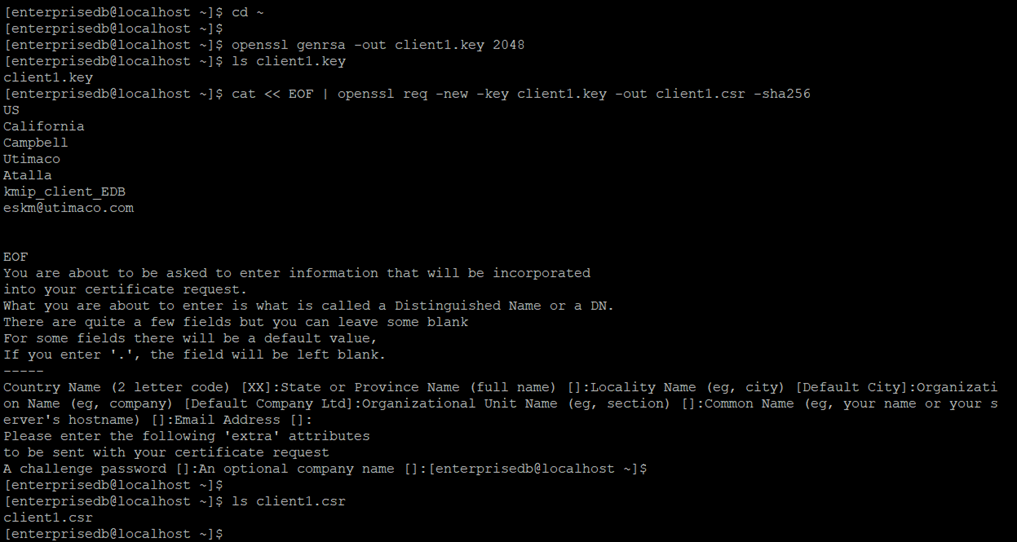
The figure below shows the generation of a private keyclient1.keyand a CSRclient1.csrwith respective fields includingkmip_client_EDBasCommon Name.
-
-
Sign the CSR with the ESKM local CA and copy the signed certificate to the Postgres Linux server.
The CSR now needs to be signed by the local CA.-
View the
client1.csrfile using thecatcommandcat client1.csror open it using any text editor. -
Select the entire text and copy it to your clipboard.
Make sure to include the first and last lines (“-----BEGIN CERTIFICATE REQUEST----- to -----END CERTIFICATE REQUEST-----"). -
Log in to the Management Console and go to Security > Certificates & CAs > Local CAs.
-
Select the CA used by your ESKM (in this case, ESKMLocalCA), and click on Sign Request. The Sign Request window will appear.

ESKM server: Local CA sign request selection -
For certificate purpose, select Client.
-
Paste the CSR text you copied into the Certificate Request window.
-
Click Sign Request.
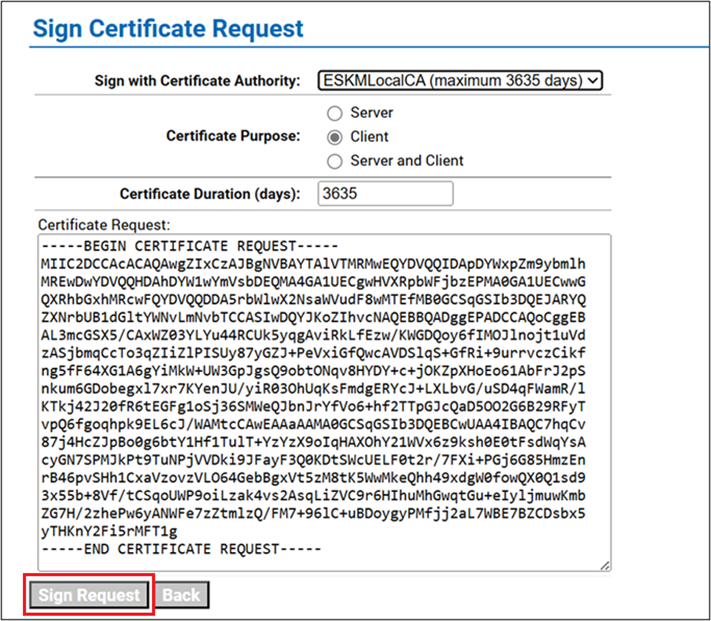
ESKM server: certificate signing with Local CA -
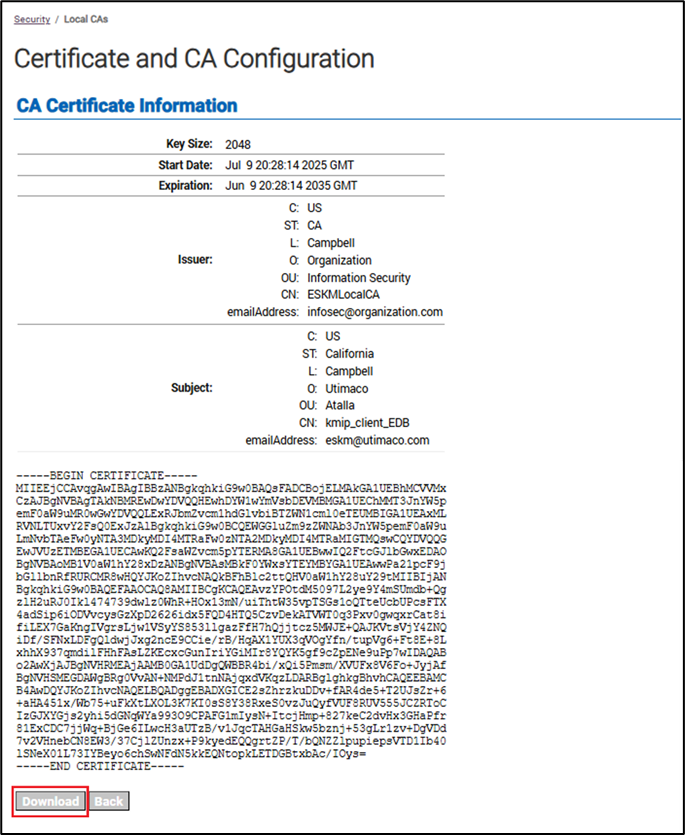
The signed client certificate is displayed. Download the signed client certificate by clicking on Download, and copy it to the Postgres Linux server.
-
-
Copy the ESKM local CA to the Postgres Linux server.
-
ESKM local CA (ESKMLocalCA) can be downloaded from the ESKM management console. Go to Security > Certificates & CAs > Local CAs, select the CA used by the ESKM (in this case, ESKMLocalCA), and click Download.

ESKM server: Local CA download selection -
Copy the downloaded local CA to the Postgres Linux server.
-
-
Rename the ESKM local CA to
cacert.pem.
$ cp ESKMLocalCA.crt cacert.pem
-
Combine the private key and client certificate and rename to
client1.pem.
The created private key (client1.key) and the signed client certificate (signed.crt) need to be combined and renamed toclient1.pem.
$ cat client1.key signed.crt > client1.pem