

-
To start with, login to the Configuration utility of F5 Big-IP from the browser
-
On the Left Pane go to
System > Certificate Management > HSM Management > External HSM -
Now in the General Properties, click on the dropdown and select the Vendor as auto and set the PKCS11 Library Path to
/opt/utimaco/lib/libcs_pkcs11_R3.so -
In the Partitions, create a new Partition with the Name as auto & Password as 123456
-
Click on Add to save credentials button and then click on Finished button at the bottom
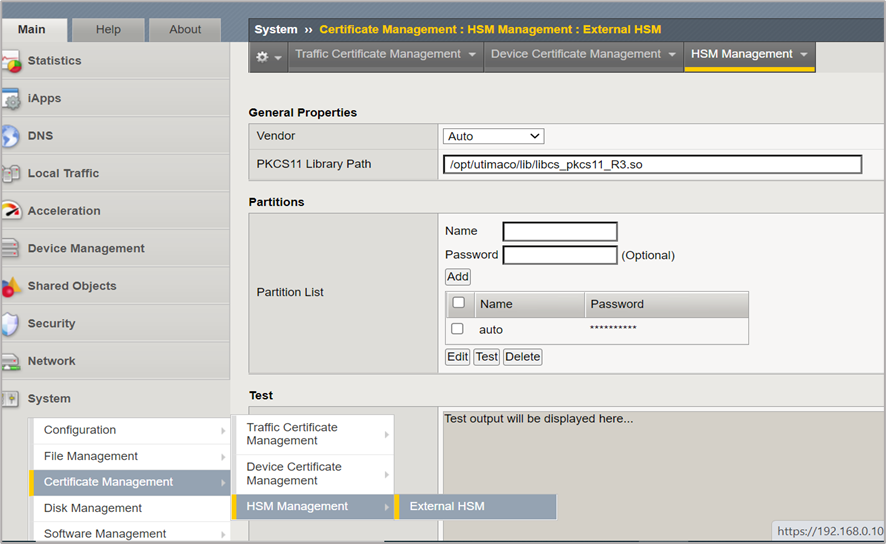
Figure 1: External HSM Management