

-
Log into the array UI and go to Settings > System.
-
On the Encryption panel, check the encryption status. The status must be LKM Enabled or EKM Enabled. (Local Key Manager/External Key Manager.
-
In the Encryption section, choose the 3 dots (…) on the far right side and click Set EKM Servers.
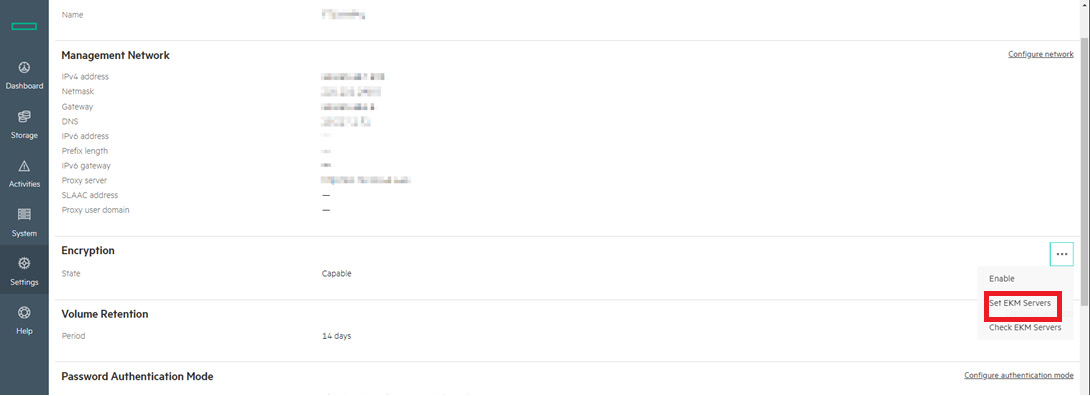
System screen
-
Enter the EKM server IP address(es) or FQDN(s), port information, user name, KMIP versions, and password.
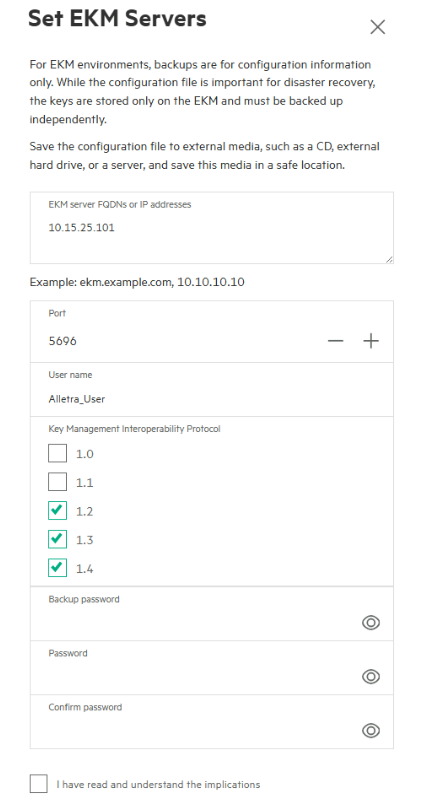
Set EKM Server screen
-
Click the acknowledgement checkbox and click Save.
-
This will return you to the system window. Click the same 3 buttons to the right of the Encryption section and click Check EKM Servers.
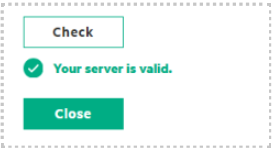
EKM server validated