

-
Click Settings > Array Certificates.
-
Click on the + symbol at the top right of the screen and select Create a certificate signing request.
-
Choose ekm-client in the drop-down for the Array service.
-
Fill out CSR details.
You must use the certificate’s Common Name (CN) as the KMIP username when creating the KMIP user.
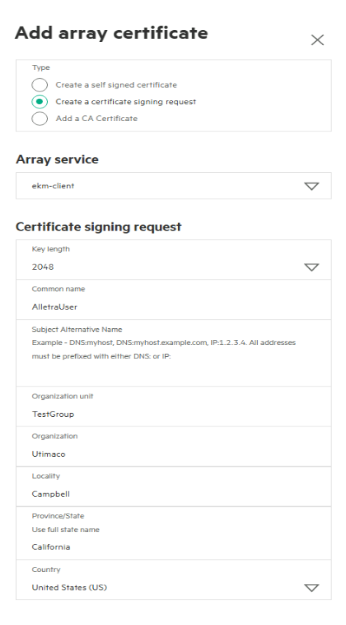
Create a CSR
-
After the CSR is generated, the GUI will bring you back to the Array Certificates window, and click the newly created signing request.
-
Copy the CSR from ----- BEGIN CERTIFICATE REQUEST----- to the end of -----END CERTIFICATE REQUEST----.
-
Please refer to section Sign the Host Certificate using ESKM to sign the CSR using ESKM.
If you are using a third-party CA, send a CSR request to the CA to sign instead of signing using LocalCA in ESKM.
-
Refer to Create a KMIP User Group and Create a KMIP User, then create a KMIP User Group and User.