

-
Copy the generated CSR from Partner Product and submit it to the ESKM for
signing by the ESKMLocalCA as a client certificate. -
Go to ESKM Management Console > Security > Certificates & CAs > Local CAs.
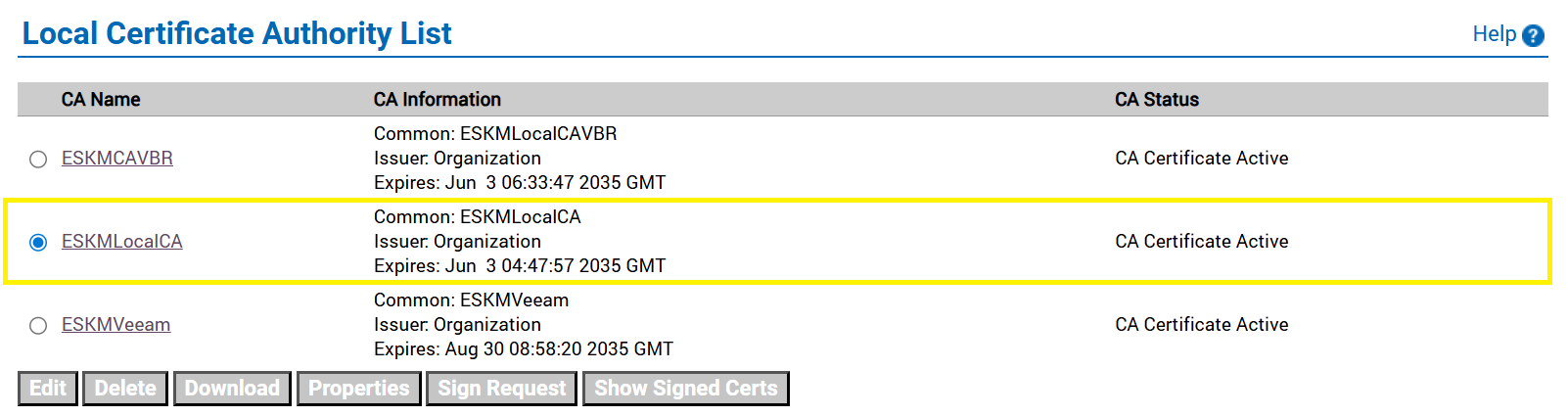
Local CA
-
Select the created CA and click Sign Request.
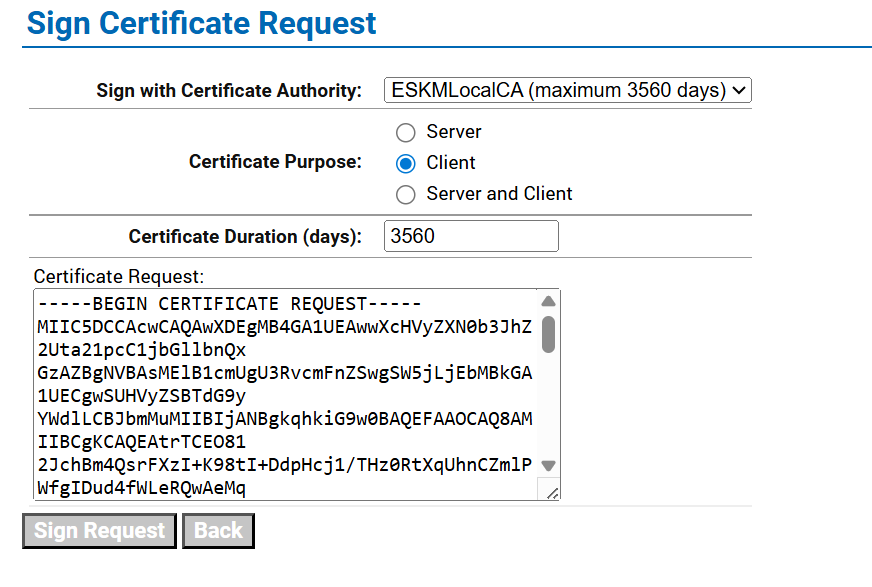
Sign certificate request
-
Select the previously created CA certificate name from the Sign with Certificate Authority dropdown list.
-
Select Client in the Certificate Purpose section.
-
Copy the host certificate content to the Certificate Request box and click Sign Request.
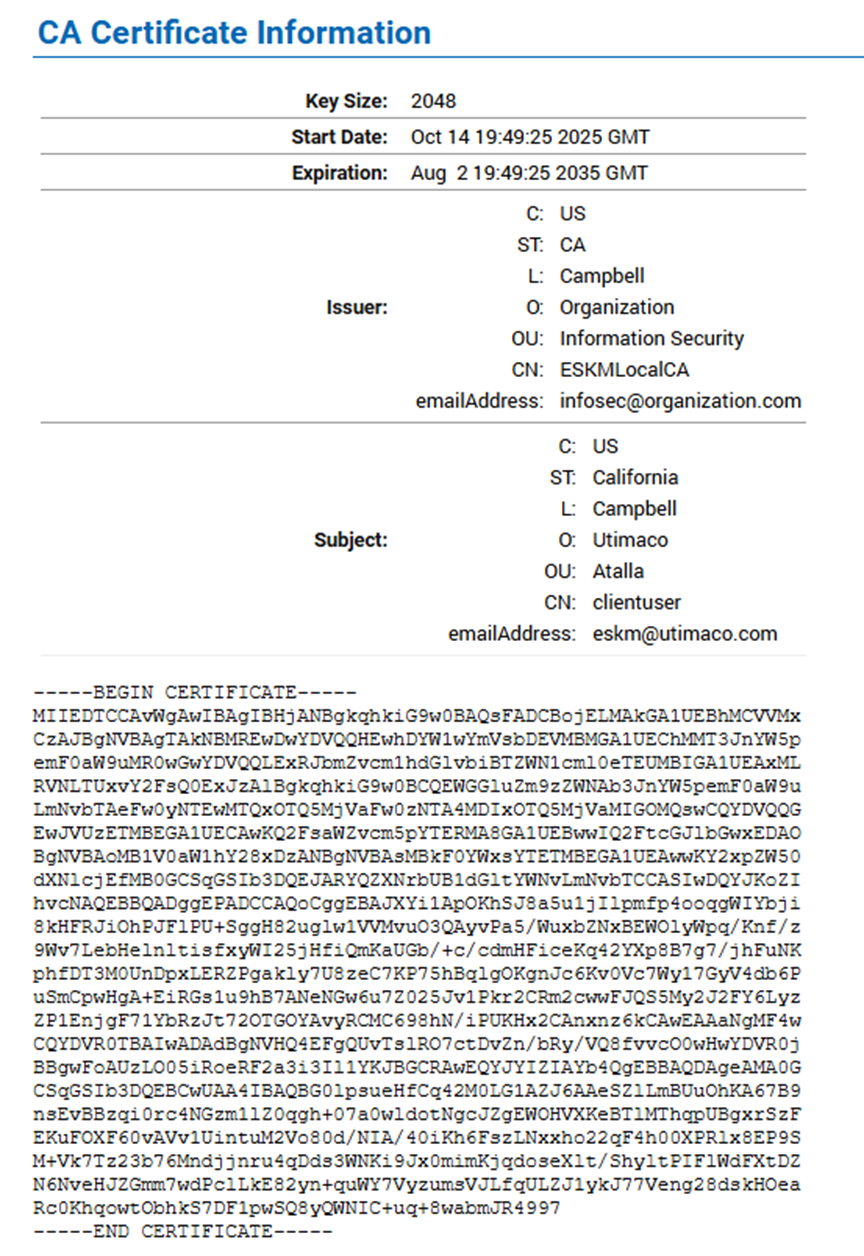
Signed certificate information
-
Copy the signed certificate and paste it into a notepad.
-
Click ESKMLocalCA from Local CAs, copy the ESKMLocalCA certificate, and paste it into a notepad.
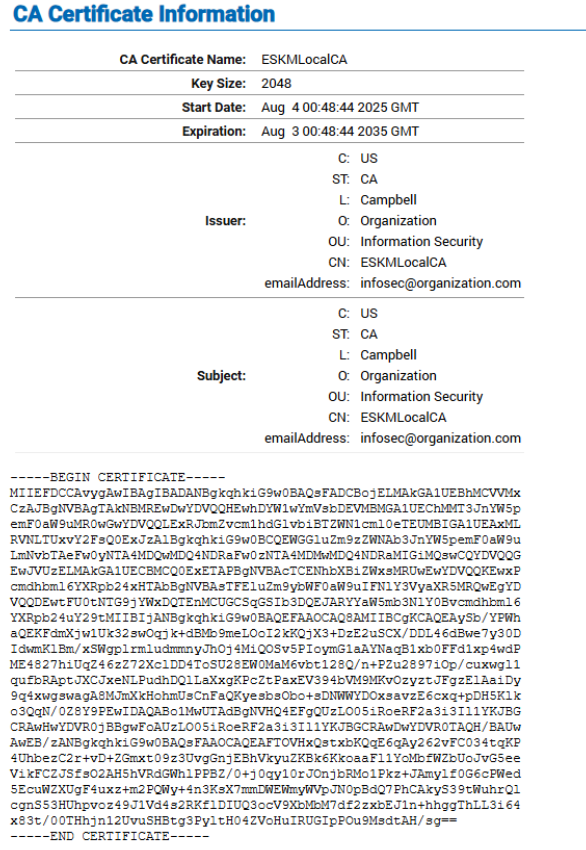
CA certificate information