

-
In the ESKM Management console, go to Device > KMIP Server > KMIP Server.
-
Click the Edit button under the KMIP Server Settings section.
-
Select the relevant KMIP Port.
-
Select the created server certificate as the Server Certificate for the KMIP server.
-
Select the created Local CA from the dropdown list.
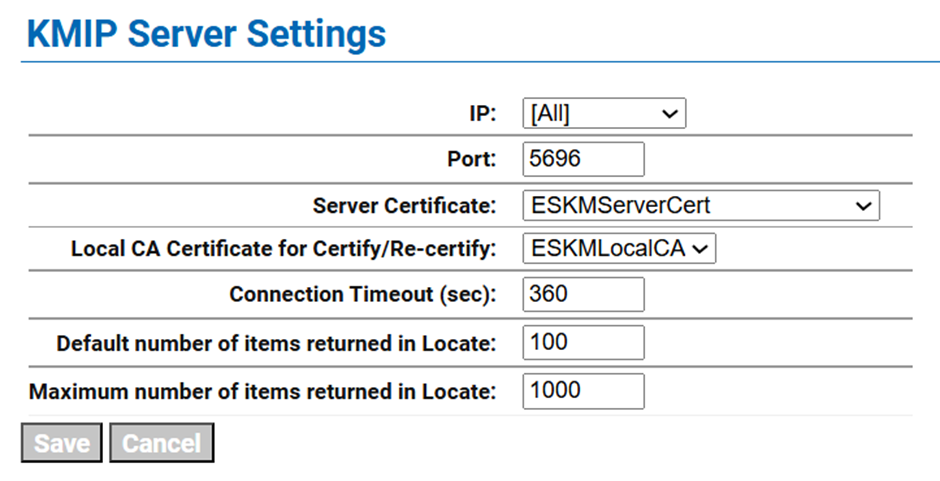
KMIP server configuration
-
Click Save.
-
Click Edit under the KMIP Server Configuration Settings section.
-
Select the enable radio button in the Certification Authentication section and select a CA profile from the Trusted CA List Profile dropdown.
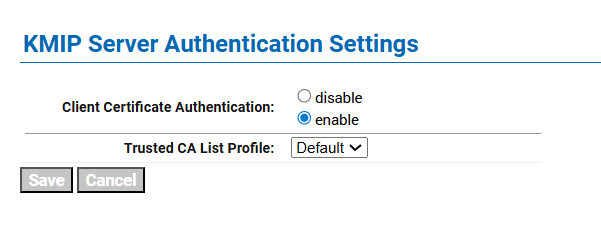
Enable client certification authentication
8. Click Save.