

When using the local key management mode, the keystore manager on StoreOnce manages the encryption keys used for Data at Rest encryption and Data in Flight encryption. Each time a new encrypted VTL library, NAS share, or StoreOnce Catalyst store is created or deleted, the keystore on StoreOnce is updated. The keystore is also updated when a Data in Flight encryption link is created or deleted.
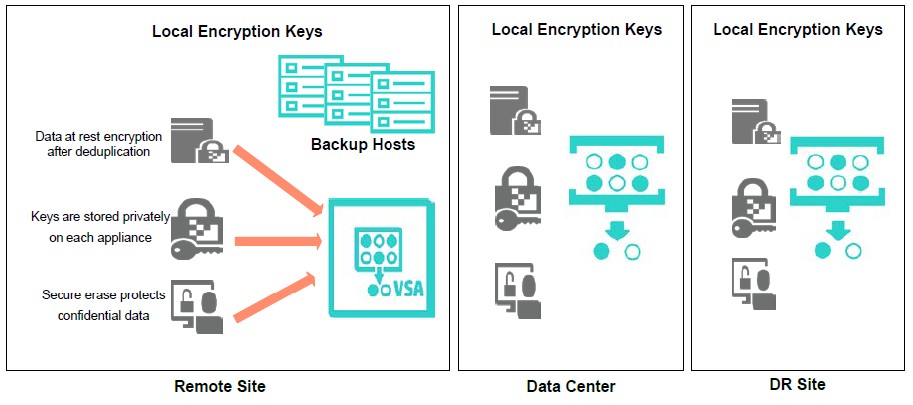
Local key management
The above figure shows data protection of HPE StoreOnce VSA at the remote site, and also HPE StoreOnce at the primary data center and disaster recovery site using local encryption keys.
If using local key management, ensure to back up the local keystore using the StoreOnce CLI commands, and save it securely off-site in case the original keystore is corrupted. However, only the latest version of the keystore must be kept after each creation or deletion of an encrypted VTL library, NAS share, StoreOnce Catalyst store, or Data in Flight encryption link.
Encryption has to be enabled manually for each target store (either Catalyst, NAS or VTL libraries) created on HPE StoreOnce. To enable Data at Rest encryption on StoreOnce, select the Store Encryption Enabled checkbox of the StoreOnce at store creation time.
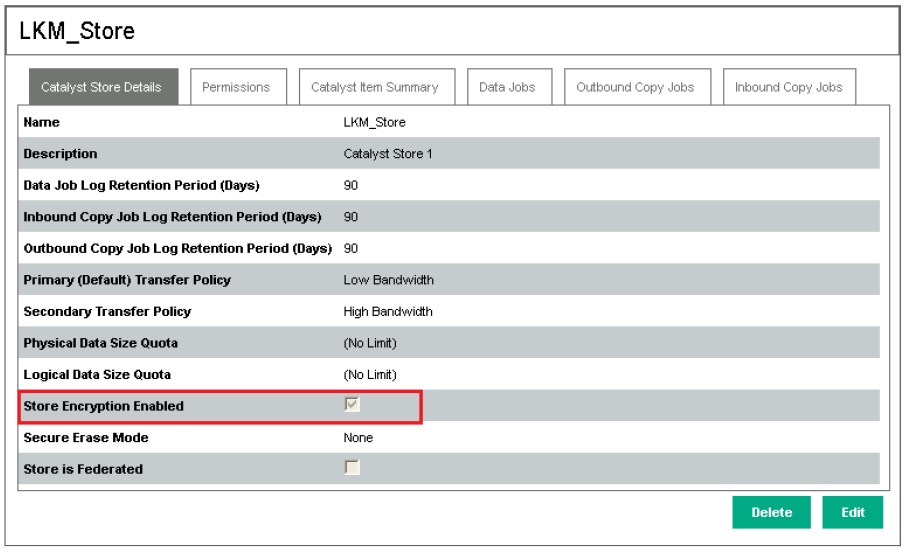
LKM-Store
After the encryption is enabled on a store, it cannot be disabled.