

-
Generate an EC keypair on Utimaco HSM.
|
›_ Console |
|---|
|
Provide information when prompted Here:
-
EC is the key algorithm
-
NONE is the keystore for HSM
-
PKCS11 is the storetype
-
sun.security.pkcs11.SunPKCS11 is the provider class
-
utimacoECKey is the key name that will be generated on Utimaco HSM
Provide the keystore password when prompted
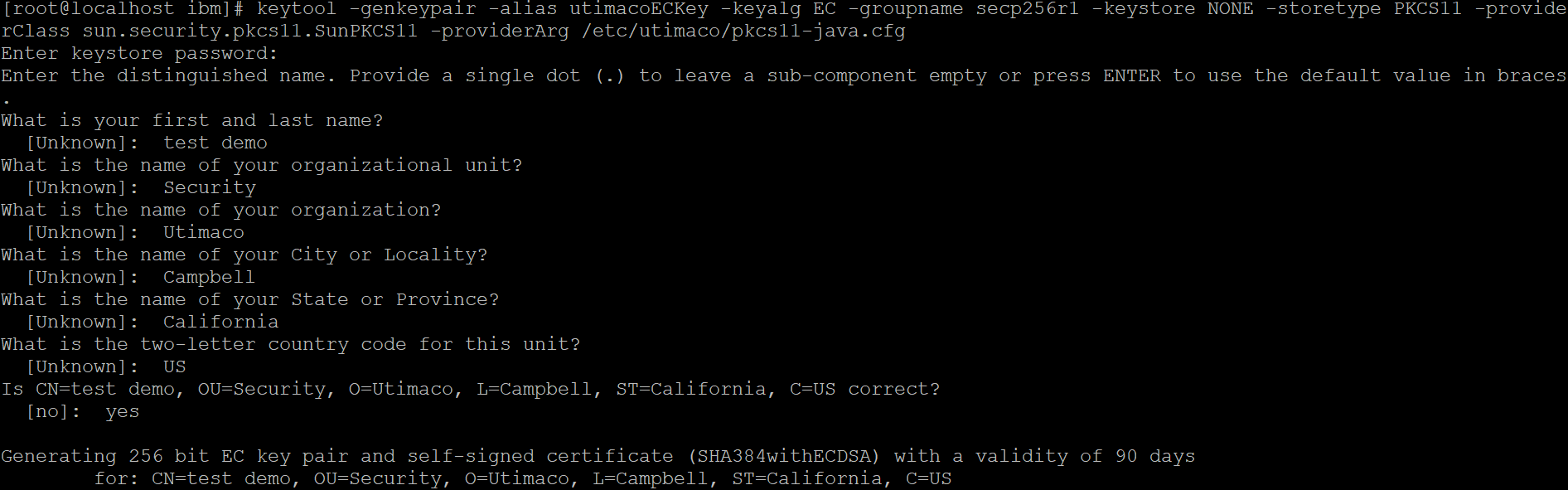
Key generation using keytool command
-
Verify the entry with same alias name is generated using keytool command.
|
›_ Console |
|---|
|
Here:
-
NONE is the keystore for HSM
-
PKCS11 is the storetype
-
PKCS11-CryptoServer is the provider name
Provide the keystore password when prompted

Listkeys output
-
List the objects using p11tool2.
|
›_ Console |
|---|
|
# ./p11tool2 Slot=0 LoginUser=ask ListObjects |
Enter user PIN when prompted
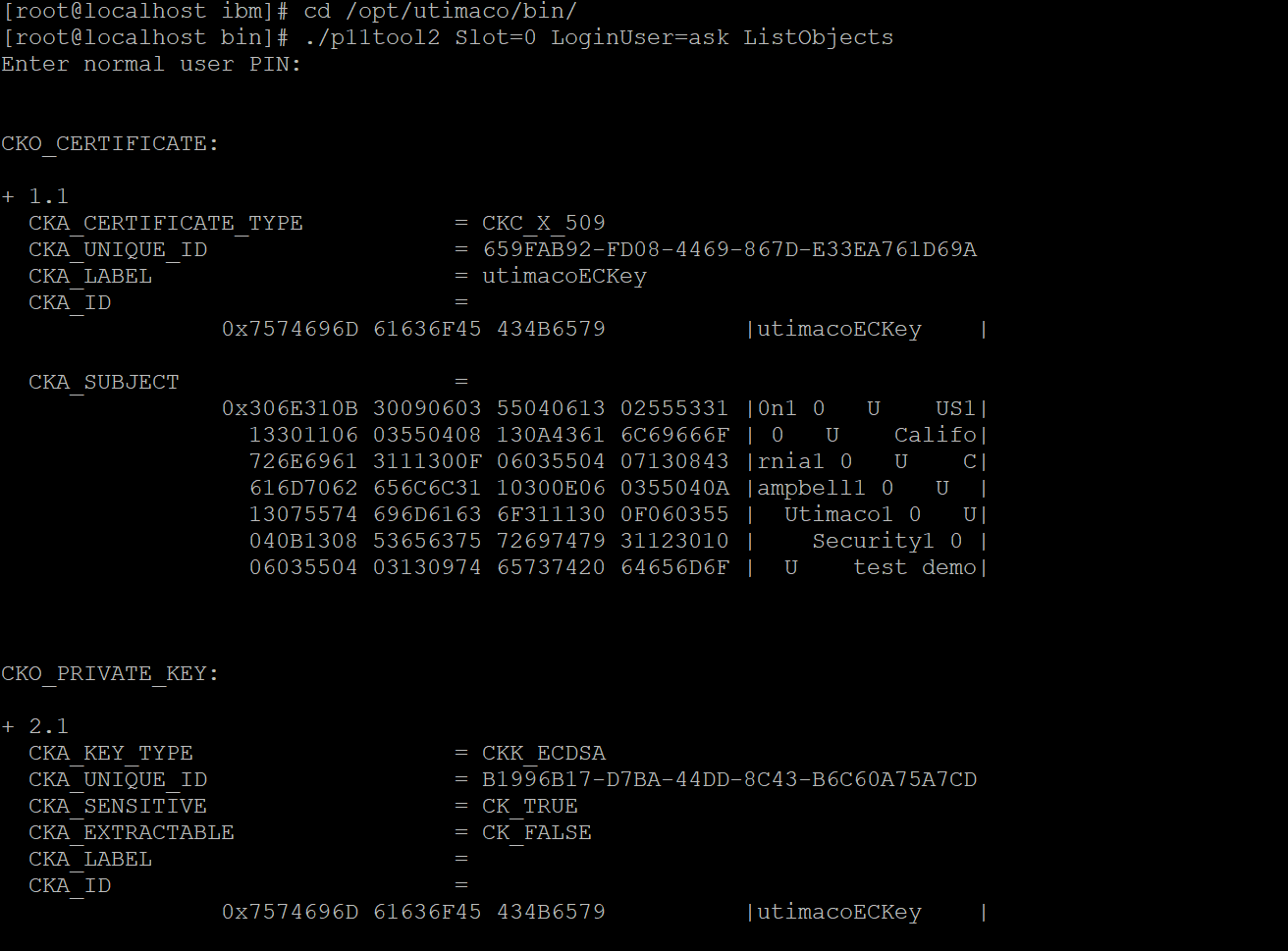
List keys output using p11tool2
-
Generate a CSR using Keytool command.
|
›_ Console |
|---|
|
Here:
-
NONE is the keystore for HSM
-
PKCS11 is the storetype
-
Provide the keystore password when prompted
-
sun.security.pkcs11.SunPKCS11 is the provider class
-
utimacoECKey is the key name
-
utimacoEC.csr is the CSR file name that will be generated
Provide the keystore password when prompted
-
Get this CSR signed by CA.
|
›_ Console |
|---|
|
-
Copy the signed certificate and the root CA certificate and combine them into a single full-chain certificate file.
|
›_ Console |
|---|
|
-
Import converted full chain certificate into HSM keystore.
|
›_ Console |
|---|
|
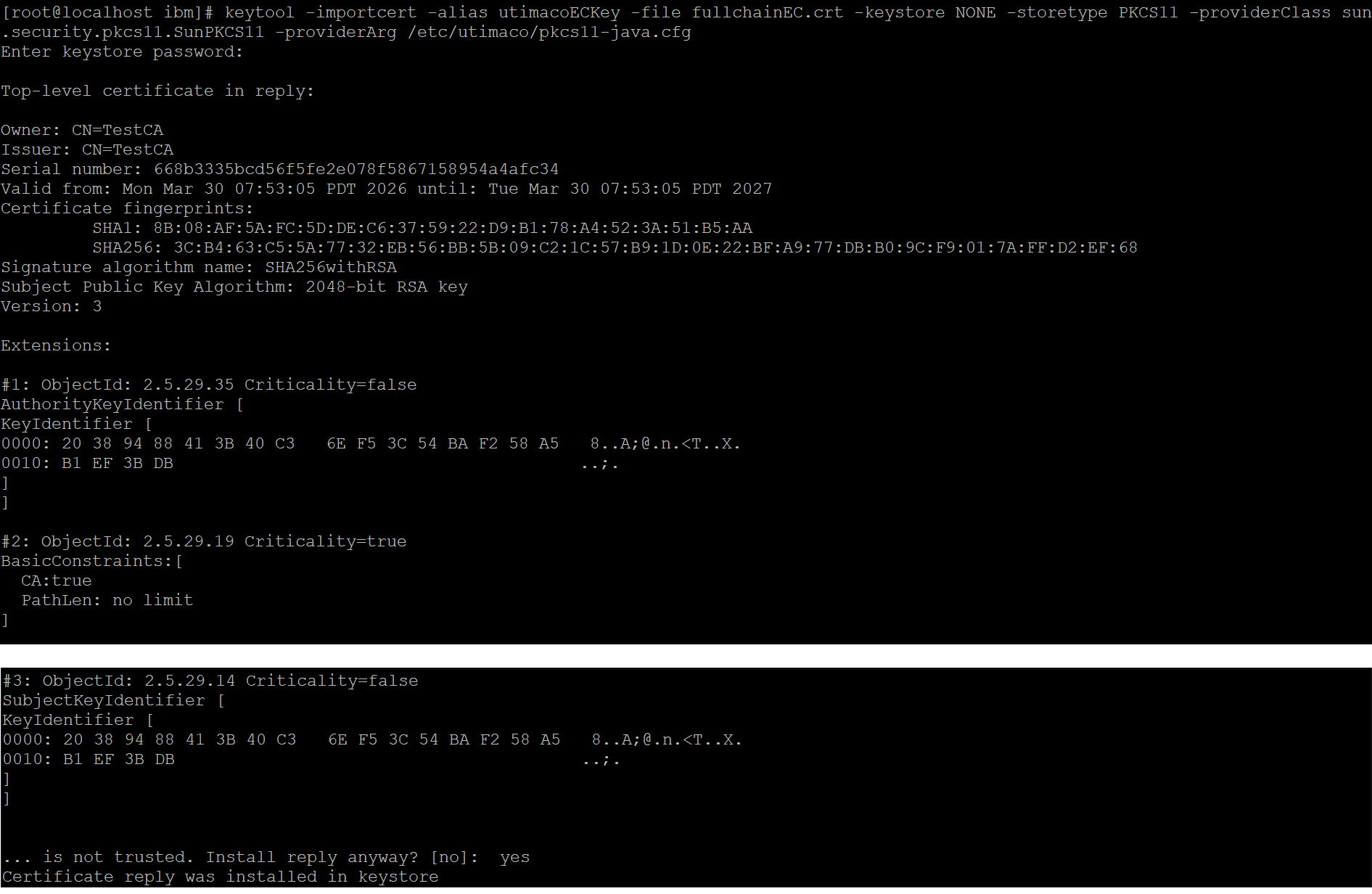
Importing full chain certificate
-
Sign any sample jar file using jarsigner tool.
|
›_ Console |
|---|
|
Here:
-
http://timestamp.digicert.com is URL of timestamp server
-
NONE is the keystore for HSM
-
PKCS11 is the storetype
-
sun.security.pkcs11.SunPKCS11 is the provider class
-
HelloWorldECSigned.jar is the new output signed jar file that will be generated
-
HelloWorld.jar is the Jar file to be signed
-
utimacoECKey is the key name that will be used for signing
Provide the keystore password when prompted

Signing the jar using jarsigner command
-
Verify the signed jar.
|
›_ Console |
|---|
|
Here sample_output.jar is the newly generated signed jar file

Verifying signed jar