

-
Open the
kube-apiserver.yamlfile located in/etc/kubernetes/manifests.

kube-apiserver.yaml
-
In the command section, add
encryption-provider-config=/etc/kubernetes/encryption-config.yamlto enable the use of an external encryption provider.
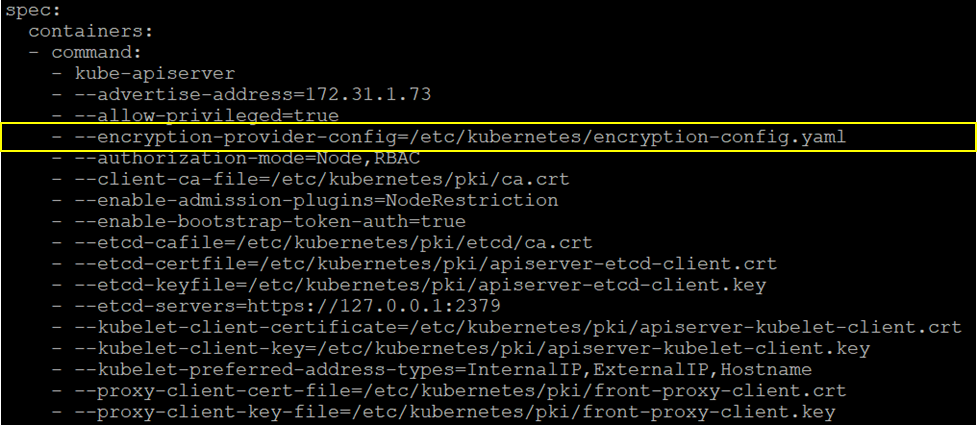
Add Flag
-
In the
volumeMountssection, add the following entries:
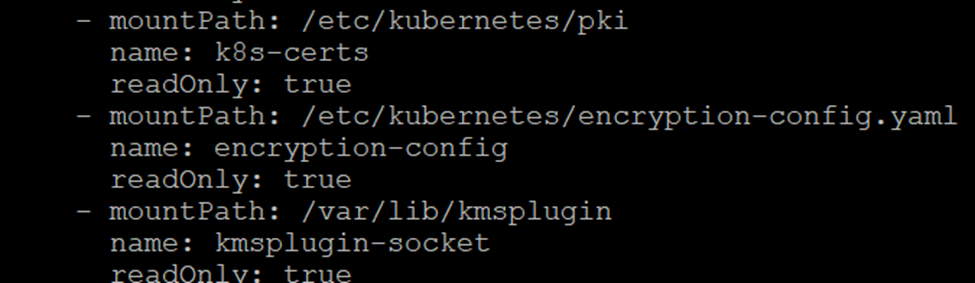
volumeMounts
-
In the
volumessection, add the corresponding volume definitions.
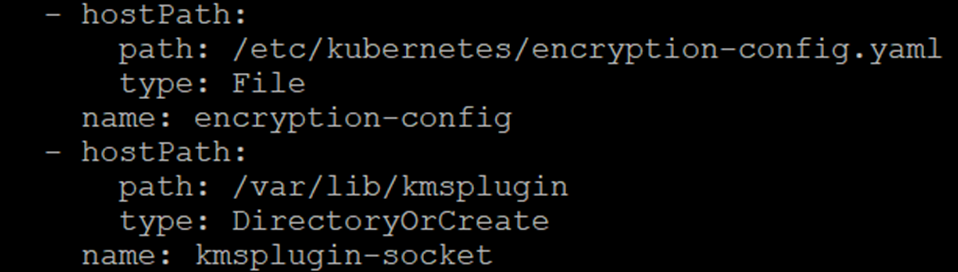
volumes
-
Save the file and exit the editor.
-
Restart the
kube-apiserver.