

-
In the ESKM Management console, go to Security > Users & Groups > Local Users & Groups > Local Users.
-
Click Add.
-
Enter the Username in the same way as the common name provided during host certificate creation.
-
Select Enable KMIP.
-
Select KMIP as License Type.
-
In KMIP Client Certificate provide the client certificate that is generated by signing the CSR with ESKMLocalCA.
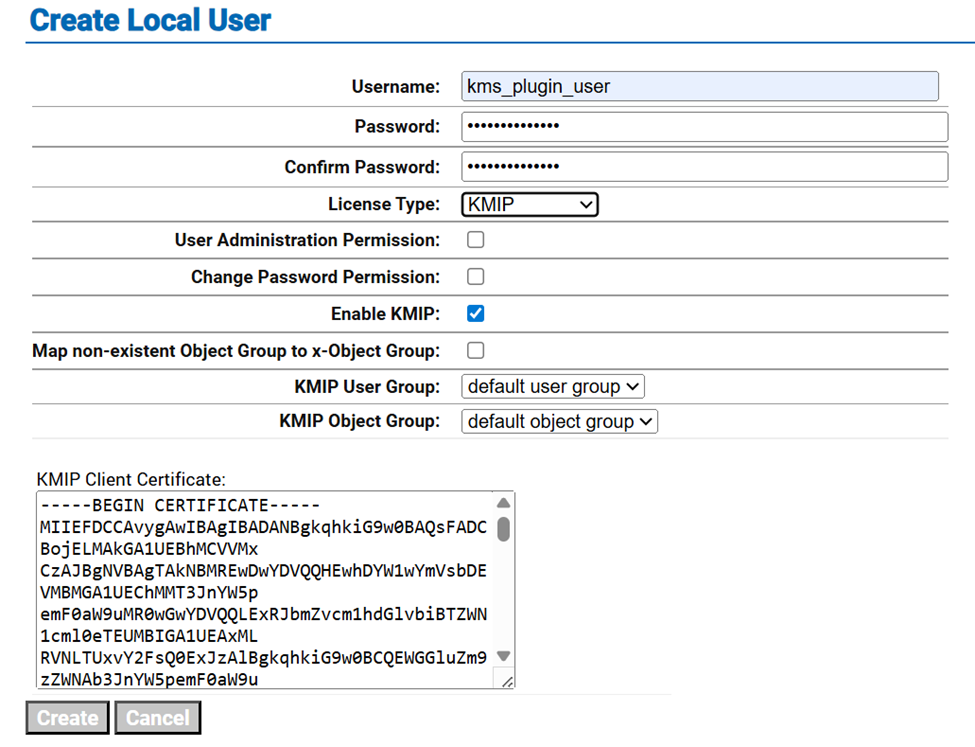
Create Local User