

This section describes the procedure to enable ESKM cloud settings.
To enable cloud settings
-
Click the Settings icon on the Cloud dashboard.
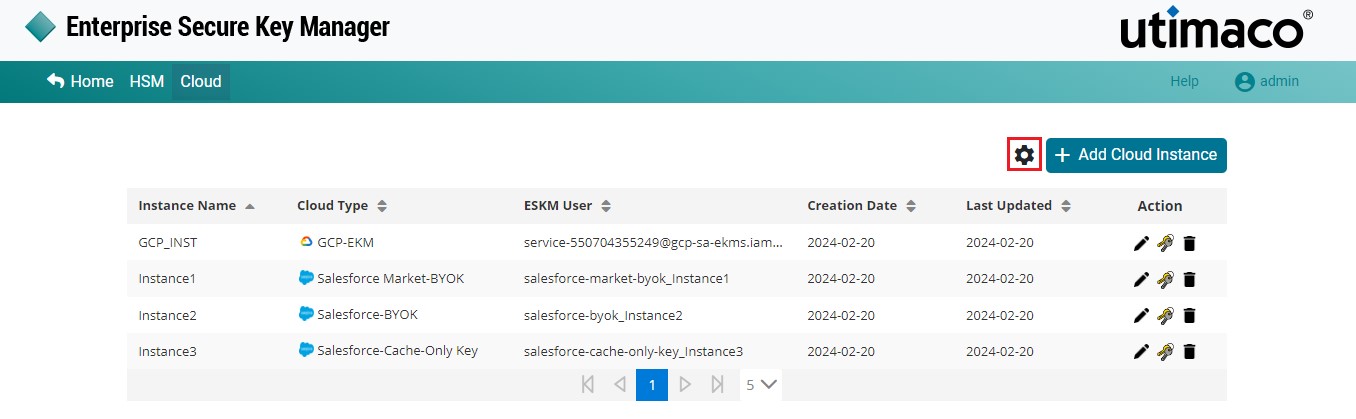
Cloud Settings
-
The Settings pop-up window will appear.
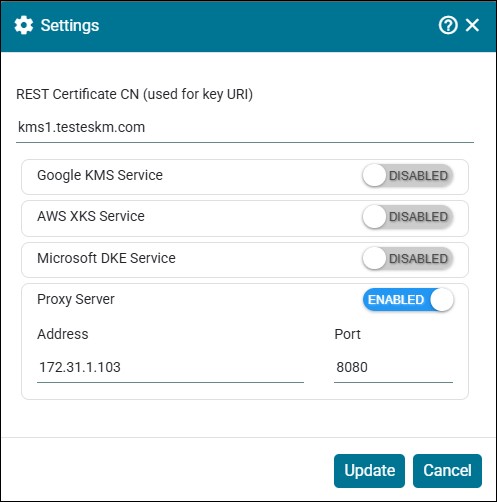
Update Settings
By default, cloud services are disabled; users must enable cloud settings as required.
-
Enable the Proxy Server. Click Update.
|
Parameters |
Description |
|---|---|
|
REST Certificate CN (used for key URI) |
ESKM name through which keys are accessed. |
|
Proxy Server |
Enable this to configure Proxy Server with address and port number for internet access. |
Settings - Parameters