

-
Click the Manage Keys icon to view the keys list available in the cloud instance.
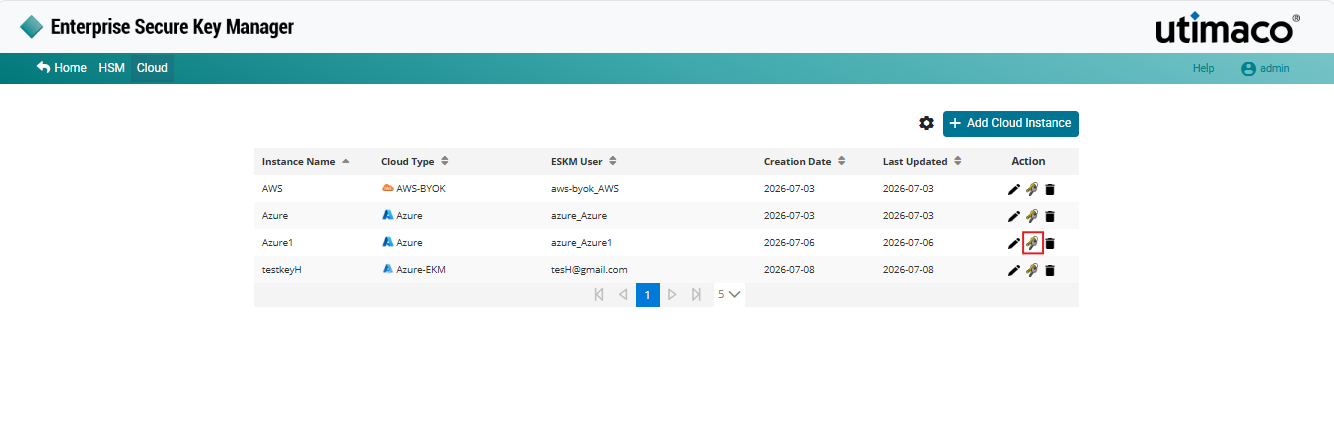
Manage keys
-
Select the key from the keys list to view a key's detailed information.
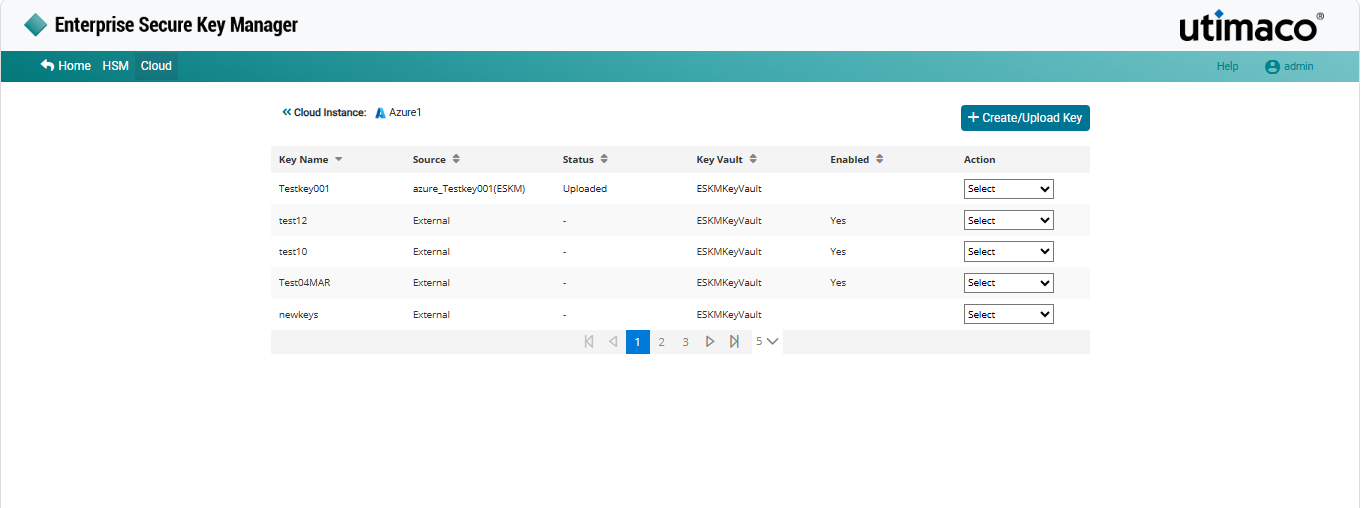
Key list in the ESKM key dashboard
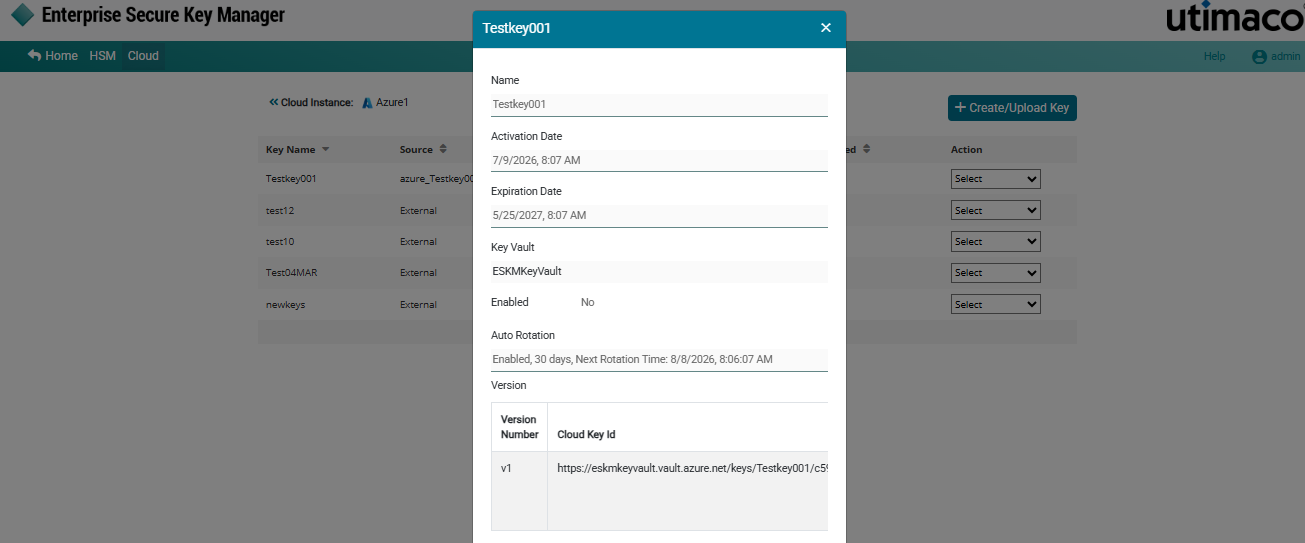
Key details
|
Parameters |
Description |
|---|---|
|
Key Name |
Name of the key. |
|
Source |
The key source indicates where key is generated. If the key was created in the ESKM, the format will be Instance Name_Key Name(ESKM). If the key is created in the cloud, it will appear as external. |
|
Status |
Status of the key such as Uploaded or Not Uploaded. |
|
Enabled |
Displays either “Yes” if the key is enabled in Microsoft Azure Key Vault or “No” if the key is disabled. |
|
Key Vault |
Key Vault Name created in Microsoft Azure. |
|
Action |
It contains various key actions such as Edit, Delete and Upload. |
|
Version |
Displays the available key versions along with version details such as Version Number, Cloud Key Id, Rotation Type, Status, Creation Time and Uploaded Time. Versions created through Auto Rotation are displayed as AUTO, while manually created versions are displayed as MANUAL. |
Cloud instance - keys list parameters