

-
Select the database. Right-click and select Tasks, then select Mirror.
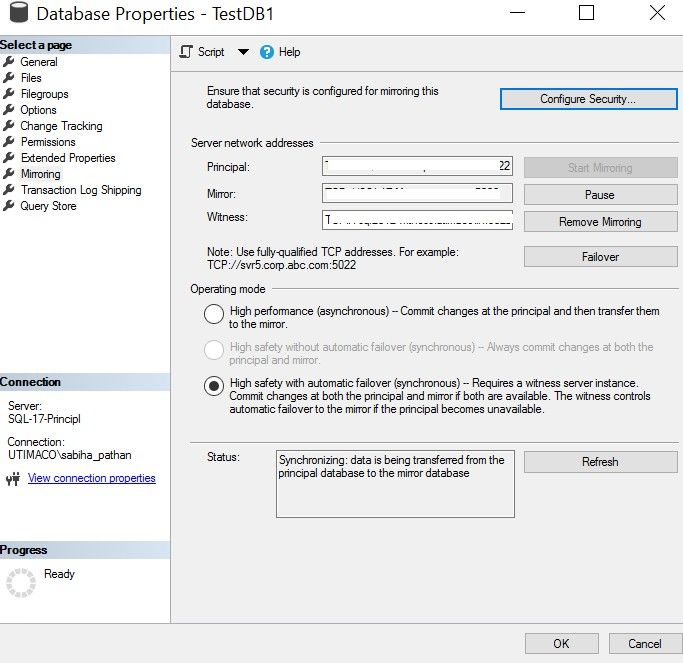
Database Properties Wizard
-
Select Failover and then select Yes on the next Dialogue box that appears.
-
This will make the current Principal Server a Mirror Server, and vice versa.
-
Click Refresh to reflect the changes.
-
On the new Principal Server, run the following query to verify that Database Mirroring with Utimaco HSM is working as expected.
SQL
USE TestDB1
GO
SELECT FirstName, SecondName, CONVERT (varchar, DECRYPTBYASYMKEY (ASYMKEY_ID('RSA2048Key'), CardNumber))
AS 'CardNumber' FROM Customers;
GO