

The CSR now needs to be signed by the local CA.
-
Using a text editor (or using the more <filename> command), open the KMIP_client.csr file.
-
Select the entire text and copy to your clipboard.
-
Now, login to the Management Console and navigate to Security > Certificates & CAs > Local Cas
Be sure to include the first and last lines (-----BEGIN CERTIFICATE REQUEST----- to -----END CERTIFICATE REQUEST--–––).
-
Select the CA used by your ESKM (in this case, LocalCA), and click Sign Request. The Sign Request window appears.
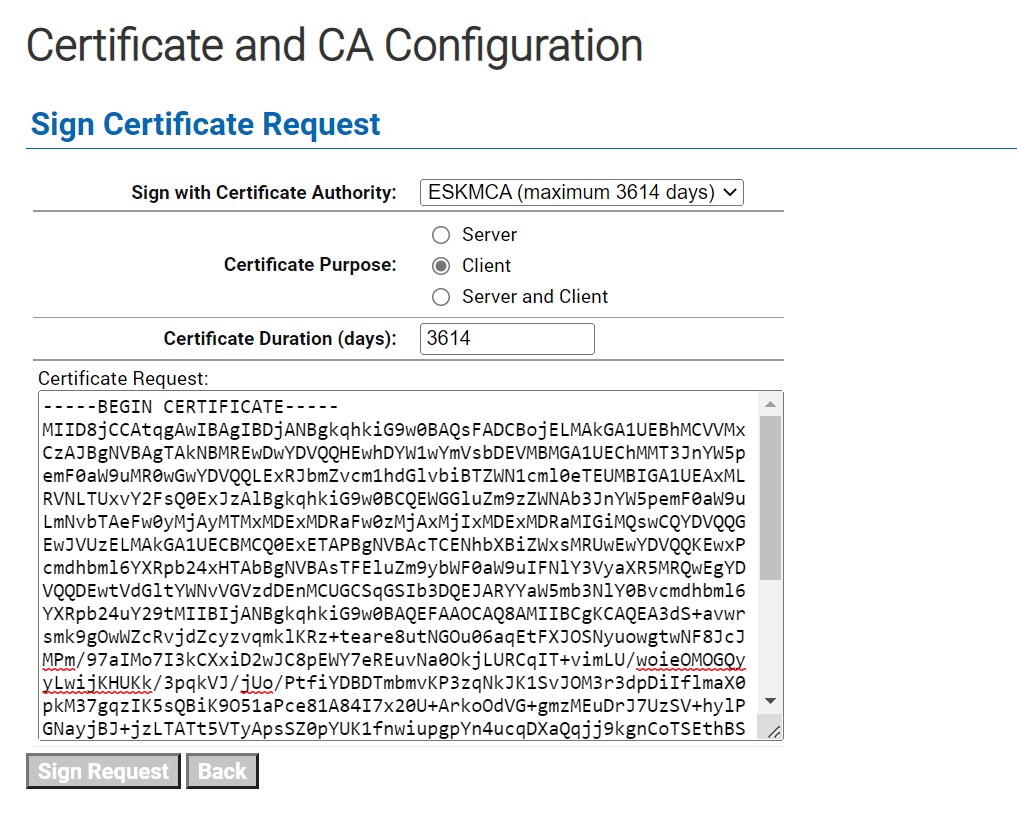
Sign Certificate Request window
-
For Certificate Purpose, select Client.
-
Paste the CSR text that you have copied to your clipboard (Step 2 above) into the Certificate Request window.
-
Click Sign Request. The signed client certificate now appears.
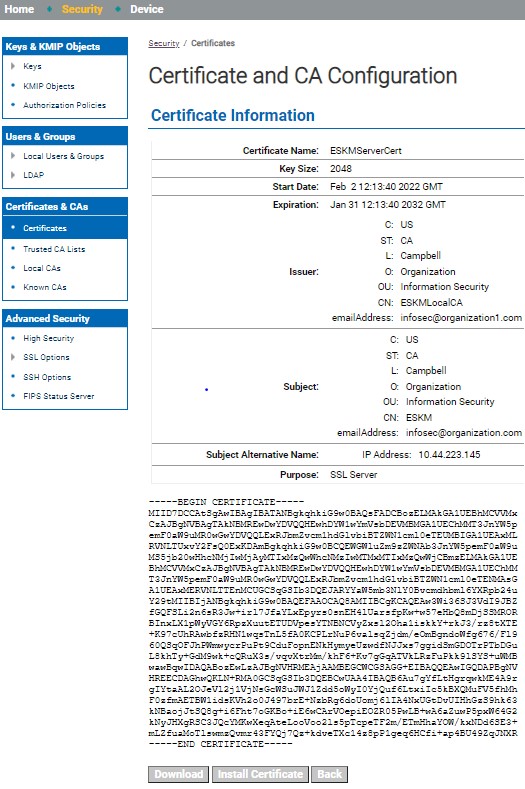
Certificate Information window
-
After signing the certificate request with a local CA, click on Download to download the file.
-
Save as the correct name; in this case,
/var/lib/mysql/mysql-keyringokv/ssl/cert.pem
For Windows, execute the steps 1 to 8 from Use the local CA to sign CSR section and then follow step 10.
-
Save as the correct name; in this case, C:\Program Files\MySQL\MySQL Server 8.0\mysql-keyring-okv\ssl - >
cert.pem