

-
In the Security > Certificates& CAs, Select Local CAs.
-
Select the Local CA which is used to sign the CSR.
-
Select Sign Request. The following window appears.
-
Select Certificate Purpose as Client.
-
Paste the one of the CSRs downloaded from the Data-at-Rest Encryption.
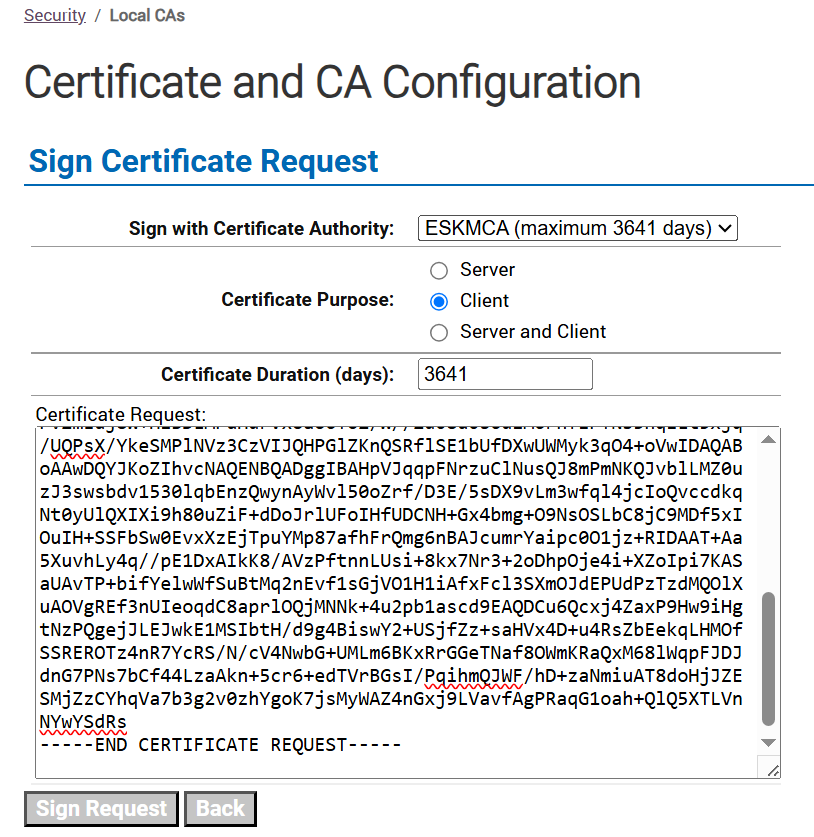
Sign Request
-
Click Sign Request.
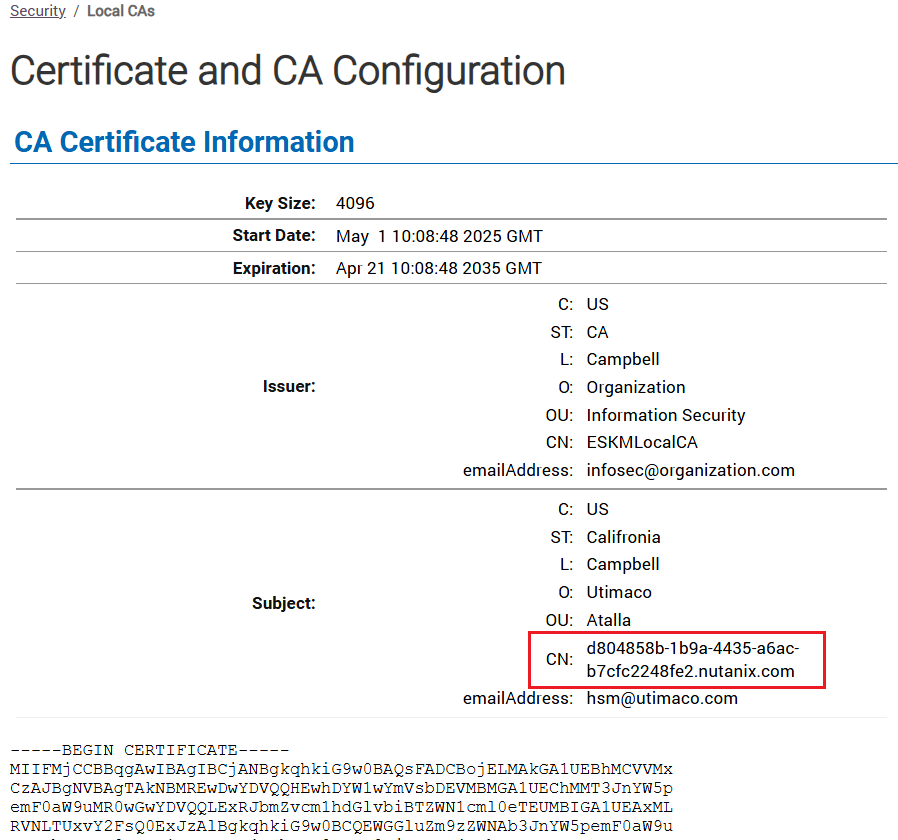
CA Certificate Information
-
Note the Common Name.
-
Download the signed certificate.