

OpenDNSSEC supports multiple ways to import and export zones. The most basic and straight forward way is the file backend. It will read an unsigned zone file, sign it and output a signed zone file.
-
You will now add a zone and sign it. OpenDNSSEC will search for unsigned zone files in
/var/opendnssec/unsigned/folder. Create the sample zone filetest.comwith the below details.
|
/var/opendnssec/test.com |
|---|
|
-
Add the zone
test.comwith the command below. This zone file will be fetched by OpenDNSSEC, keys will be generated, and zone will be signed according to the policy setup into thekasp.xmlfile.
|
›_ Console |
|---|
|
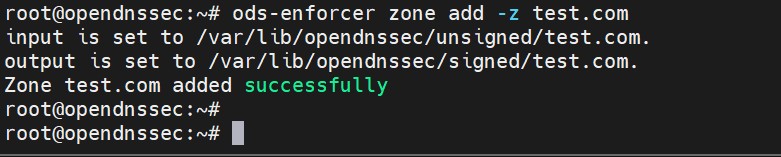
Signing zone output
-
To display the Zone List, run the below command.
|
›_ Console |
|---|
|

List zone output
-
Use the command below to list the Zone keys.
|
›_ Console |
|---|
|

List zone keys output