

-
OpenDNSSEC also provides the option for Manual rollover of the keys. To display the Rollover date of the keys for a zone, use the command below.
|
›_ Console |
|---|
|
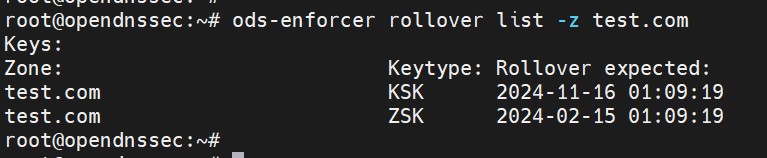
Rollover key list output
Automatic Rollover of KSK (Key-Signing Keys) and ZSK (Zone-Signing Keys) is supported with Utimaco HSM, and it happens as per the policy configured in kasp.xml. For more detailed information about the Key States and Key Rollover visit the official OpenDNSSEC documentation at https://wiki.opendnssec.org/.
-
Use the command to roll the KSK manually. This will roll the KSK key in a timely manner following the policy used for the zone test.com.
|
›_ Console |
|---|
|

Manually rollover KSK output
Similarly, if a user wants to manually rollover ZSK, replace --keytype with ZSK.
|
›_ Console |
|---|
|

Manually rollover ZSK output
-
Verify that the key has been rolled over successfully.
|
›_ Console |
|---|
|
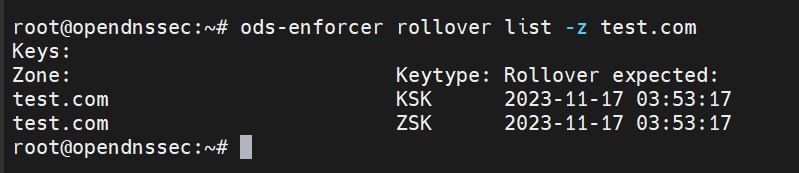
Rollover key list output
This completes the integration of OpenDNSSEC with Utimaco HSM.