

-
Create a wallet directory located in
$ORACLE_BASE/admin/db_unique_namedirectory e.g., wallet. -
Log in to the database instance as a user who has been granted the SYSDBA administrative privilege.
|
›_ sqlplus console |
|---|
|
-
Set the
WALLET_ROOTparameter.
|
›_ sqlplus console |
|---|
|
-
Shutdown and startup the database.
|
›_ sqlplus console |
|---|
|
-
Set the
TDE_CONFIGURATIONparameter.
|
›_ sqlplus console |
|---|
|
-
Verify the
WALLET_ROOTand theTDE_CONFIGURATIONparameter are set.
|
›_ sqlplus console |
|---|
|
-
Grant the
ADMINISTER KEY MANAGEMENTorSYSKMprivilege toSYSTEMand any user that you want to use.
|
›_ sqlplus console |
|---|
|
-
Connect to the database as system user.
|
›_ sqlplus console |
|---|
|
-
Run the
ADMINISTER KEY MANAGEMENTSQL statement to open the HSM based keystore.
|
›_ sqlplus console |
|---|
|
-
Set the MEK in HSM keystore.
|
›_ sqlplus console |
|---|
|
-
You can verify the key gets generated onto the HSM using following command.
|
›_ console |
|---|
|
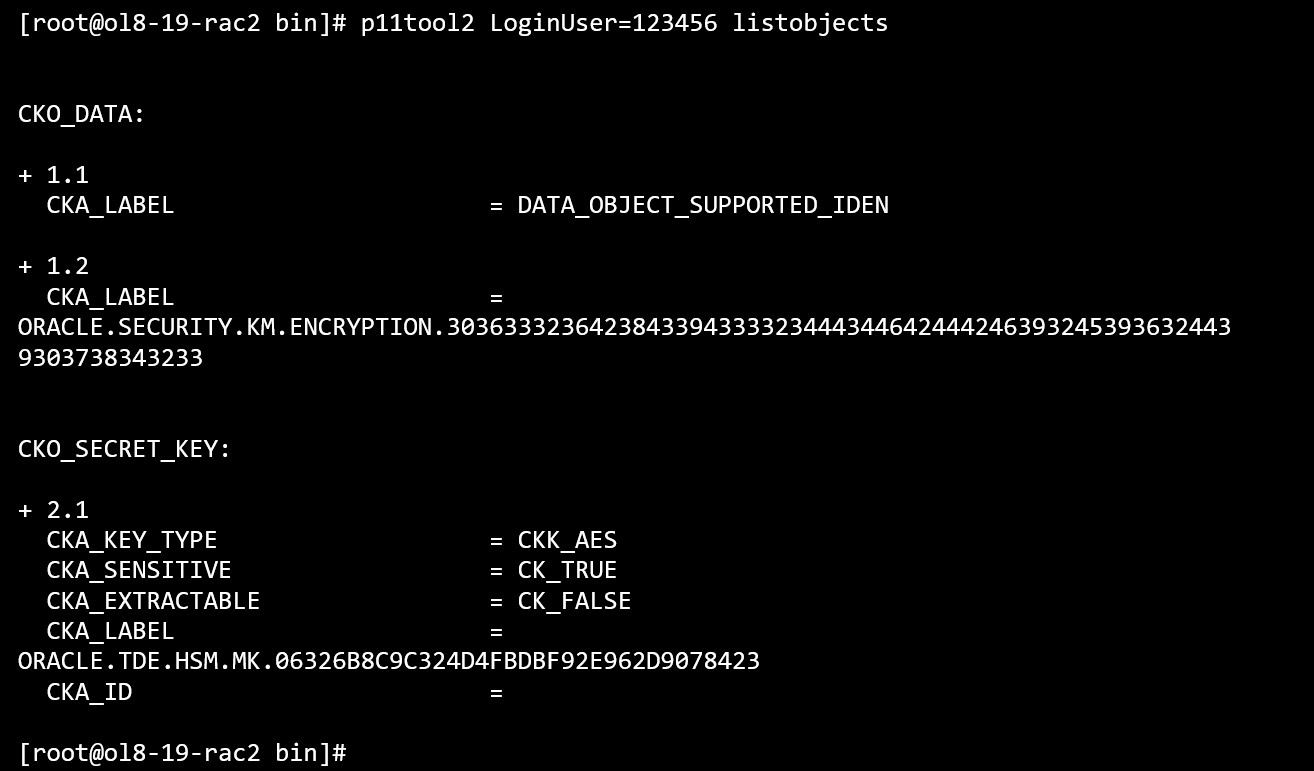
p11tool2 listobjects output
Most of the use cases for various types of tables and tablespace encryption are already covered in previous chapters. Use the following link to perform them on Oracle RAC instances. In case of Oracle RAC make sure to use shared location for wallet, software keystore and tablespace files which are accessible by all RAC instances.