

-
Generate an RSA Keypair on Utimaco HSM.
|
›_ Console |
|---|
|
Provide information when prompted.
Here:
-
RSA is the key algorithm.
-
2048 is the key size.
-
NONE is the keystore for HSM.
-
PKCS11 is the storetype.
-
12345678 is the slot PIN.
-
SunPKCS11-CryptoServer is the provider name.
-
webrsa is the key name that will be generated on Utimaco HSM.
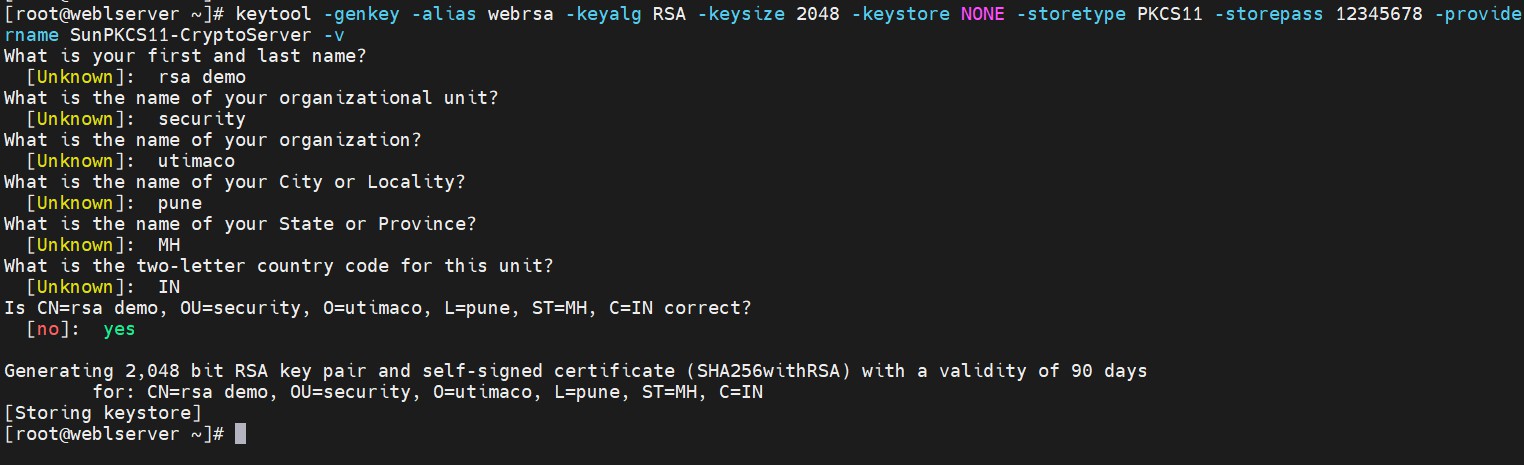
Key generation using keytool command
-
Verify that the keys have been generated.
|
›_ Console |
|---|
|
Here:
-
NONE is the keystore for HSM.
-
PKCS11 is the storetype.
-
12345678 is the slot PIN.
-
SunPKCS11-CryptoServer is the provider’s name.
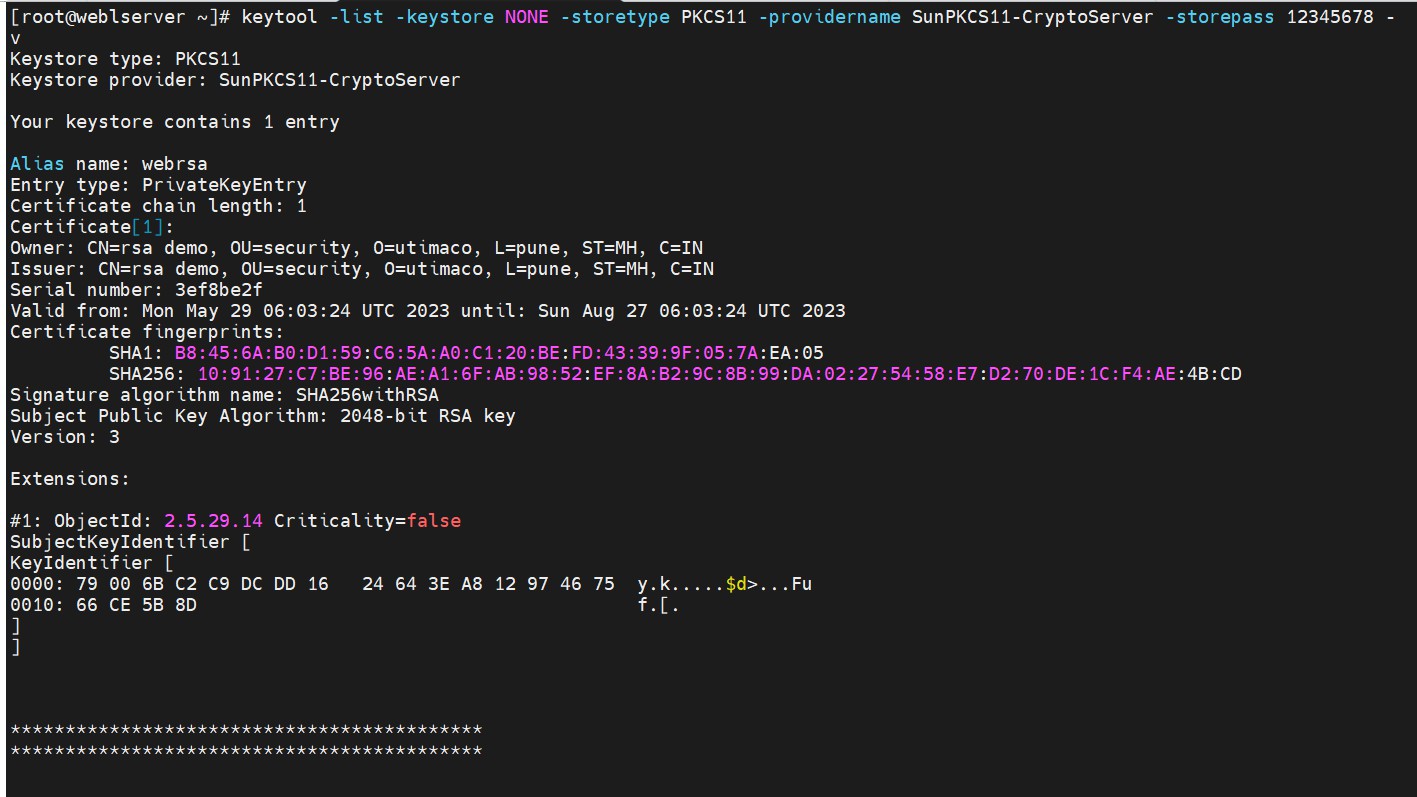
List keys output
-
List the keys using
p11tool2.
|
›_ Console |
|---|
|
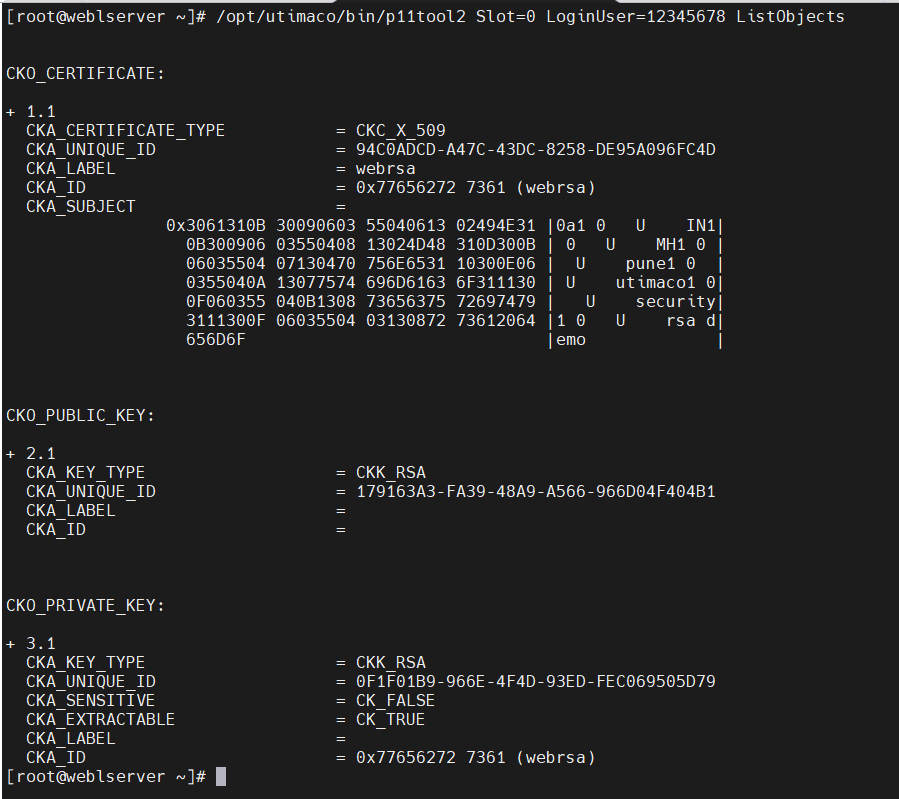
List keys output using p11tool2
-
Generate a CSR using the
keytoolcommand.
|
›_ Console |
|---|
|
Provide the keystore password when prompted.
Here:
-
NONE is the keystore for HSM.
-
SunPKCS11 is the storetype.
-
SunPKCS11-CryptoServer is the provider name.
-
webrsa is the key name.
-
rsa.csr is the CSR file name that will be generated.
-
Get this CSR signed by the CA.
-
Copy the signed certificate on the WebLogic server.
-
Copy the cacerts from
<java_installation_path>/jdk-11.0.6/lib/security/to/u01/app/oracle/config/domain/admindomain/. -
Import the signed certificate using the command below.
|
›_ Console |
|---|
|
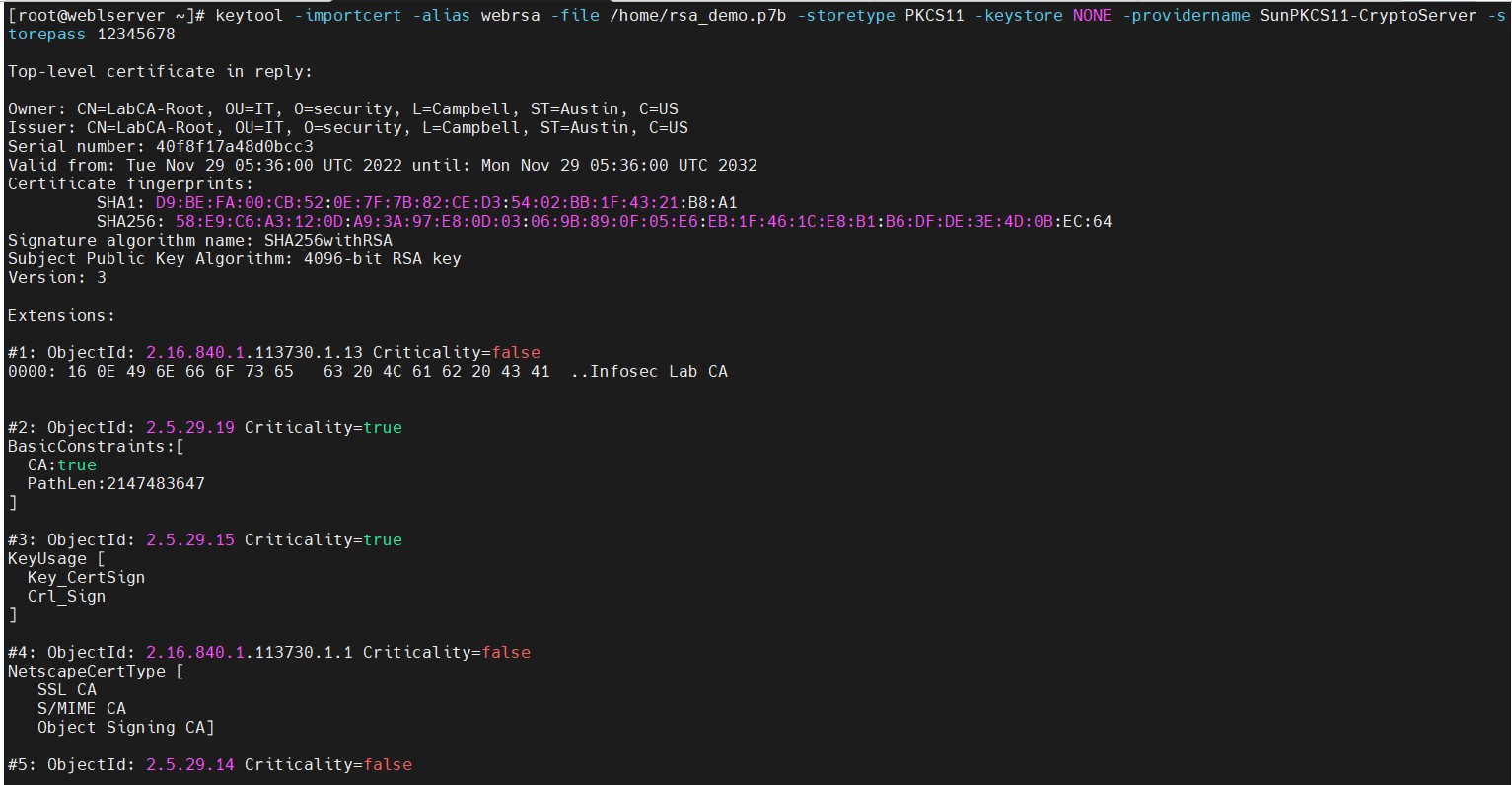
Import user certificate into keystore
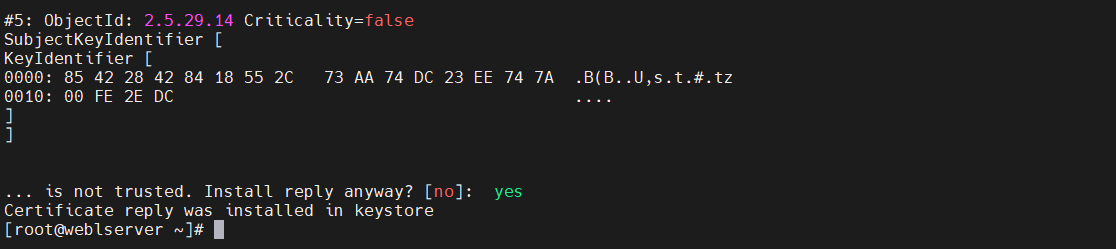
Import user certificate into keystore
-
Verify that the
keytoolcommand shows the signed certificate.
|
›_ Console |
|---|
|
Here:
-
NONE is the keystore for HSM.
-
PKCS11 is the storetype.
-
12345678 is the slot PIN.
-
SunPKCS11-CryptoServer is the provider’s name.
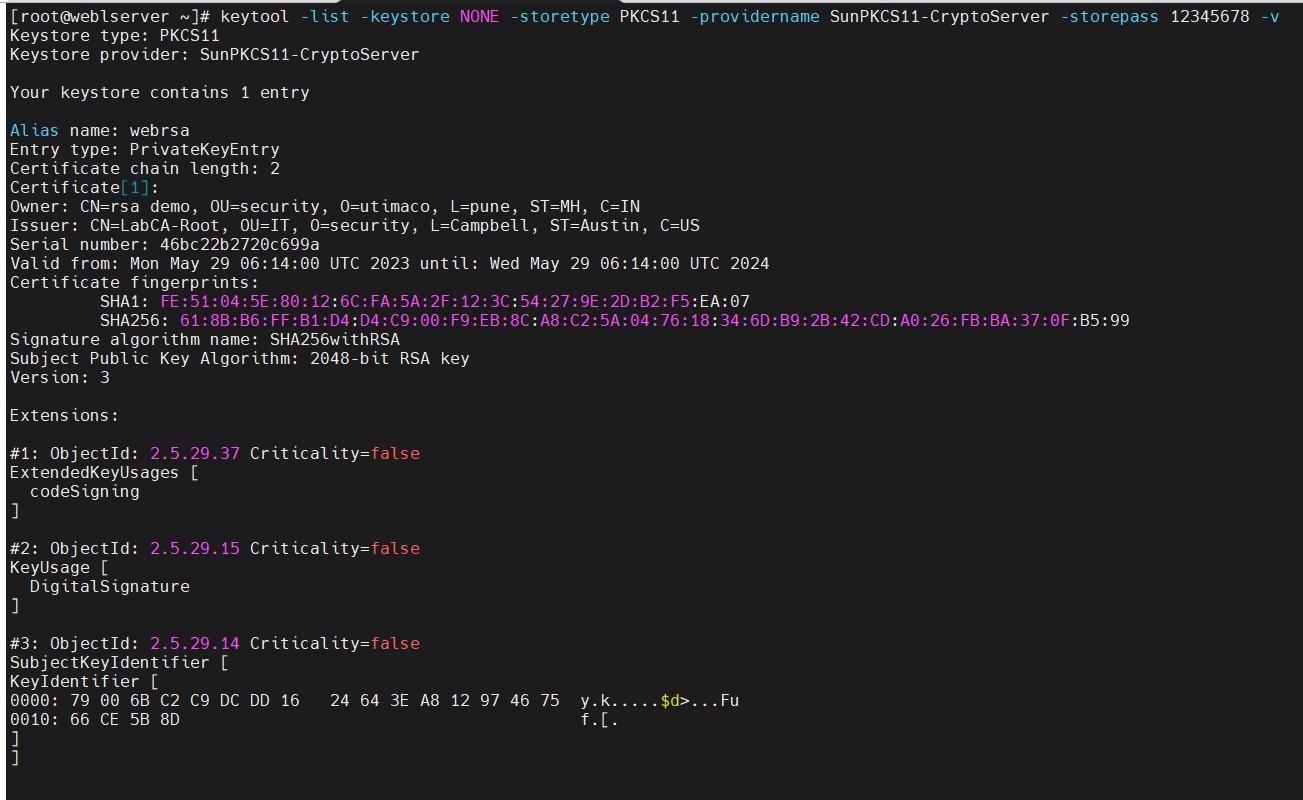
Keytool list output
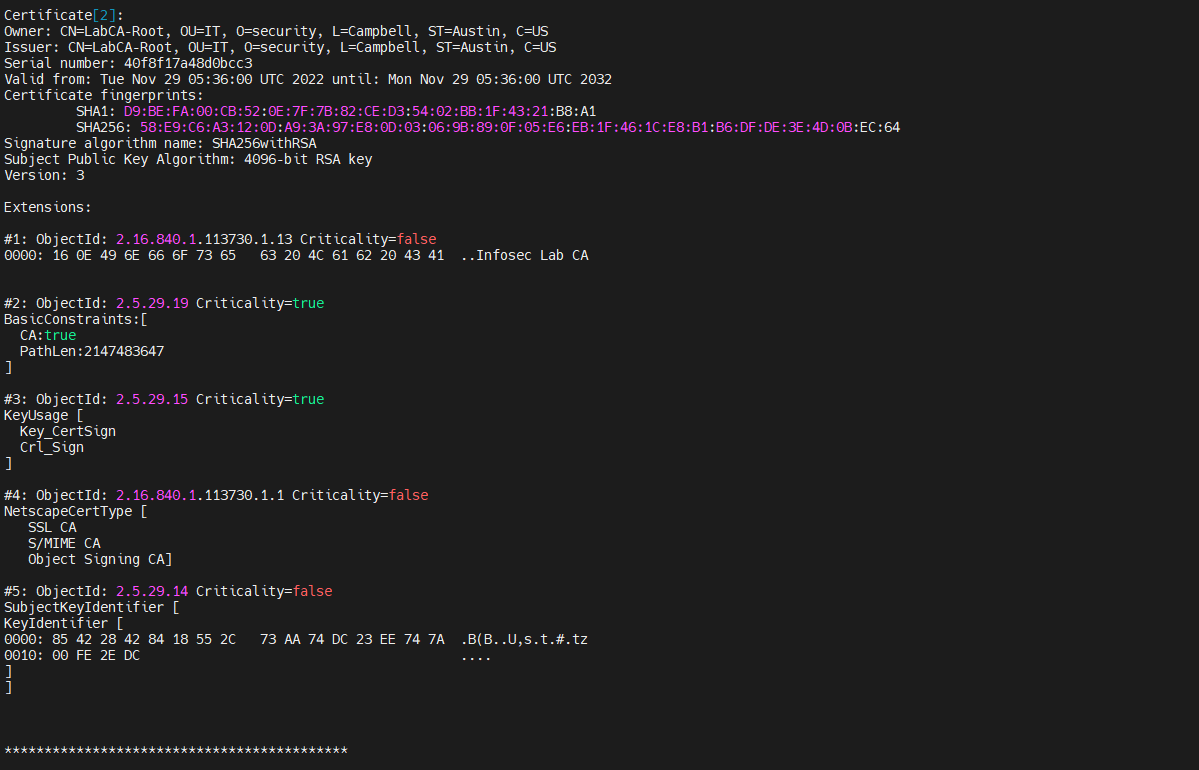
Keytool list output