

-
In the ESKM Management console, go to Device > KMIP Server > KMIP Server.
-
Select the relevant KMIP Port.
-
Select the created server certificate as the Server Certificate for the KMIP server.
-
Select the created Local CA from the dropdown list.
-
Click Save.
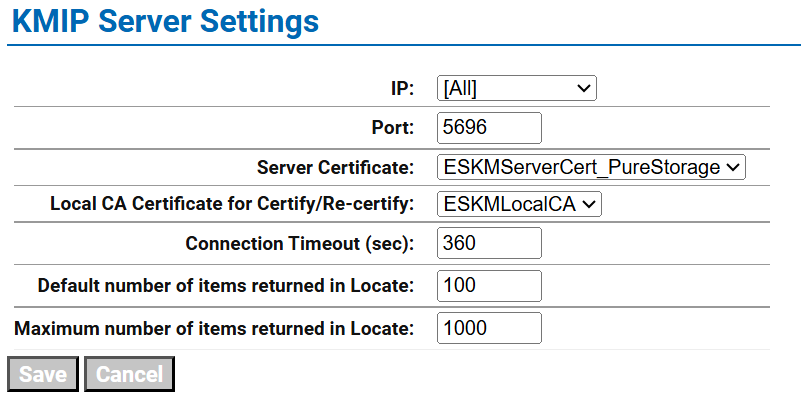
KMIP Server Configuration