

See Client Certificate Creation and generate a CSR in FlashArray CLI before you proceed with the steps below.
1. Copy the generated CSR from Pure Storage FlashArray CLI and submit it to ESKM for
signing by the ESKMLocalCA as a client certificate.
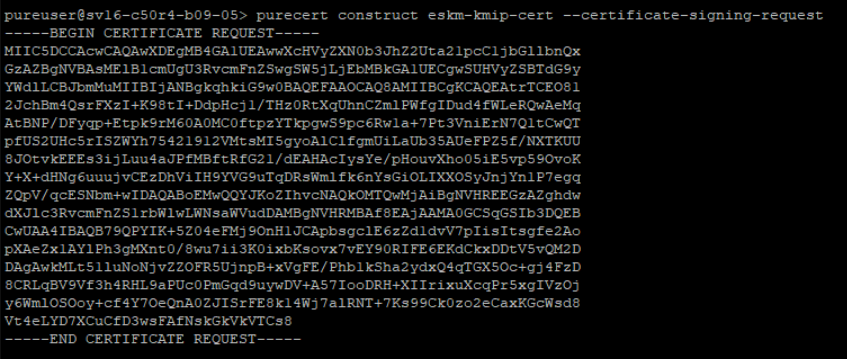
Generated CSR in Pure Storage FlashArray CLI
-
Go to ESKM Management Console > Security > Certificates & CAs > Local CAs.
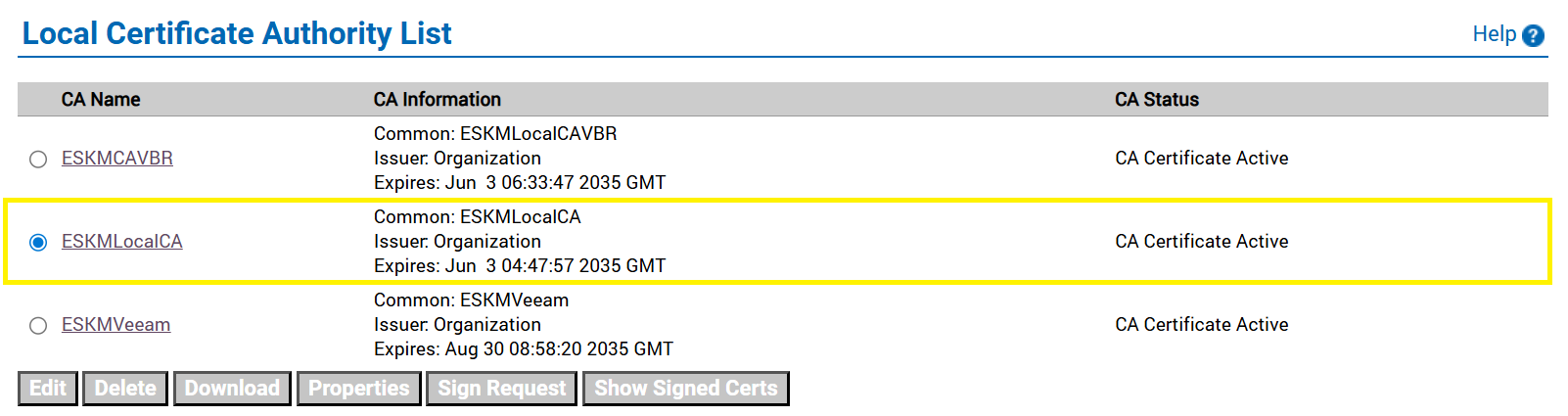
Local CA
-
Select the created CA and click Sign Request.
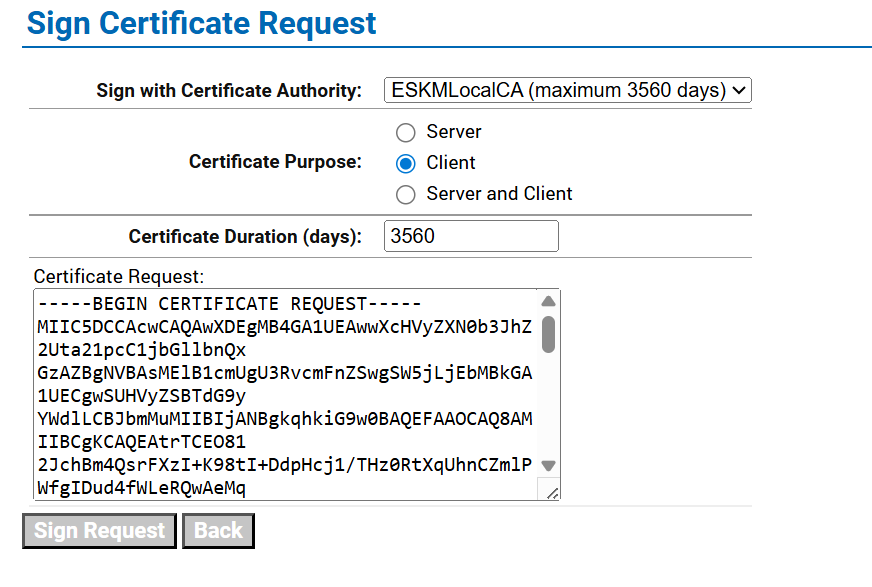
Sign Certificate Request
-
Select the previously created CA certificate name from the Sign with Certificate Authority dropdown list.
-
Select Client in the Certificate Purpose section.
-
Copy the host certificate content to the Certificate Request box and click Sign Request.
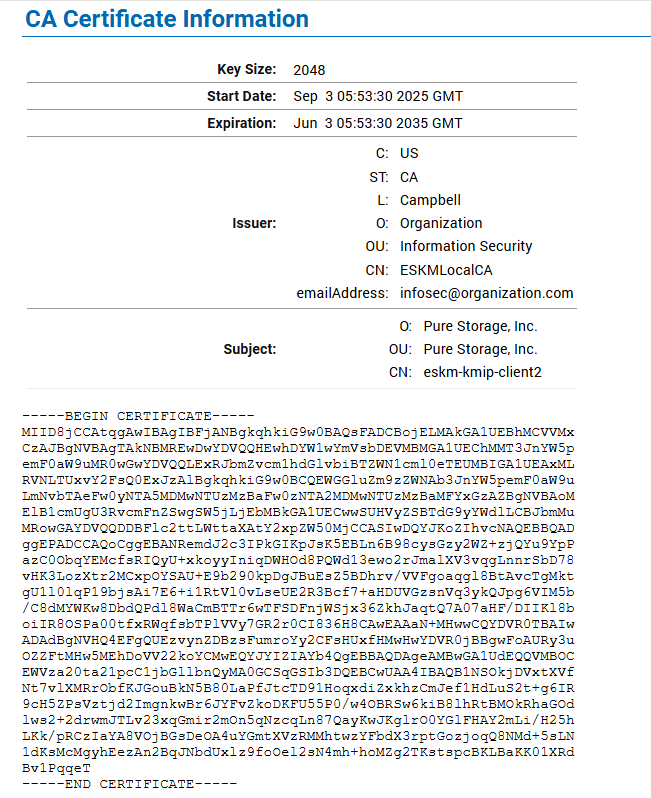
Signed Certificate Information
-
Copy the signed certificate and paste it into the Pure Storage FlashArray CLI.
-
Click ESKMLocalCA from Local CAs, copy the ESKMLocalCA certificate, and paste it into the Pure Storage FlashArray CLI.
CA Certificate Information