

-
Get the list of running pods.

List Running Pods
-
Access one of the pods and use the openssl s_client command to initiate a secure connection to the other pod.
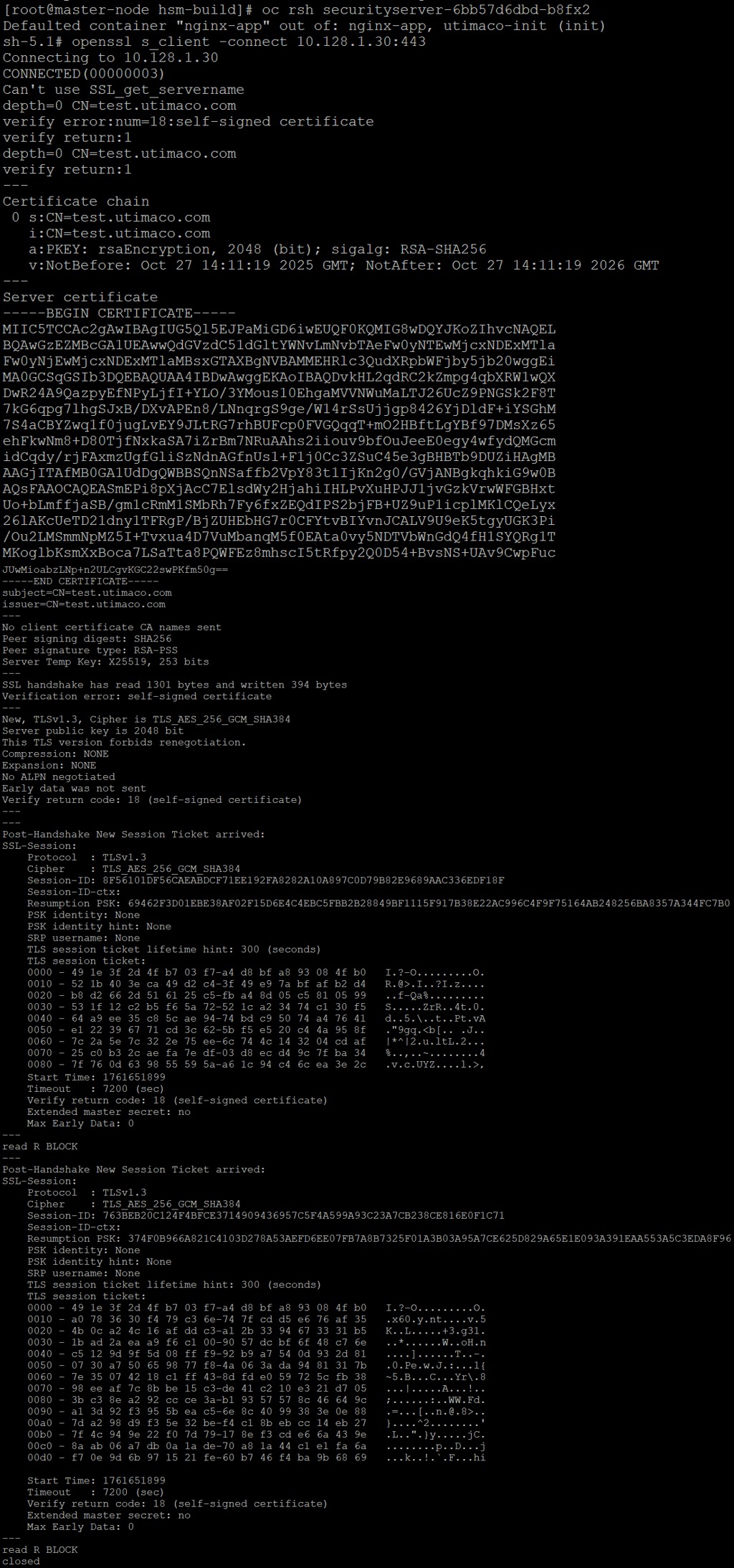
Openssl s_client connect output
-
The command should display the certificate details issued by the Utimaco-backed setup. and an output
CONNECTED(00000003)indicating a successful SSL handshake.
Ignore the above error message as self-signed certificate has been used
for demonstration. It is recommended to use CA signed certificate in production
environment.
A successful TLS handshake using the openssl s_client command confirms that the NGINX server in the second pod is correctly utilizing the private key stored in the Utimaco HSM via the PKCS#11 interface to establish a secure HTTPS connection. This serves as the final validation that the Utimaco HSM and OpenShift integration is functioning as intended, providing secure, hardware-backed encryption for containerized applications.