

-
Login to the Linux machine where Splunk Universal Forwarder is installed.
-
Create a folder
eskmunder/var/logsand give permission.
mkdir -p /var/log/eskm
chown root:root /var/log/eskm
chmod 750 /var/log/eskm
-
Create an
eskm.conffile under/etc/syslog-ng/conf.dwith the following configurations.
@version: 3.29

# Network source - accept TCP & UDP from ESKM
source s_eskm_net {
    network(
        ip("0.0.0.0")
        port(514)
        transport("tcp")
    );
    network(
        ip("0.0.0.0")
        port(514)
        transport("udp")
    );
};

# Destination file for ESKM logs
destination d_eskm {
    file("/var/log/eskm/eskm.log"
        create_dirs(yes)
        perm(0640)
    );
};

# Log path
log {
    source(s_eskm_net);
    destination(d_eskm);
};
-
After creating the
eskm.conffile under/etc/syslog-ng/conf.d, restart the syslog-ng service to apply the new configuration. Enabling the service ensures it automatically starts on system boot, and checking its status verifies that syslog-ng is running correctly and ready to receive ESKM log events.
systemctl restart syslog-ng
systemctl enable syslog-ng
systemctl status syslog-ng
-
The systemctl status output should display the service as active (running), confirming that syslog-ng has successfully loaded the new configuration and is operational.
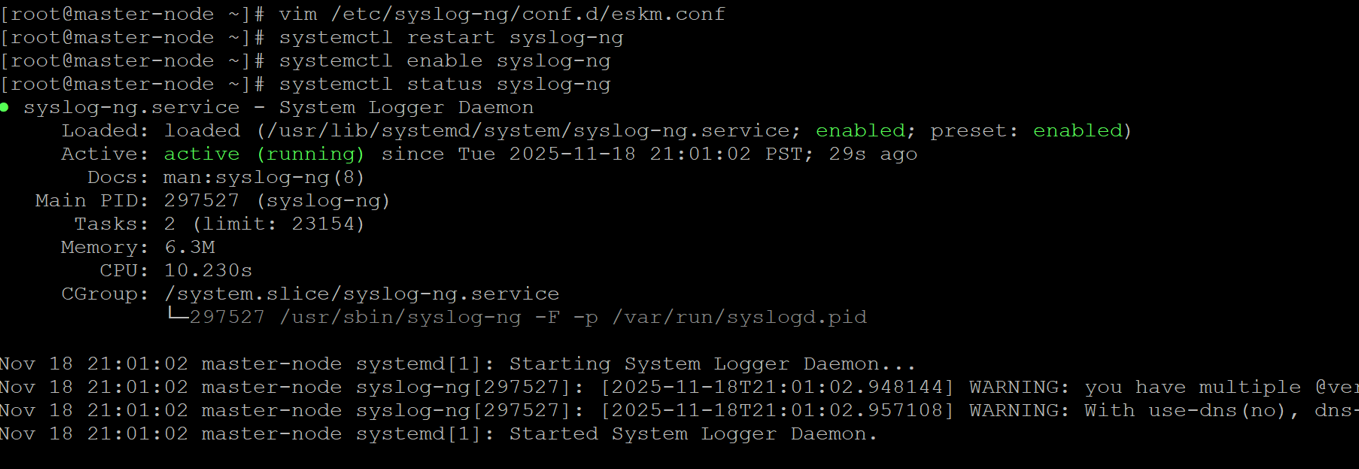
Syslog-ng started running
-
Create an
inputs.conffile under/opt/splunkforwarder/etc/system/local/with the following configurations.
[monitor:///var/log/eskm/eskm.log]
index = eskm_index
sourcetype = utimaco:eskm
crcSalt = <SOURCE>
-
Create an
outputs.conffile under/opt/splunkforwarder/etc/system/local/ with the following configurations.
[tcpout]
defaultGroup = default-indexer-group

[tcpout:default-indexer-group]
server = <SPLUNK_ENTERPRISE_IP>:9997
Replace <SPLUNK_ENTERPRISE_IP> with the IP address of the server where Splunk Enterprise is installed and listening on port 9997 for Universal Forwarder connections.
-
After creating or updating both the
inputs.confandoutputs.conffiles, the Splunk Universal Forwarder must be restarted for the new configurations to take effect.
/opt/splunkforwarder/bin/splunk restart