Generate PKCS12 Keystore for WebServer

The PKCS12 keystore is used by the web server to enable SSL capabilities.

Follow the steps below to generate a pkcs12 keystore using the keytool command.

  1. Generate a pkcs12 keystore.

›_ Console

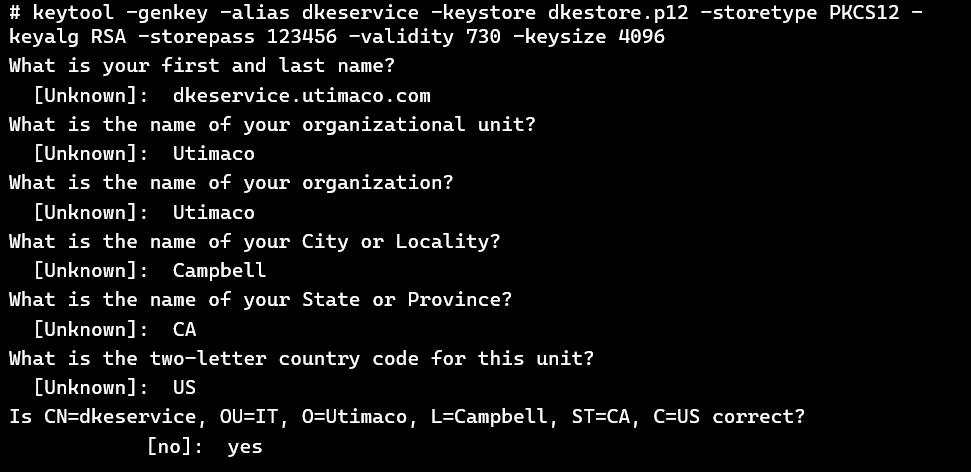
# keytool -genkey -alias somealias -keystore keystore.p12 -storetype PKCS12 keyalg RSA -storepass somepass -validity 730 -keysize 4096

-genkey Generate keystore
-alias Alias of the generated private key entry
-keystore Keystore file to be created
-storetype Type of keystore. PKCS12 in this example
-keyalg Key algorithm of key entry to be generated
-storepass Password to set on both the key entry and keystore
-validity Validity of the certificate associated with the key entry
-keysize Size of the generated private key in bits

eae6e8bc-d8bb-4a2a-8283-40e6410b40bb.jpg


Keytool: genkey output

  1. Generate the certificate signing request.

›_ Console

# keytool -certreq -alias dkeservice -keystore dkestore.p12 -file dkeservice.csr

Enter keystore password:

Provide the keystore password when prompted.
  1. Get the CSR signed from Certificate Authority.

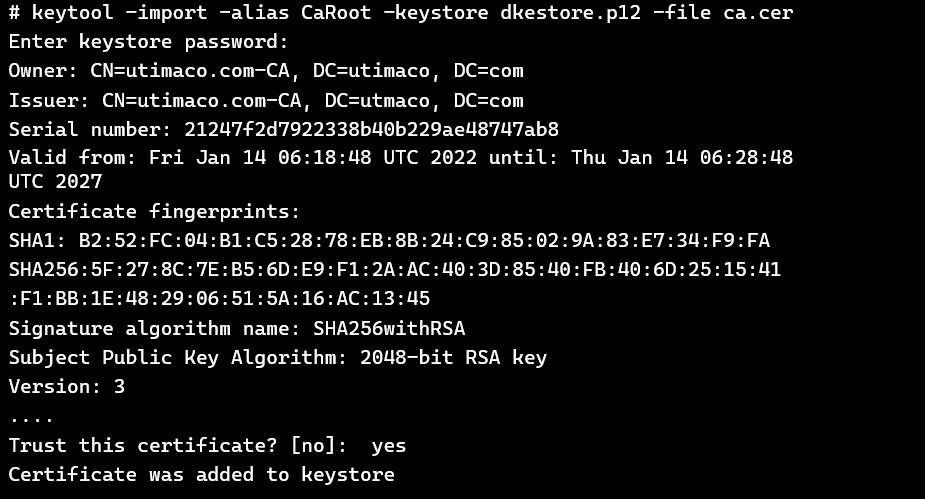
  2. Use the keytool to import the CA certificate into the keystore.

›_ Console

# keytool -import -alias CaRoot -keystore dkestore.p12 -file ca.cer

Provide the keystore password when prompted.

2f723e10-1d41-4ca0-8edc-e4e5afd9eecd.jpg


Keytool: import the CA certificate

  1. Use the keytool to import the signed certificate for the associated alias into the keystore.

›_ Console

# keytool -import -alias dkeservice -keystore dkestore.p12 -file dkeservice.cer

Provide the keystore password when prompted.

7f09db8f-1576-412f-a596-aa0c42f42d8a.jpg

Keytool: import signed certificate